
BanCoppel outages and problems
User reports, last 24 hours
179 reports in total, counted in 15-minute windows
In the last hour, 6 problem reports came in for BanCoppel, against about 4 at this time on a usual day. Over the last 24 hours there were 179 reports. The last spike in reports was 23 h ago and lasted 55 min. These are user reports from Mexico, where most people report BanCoppel problems.
- NormalClose to the usual level23 h 15 min · 93 reports
- ElevatedMore than 1.5 times the usual levelNone in this chart
- OutageMore than twice the usual level and far above the day's average45 min · 86 reports
- Usual levelWhat a usual day sees at that timeAbout 4 an hour now
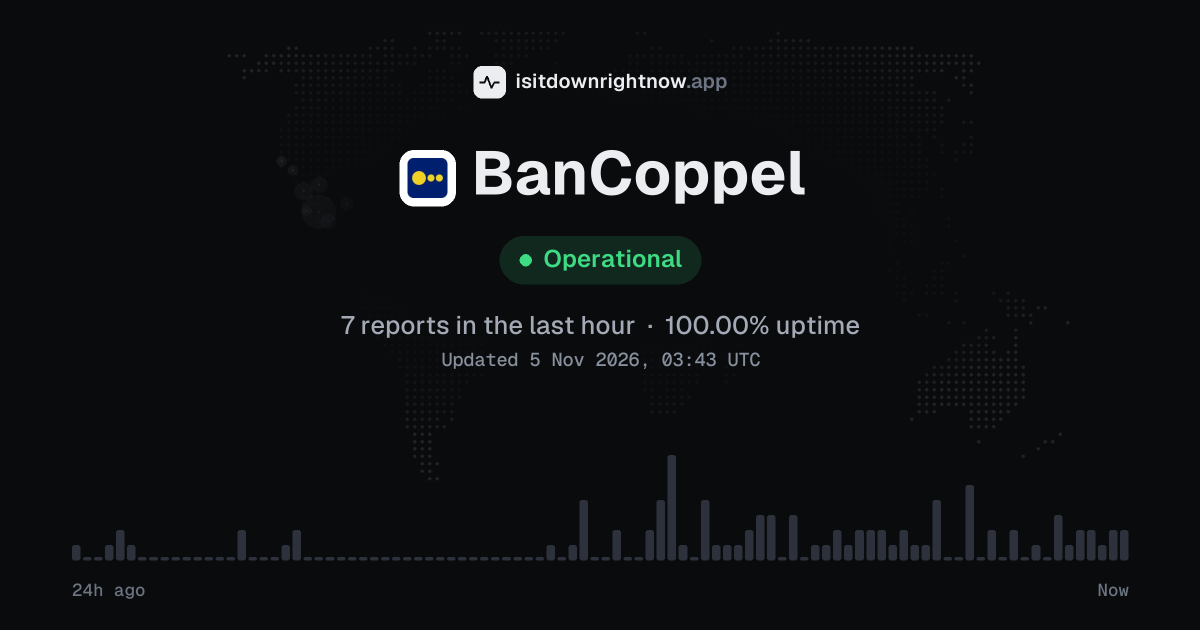
In the past 24 hours, 179 user reports came in for BanCoppel. Counting only the 15-minute windows with a spike big enough to count as an outage, that comes to 96.88% uptime for the day.
The most recent spike big enough to count as an outage was 23 hours ago. The busiest 15-minute window of the day had 35 reports, about 23 hours ago.
-
Outage
Ended 23 h agoLasted 45 min35peak reports
BanCoppel in November 2026
- Problem reports in November (since 3 November)
- 195
Monthly report for November 2026
People who report a problem with BanCoppel to the outage-report feed behind this page can tag what is affected. These are the categories they can pick; the feed shows no counts per category:
- Sitio web
- Banca móvil
- Banca en línea
- Transferencias
- Iniciar sesión
- App
BanCoppel problem spikes, last 30 days
Since 3 November, BanCoppel had 1 outage spike.
-
Outage
Wed 4 Nov, 03:03–03:57Lasted 55 min35peak reports
A spike is a sharp rise in problem reports from users, kept exactly as this page showed it at the time. This history starts on 3 November 2026. Monthly reports for all services
How to fix BanCoppel not working
BanCoppel is up on our end, so if it won't work for you, the problem is most likely on your side. Work through these in order:
Your browser tries to reach bancoppel.com over your own connection, right now. Nothing is sent to us or stored.
Restart the BanCoppel session
Close the app before you try another login. On iPhone, swipe up from the bottom and pause, then swipe BanCoppel up; on Android, tap Recents and swipe the app away, then reopen it and request only one SMS code.
Open bancoppel.com privately
Try the site in a private window to separate a browser problem from an account or service problem. In Chrome, use More > New Incognito Window; in Safari on iPhone, tap Tabs > Private > Done, then go to bancoppel.com.
Clear BanCoppel app cache
On Android, open Settings > Apps > BanCoppel > Storage and cache > Clear cache. Do not tap Clear storage unless you are ready to set up the app again, because that can remove saved local data.
Update or reinstall the app
Check for an update first. On iPhone, open App Store > profile icon and tap Update if it appears; on Android, open Play Store > profile icon > Manage apps and device > Updates available, then update or uninstall and install the app again.
While BanCoppel is down: what to use instead
- BanCoppel website If the app will not open, try bancoppel.com for account access and online banking tasks that the site supports.
- BanCoppel branch For cash deposits, withdrawals, or account help, a branch can work when a transfer screen keeps failing.
- ATM Use an ATM for cash if the balance screen or card controls in the app are stuck; keep the receipt until the account updates.
- Another Mexican bank app If a payment cannot wait, send it from a second account such as BBVA México or Citibanamex, then reconcile it later.
Problems at the same time as BanCoppel
Since 3 November, BanCoppel's only spike in problem reports overlapped a spike at another service.
When several services get problem reports at once, something they share, such as a cloud host or a network, can be the real cause. Matching times alone do not prove it.
During the latest spike
BanCoppel: Wed 4 Nov, 03:03 to 03:57
- Capital One, outage,3 Nov 08:52 to 06:46
- USPS, outage,3 Nov 11:10 to 10:09
- Sam's Club, outage,3 Nov 15:20 to 04:08
- Brightspeed, outage,3 Nov 16:21 to 05:19
- Archive of Our Own, outage,3 Nov 18:00 to 09:51
- Minecraft, outage,3 Nov 19:40 to 07:55
- Genshin Impact, outage,3 Nov 22:58 to 04:31
- Banco do Brasil, outage,3 Nov 23:36 to 04:32
70 more services. Red dot: outage. Amber dot: elevated reports.
A spike is a sharp rise in problem reports from users, as the live pages showed it. Times are Central European time.
When people report BanCoppel problems
The busiest hour for reports about BanCoppel is 01:00 to 02:00 Central European time, and the busiest day is Wednesday.
By hour of the day
- 00:00 to 01:00: 0.3 reports on an average day
- 01:00 to 02:00: 0.57 reports on an average day
- 02:00 to 03:00: 0.31 reports on an average day
- 03:00 to 04:00: 0.55 reports on an average day
- 04:00 to 05:00: 0.32 reports on an average day
- 05:00 to 06:00: 0.13 reports on an average day
- 06:00 to 07:00: 0.03 reports on an average day
- 07:00 to 08:00: 0 reports on an average day
- 08:00 to 09:00: 0.07 reports on an average day
- 09:00 to 10:00: 0.07 reports on an average day
- 10:00 to 11:00: 0.03 reports on an average day
- 11:00 to 12:00: 0 reports on an average day
- 12:00 to 13:00: 0 reports on an average day
- 13:00 to 14:00: 0 reports on an average day
- 14:00 to 15:00: 0 reports on an average day
- 15:00 to 16:00: 0.03 reports on an average day
- 16:00 to 17:00: 0.19 reports on an average day
- 17:00 to 18:00: 0.12 reports on an average day
- 18:00 to 19:00: 0.41 reports on an average day
- 19:00 to 20:00: 0.27 reports on an average day
- 20:00 to 21:00: 0.24 reports on an average day
- 21:00 to 22:00: 0.17 reports on an average day
- 22:00 to 23:00: 0.23 reports on an average day
- 23:00 to 00:00: 0.22 reports on an average day
By day of the week
- Monday: 0 reports on an average Monday
- Tuesday: 0.09 reports on an average Tuesday
- Wednesday: 27 reports on an average Wednesday
- Thursday: 5.4 reports on an average Thursday
- Friday: 0 reports on an average Friday
- Saturday: 0 reports on an average Saturday
- Sunday: 0 reports on an average Sunday
Each bar is the average number of user reports in that hour, or on that day of the week, from 29 days of reports since 5 October 2026. The busiest bar is highlighted. Spikes in reports are left out, so one outage does not set the pattern.
What happens when BanCoppel goes down
BanCoppel is Banco Coppel's banking service in Mexico, with bancoppel.com and its mobile app used for accounts, cards, credit, transfers, and payments. When it has trouble, customers can lose access to balances, SPEI transfers, card management, and loan or credit payments.
The app often shows the pain first: login loops, a blank balance screen, or a transfer that stays pending after you approve it. Card payments and SPEI transfers can fail while the website still loads, so a partial outage may look like a bad password or a frozen session. Reports for Mexican banks often cluster by city, carrier, or payment rail, which means one person may pay at a store while another cannot sign in from the app. If the top status here changes, it comes only from public problem reports sent to an outage-reporting service and counted in 15-minute windows over the last 24 hours; this site does not collect reports itself.
BanCoppel IP address, servers and network
Checking bancoppel.com from our server…
BanCoppel FAQ
Is BanCoppel down right now?
Why can’t I sign in to BanCoppel Móvil?
Why is my SPEI transfer from the app not going through?
Why does BanCoppel Móvil get stuck on the token or verification step?
Why can’t I see my BanCoppel account balance or card movements?
Service updates from @BanCoppel
No posts about problems from @BanCoppel in the last 14 days. The latest is from .
Contact BanCoppel support
- Websitebancoppel.com/main/index.html
- X (Twitter)x.com/BanCoppel
- Facebookfacebook.com/1634029503512125
Tip: BanCoppel doesn't list a public status page that we know of, so its help centre and the report chart on this page are the best places to check.
Put the BanCoppel status badge on your site
Paste one of these into a web page, a blog post or a README. The badge shows the same status as this page, based on user problem reports. Browsers can keep a copy for up to 4 hours. It links back here.

<a href="https://isitdownrightnow.app/services/bancoppel/"><img src="https://isitdownrightnow.app/badge/bancoppel.svg" alt="BanCoppel status" height="20"></a>[](https://isitdownrightnow.app/services/bancoppel/)The badge is a plain image: no scripts, no cookies. People who see it on your page load it from our server.
How we track BanCoppel
The status on this page comes from user-submitted problem reports for BanCoppel, counted in 15-minute windows over the last 24 hours. Each window is compared with the normal level for BanCoppel, so a few complaints on a quiet day don't trigger anything, but a sudden jump well above normal does.
When reports climb well above normal, the status here changes to partial outage or major outage and the chart moves with it. BanCoppel doesn't publish a public status page that we know of, so user reports are often the quickest sign that something is wrong on their side.