
Is Sonos Down Right Now? Live Status & Outage Tracker
Real-time uptime monitoring and outage reports
schedule Last checked · auto-refreshes every 5 minutes
No — Sonos is up and working normally.
No widespread outage is detected, with only 0 user reports in the last hour.
sonos.com Server Status Check

- Website Name:
- Sonos
- URL Checked:
- sonos.com
- Response Time:
- 32.82 ms
- Last Down:
- More than a week ago
Sonos is UP and reachable by us.
Please check and report on local outages below…
Current Status
Operational
24h Uptime
100.00%
Reports (Last 1h)
0
trending_flat 0%Last Peak Spike
1
9h agoUptime History (Past 24 Hours)
Live User Reports
Real-timeSystem Monitoring Active
Real-timeMonitoring is currently tracking 0 ongoing reports, which is well within normal operational baselines for Sonos.
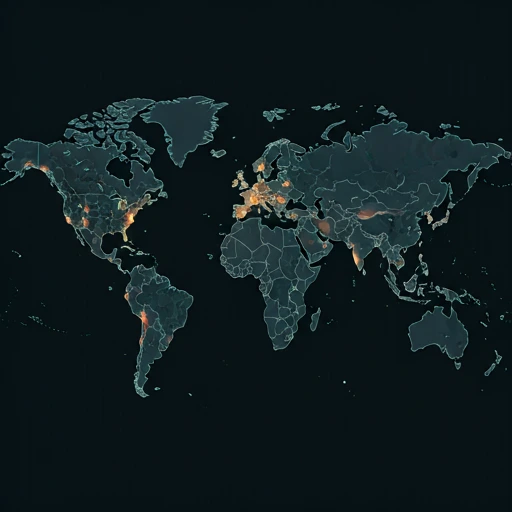
Outage Heat Map
contact_support How to Contact Sonos Support
Official support channels, status pages, and social accounts for Sonos. If the service is down, the status page is the fastest way to see confirmed incidents.
|
languageOfficial Website
|
sonos.com |
|
helpHelp / Support Center
|
Open support |
|
alternate_emailX (Twitter)
|
@Sonos |
|
location_onHeadquarters
|
United States |
Tip: Sonos has no separate outage hotline — report problems on this page and check the official status page above.
Is Sonos Down Right Now? Live Outage and Status Tracking
Sonos makes wireless speakers and soundbars that stream music through the Sonos app, and every play, pause, group, and volume command touches Sonos servers on the way to the room. No servers, no sound. This page checks the service every few minutes and posts {UPTIME} for the last 24 hours, so the question 'is Sonos down right now' gets a live answer instead of guesswork.
Currently, based on our real-time global monitoring network, the status of Sonos is operational. There are currently no widespread network anomalies detected. If you are one of the few users currently struggling with an alleged Sonos outage, it is almost certainly an isolated incident affecting only your specific connection route or an outdated application client.
What a Sonos Outage Breaks in Your Home
When Sonos servers fail, the app hangs on a spinner, your speakers vanish from the device list, grouped rooms split into single zones, and every new play request comes back with a connection error. Whatever was already playing tends to finish. In a real outage, searches for 'is Sonos down', 'is Sonos working', 'Sonos down detector', and 'Sonos outage today 2026' spike together, and the {REPORTS} counter above shows how many people reported trouble in the last 24 hours.
When the timeline chart illuminates red or yellow, it means a sizable portion of the player or user base is getting hit by these exact bugs. isitdownrightnow.app actively sifts through the noise to confirm when a real Sonos outage is happening rather than a localized glitch.
Sonos Server Status and Recent Outage Reports
Transparency into historical performance is key. Over the past 24 hours alone, our advanced tracking systems have recorded a total of 1 unique problem reports from users experiencing connectivity or functional issues with Sonos. Currently, the service has maintained a 100.00% uptime rating over this recent 24-hour tracking window.
The largest anomaly in the recent timeline occurred exactly 9h ago, where our systems caught a massive wave of 1 problem reports pouring in simultaneously. This clearly highlights a temporary collapse of their backend services.
Sonos Not Working Today: Fixes to Try First
Still can't connect even though the servers are green? The Sonos lag is likely on your end. Run through this quick checklist to get back online:
- Rule out a real outage first: If you searched 'is Sonos down' or 'is Sonos down right now', read the numbers before you touch a speaker. This page shows {STATUS} and {REPORTS} reports in the past 24h; uptime over the last day sits at {UPTIME}, with {LASTDOWN} since the last incident. A Sonos outage today 2026 hits everyone the same way, with streaming dead and room lists gone on every device at once. One quiet speaker points somewhere else.
- Reboot the speaker before the router: The classic stuck state is the app hanging on 'Looking for your Sonos system' while the light stays solid. Unplug the speaker for 30 seconds. Give it a minute to rejoin, then power-cycle the router only if the room still has not come back, because speakers cache stale network settings whenever the router hands out new addresses; most 'Sonos not working today' reports end at this step.
- Network / DNS check: A white speaker light with an app that loads nothing points at DNS. Set the router to hand out 1.1.1.1 and 8.8.8.8, then reboot the speakers, because each one keeps the resolver it learned at setup even after that resolver dies. For Sonos server status, status.sonos.com is the official feed; when it looks clean and our {UPTIME} agrees, work on your own Sonos network status instead, starting with the ethernet cable on a wired unit and the Wi-Fi channel your router picked.
- Stop your router from hiding the speakers: Discovery failures get reported as outages. Turn off AP isolation and client isolation, keep the phone off its VPN, leave the phone and the speakers on the same VLAN, and switch on IGMP snooping if your router has it; the app locates speakers through multicast, and those isolation features block multicast by design.
- Blame the app before the speakers: The 2024 app rewrite broke a lot of trust, and some 'is Sonos working' complaints still trace back to that code. Before you reinstall, check a Sonos down detector feed; when its report curve spikes right where your system died, the servers were the problem and no reinstall would have fixed anything. Otherwise, delete the Sonos app and sign in fresh.
How to Fix & Check if Sonos Is Down on Windows, Mac, Android & iOS
Sonos on Windows
Fix: Restart the Sonos controller app for Windows and verify that your PC is connected to the same Wi-Fi network as your speakers. If the issue persists, temporarily disable the Windows Defender Firewall to ensure it is not blocking Sonos.
Check: Check if the Sonos app on Windows displays a connection error or if the official Sonos status page reports active outages. You can also verify if other devices on the same Windows network can access your Sonos speakers.
ping sonos.com
Test whether Sonos's servers reply nslookup sonos.com
Check that Sonos's DNS resolves tracert sonos.com
Trace where the connection drops ipconfig /flushdns
Clear the DNS cache, then reload Sonos on Mac
Fix: Ensure the Sonos app has 'Local Network' permissions enabled in your Mac's System Settings. Restart the Sonos app, or reboot your Mac and Wi-Fi router to refresh the connection to your speakers.
Check: Open the Sonos app on your Mac to see if it fails to find your system, or check the Sonos status page online. Verify if your Mac is connected to the correct local Wi-Fi network.
ping -c 4 sonos.com
Test whether Sonos's servers reply nslookup sonos.com
Check that Sonos's DNS resolves traceroute sonos.com
Trace where the connection drops sudo dscacheutil -flushcache; sudo killall -HUP mDNSResponder
Flush the macOS DNS cache, then reload Sonos on Android
Fix: Force stop the Sonos app in your Android settings, clear the app cache, and verify your phone is on the correct Wi-Fi network. You can also check the Google Play Store for any pending updates to the Sonos app.
Check: Check if the Sonos Android app is stuck on the connecting screen or if the official Sonos status page reports system-wide issues. You can also look at recent reviews on the Google Play Store to see if other Android users are reporting outages.
Sonos on iPhone / iPad
Fix: Go to your iOS Settings, select Sonos, and ensure that 'Local Network' and 'Bluetooth' permissions are toggled on. Restart the Sonos app or toggle your iPhone's Wi-Fi connection off and on.
Check: Open the Sonos app on your iOS device to see if it displays an 'Unable to connect' message, or check the Sonos status page. You can also check the App Store to see if other users are reporting issues with the latest iOS update.
How We Track Sonos Network Status
Unlike internal corporate status pages, which are notoriously slow to update and often hide the true extent of ongoing failures, isitdownrightnow.app relies directly on the community. By crowdsourcing live problem reports submitted by real users worldwide, we can detect a massive Sonos crash literally within seconds of it beginning.
By comparing the live influx of complaints to a standard 7-day algorithmic baseline, our anomaly detection engine spots real outages instantly. When the reporting volume shatters the threshold, the alert goes out. This ensures that when you look for a Sonos down detector, you are always getting mathematically proven, community-verified outage maps.
quiz Frequently Asked Questions
help Is Sonos down right now?
Sonos is {STATUS} as I write this, with {REPORTS} crowd-sourced outage reports in the past 24 hours and uptime holding at {UPTIME}. If the app just threw a 'no system found' error at you while this page still says everything is fine, give it ten minutes before assuming your gear died. You might be the first to notice. Every 'is Sonos down' or 'is Sonos working' search that lands here feeds the counter, so a real outage paints the chart red from a dozen cities within the hour.
help What is the Sonos server status?
The board says {STATUS}, and Sonos last went down {LASTDOWN}. That gap matters. A recent entry means you should wait before tearing your network apart, while an older one points at your router or app install instead of the servers. Cloud login and local playback run on separate plumbing, so an outage can kill search and voice control while a queued album keeps playing through the whole mess.
help Why is Sonos not working today?
Depends on what broke. Searches for 'Sonos not working today' or 'Sonos outage today 2026' come down to one of two culprits: a server-side event, which this page catches as a spike in reports, or a local fault, which it never sees. The local kind tends to follow a router firmware update or an app update that loses the system, a habit left over from the messy 2024 rebuild. Guessing helps nobody. Work through the boring fixes: reboot the router, unplug each speaker for thirty seconds, sign out of the app and back in, then install any pending update before testing again. If reports here stay low at {REPORTS}, your Wi-Fi is the better suspect.
help How do I check if Sonos is down?
Use this page first. It is a Sonos down detector fed by visitor reports, so a real event shows up within minutes, which beats waiting on a corporate status note that goes stale. Then check the app. Open the Sonos network status screen under Settings and then System, and it tells you whether your speakers can reach the internet at all. If that screen looks healthy while the report count here climbs, the fault is theirs, and a factory reset would waste your evening.
dns Check other services
See whether these popular services are down right now too.
campaign Recent User Reports
| Service | Problem | Peak Spike | Spike Time | Reports (24h) | Status |
|---|---|---|---|---|---|

|
Normal activity | 24 reports | 9h ago | 615 | Stable |

|
Normal activity | 2 reports | 9h ago | 30 | Stable |

|
Normal activity | 12 reports | 16h ago | 216 | Stable |

|
Normal activity | 4 reports | 8h ago | 53 | Stable |

|
Normal activity | 3 reports | 22h ago | 31 | Stable |

|
Normal activity | 7 reports | 11h ago | 146 | Stable |

|
Normal activity | 2 reports | 12h ago | 21 | Stable |

|
Normal activity | 2 reports | 13h ago | 20 | Stable |