
Wifinity outages and problems
User reports, last 24 hours
3 reports in total, counted in 15-minute windows
No problem reports came in for Wifinity in the last hour, and at this time of day there are usually almost none. Over the last 24 hours there were 3 reports. Most recent reports were about broadband internet (42%) and WiFi (33%). The last spike in reports was 42 h ago and lasted 24 min. These are user reports from the UK, where most people report Wifinity problems.
- NormalClose to the usual level24 h · 3 reports
- ElevatedMore than 1.5 times the usual levelNone in this chart
- OutageMore than twice the usual level and far above the day's averageNone in this chart
- Usual levelWhat a usual day sees at that timeAlmost none at this time of day
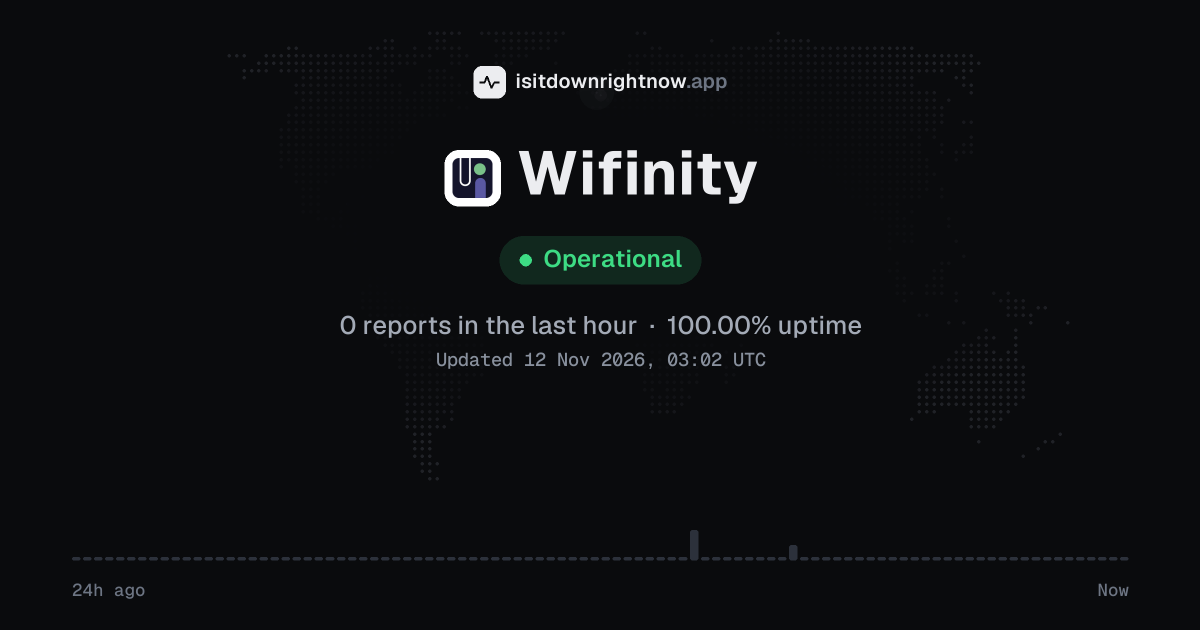
In the past 24 hours, 3 user reports came in for Wifinity. Counting only the 15-minute windows with a spike big enough to count as an outage, that comes to 100.00% uptime for the day.
The busiest 15-minute window had 2 reports, about 10 hours ago. That stays below our outage threshold, so it doesn't count as downtime.
Wifinity in November 2026
- Problem reports in November (since 9 November)
- 58
Monthly report for November 2026
What went wrong
What people said was wrong in recent problem reports for Wifinity.
Share of 12 recent reports that said what was wrong.
Where Wifinity problem reports come from
The map shows where recent problem reports for Wifinity came from in the UK. Big cities always send the most, so dots in many places point to a widespread problem, and one area far ahead of the rest can mean a regional one.
- Outage now
- Problems now
- Normal
Map outlines: Natural Earth.
Wifinity problem spikes, last 30 days
Since 9 November, Wifinity had 1 outage spike.
-
Outage
Tue 10 Nov, 09:45–10:10Lasted 24 min13peak reports
A spike is a sharp rise in problem reports from users, kept exactly as this page showed it at the time. This history starts on 9 November 2026. Monthly reports for all services
How to fix Wifinity not working
Wifinity is up on our end, so if it won't work for you, the problem is most likely on your side. Work through these in order:
Your browser tries to reach wifinity.co.uk over your own connection, right now. Nothing is sent to us or stored.
Reconnect to Wifinity Wi-Fi
Turn Wi-Fi off, wait a few seconds, then turn it back on and join the Wifinity network. On iPhone, open Settings > Wi-Fi and tap the network name; on Android, open Settings > Network & internet > Internet and tap the network name.
Forget and rejoin the Wifinity network
Forget the network, then join it again with the password from your welcome email or account page. If the network asks for device registration, turn off Private Wi-Fi Address on iPhone under Settings > Wi-Fi > info button > Private Wi-Fi Address, or set Privacy to Use device MAC on Android under the network gear icon.
Power-cycle your Wifinity router
If you have a Wifinity router in your flat, unplug its power, wait 30 seconds, then plug it back in. Wait for the power and internet lights to settle before you test a page.
Check your Wifinity account and device list
Open the app or account page you use for your building, then check your plan status and the list of registered devices. If this device is missing, remove an old device or add yours; if the page will not load on Wi-Fi, switch to mobile data and try again.
While Wifinity is down: what to use instead
- Mobile hotspot Turn on your phone's hotspot when you need a laptop or tablet online, because the hotspot uses mobile data rather than the affected link.
- Mobile data Use your phone's own mobile data for messages, email, or maps if you only need the basics until the service comes back.
- Public Wi-Fi Connect to a public Wi-Fi network at a library or cafe if you need a few minutes of internet away from the affected connection.
- Another broadband line Fall back to a fixed broadband line from a different provider if Wifinity is your main home connection and you need to keep working for longer.
Problems at the same time as Wifinity
Since 9 November, Wifinity's only spike in problem reports overlapped a spike at another service.
When several services get problem reports at once, something they share, such as a cloud host or a network, can be the real cause. Matching times alone do not prove it.
During the latest spike
Wifinity: Tue 10 Nov, 09:45 to 10:10
- Archive of Our Own, outage,02:43 to 10:12
- IRCTC, outage,04:47 to 20:49
- Westpac, outage,05:38 to 11 Nov 08:59
- DHL, outage,05:43 to 19:38
- PlayStation Network, outage,05:54 to 14:43
- GCash, outage,06:00 to 17:27
- AT&T, outage,07:19 to 12:04
- Essent, outage,08:21 to 11:45
57 more services. Red dot: outage. Amber dot: elevated reports.
A spike is a sharp rise in problem reports from users, as the live pages showed it. Times are Central European time.
What happens when Wifinity goes down
Wifinity provides managed Wi-Fi for student accommodation and residential estates across the UK. Its outage interrupts the internet for people at home or university who have no other provider in their building.
The first sign is usually a dropped connection on laptops and phones, with the SSID still visible but failing to authenticate. Some users get stuck on a captive portal page that will not load, while others cannot sign into the MyWifinity app to manage their account. Problems often affect a single building or campus because the service relies on local infrastructure. Streaming services buffer, video calls drop, and smart home devices go offline until the local network is restored.
Wifinity IP address, servers and network
- IPv4 addresses
- 141.193.213.20
Show all 2
- 141.193.213.21
- IPv6
- Not offered
- Network
- AS209242 · Cloudflare London, LLC, registered in the United States
- Served through
- Cloudflare · our check was answered by its Frankfurt (FRA) data centre
- DNS hosted by
- Amazon Route 53
- HTTPS certificate
- Issued by Google Trust Services, valid until 7 Feb 2027 (87 days)
- HTTP/3
- Supported
- Our check
- Answered in 86 ms
Checked from our server in Frankfurt, Germany, 32 h ago, for wifinity.co.uk. A service behind a CDN answers from many data centres, usually the one nearest to you, so these addresses are where its traffic enters, not where its own servers stand. Visitors elsewhere may see different addresses.
Checked from 12 places around the world
All 12 locations got an answer from wifinity.co.uk. Fastest from Frankfurt (58 ms), slowest from Tokyo (492 ms). Every location connected through Cloudflare London, LLC (AS209242), using 2 different addresses.
| Location | Result | Time | Address reached |
|---|---|---|---|
| FrankfurtGermany | Up | 58 ms | 141.193.213.21 |
| ViennaAustria | Up | 73 ms | 141.193.213.21 |
| MilanItaly | Up | 142 ms | 141.193.213.20 |
| ParisFrance | Up | 59 ms | 141.193.213.21 |
| AmsterdamNetherlands | Up | 113 ms | 141.193.213.20 |
| MadridSpain | Up | 79 ms | 141.193.213.20 |
| WarsawPoland | Up | 83 ms | 141.193.213.20 |
| DallasUSA | Up | 298 ms | 141.193.213.21 |
| Los AngelesUSA | Up | 68 ms | 141.193.213.21 |
| São PauloBrazil | Up | 380 ms | 141.193.213.20 |
| SingaporeSingapore | Up | 323 ms | 141.193.213.21 |
| TokyoJapan | Up | 492 ms | 141.193.213.20 |
Checked with check-host.net from its servers in these cities 32 h ago, for wifinity.co.uk. Time is how long each server took to load the page.
Wifinity FAQ
Is Wifinity down right now?
Why does the Wifinity sign-in page keep loading after I enter my details?
I paid for Wifinity Wi-Fi but my account still shows no active plan. What should I do?
Why does my Wifinity Wi-Fi drop in one room but work in the corridor?
Why does the Wifinity voucher code say it is invalid on the sign-in page?
Contact Wifinity support
Tip: Wifinity doesn't list a public status page that we know of, so its help centre and the report chart on this page are the best places to check.
Put the Wifinity status on your site
Paste one of these into a web page, a blog post or a README: a small badge, or a card with the chart. Both show the same status as this page, based on user problem reports, and link back here.

<a href="https://isitdownrightnow.app/services/wifinity/"><img src="https://isitdownrightnow.app/badge/wifinity.svg" alt="Wifinity status" height="20"></a>[](https://isitdownrightnow.app/services/wifinity/)A live card with the chart
The status, reports in the last hour and the last 24 hours, updated every 5 minutes. Use the frame, or the image where frames are not allowed, such as newsletters.
<iframe src="https://isitdownrightnow.app/embed/wifinity/" title="Wifinity status" width="100%" height="230" style="border:0;max-width:560px" loading="lazy"></iframe>
<p><a href="https://isitdownrightnow.app/services/wifinity/">Wifinity status</a> from IsItDownRightNow.app</p><a href="https://isitdownrightnow.app/services/wifinity/"><img src="https://isitdownrightnow.app/share/wifinity.png" alt="Wifinity status: problem reports over the last 24 hours" width="600" height="315" loading="lazy"></a>[](https://isitdownrightnow.app/services/wifinity/)Badge, frame and image load no scripts from other sites and set no cookies; people who see them on your page load them from our server. More for journalists.
How we track Wifinity
The status on this page comes from user-submitted problem reports for Wifinity, counted in 15-minute windows over the last 24 hours. Each window is compared with the normal level for Wifinity, so a few complaints on a quiet day don't trigger anything, but a sudden jump well above normal does.
When reports climb well above normal, the status here changes to partial outage or major outage and the chart moves with it. Wifinity doesn't publish a public status page that we know of, so user reports are often the quickest sign that something is wrong on their side.