
Is Destiny Down Right Now? Live Status & Outage Tracker
Real-time uptime monitoring and outage reports
schedule Last checked · auto-refreshes every 5 minutes
No — Destiny is up and working normally.
No widespread outage is detected, with only 0 user reports in the last hour.
bungie.net Server Status Check

- Website Name:
- Destiny
- URL Checked:
- bungie.net
- Response Time:
- 33.49 ms
- Last Down:
- More than a week ago
Destiny is UP and reachable by us.
Please check and report on local outages below…
Current Status
Operational
24h Uptime
100.00%
Reports (Last 1h)
0
trending_flat 0%Last Peak Spike
0
stableUptime History (Past 24 Hours)
Live User Reports
Real-timeSystem Monitoring Active
Real-timeMonitoring is currently tracking 0 ongoing reports, which is well within normal operational baselines for Destiny.
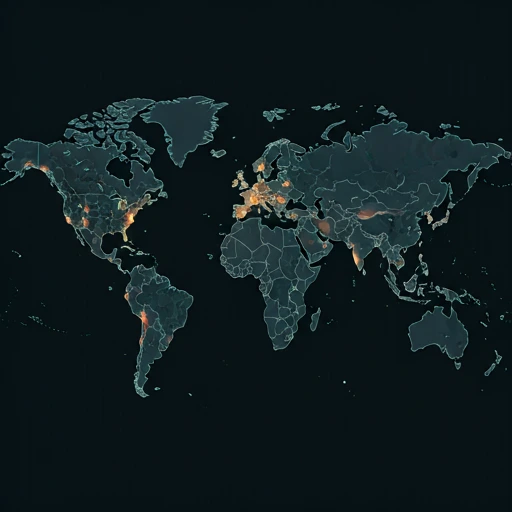
Outage Heat Map
contact_support How to Contact Destiny Support
Official support channels, status pages, and social accounts for Destiny. If the service is down, the status page is the fastest way to see confirmed incidents.
|
languageOfficial Website
|
bungie.net |
|
helpHelp / Support Center
|
Open support |
Tip: Destiny has no separate outage hotline — report problems on this page and check the official status page above.
Destiny status signals for live outage checks
Destiny is an online game, so its servers need steady uptime for sign-in, matchmaking, and saved progress. If you search is Destiny down or is Destiny down right now, this page checks the current service state and shows {UPTIME} uptime.
Currently, based on our real-time global monitoring network, the status of Destiny is operational. There are currently no widespread network anomalies detected. If you are one of the few users currently struggling with an alleged Destiny outage, it is almost certainly an isolated incident affecting only your specific connection route or an outdated application client.
What a Destiny outage affects
When Destiny goes down, you may see sign-in errors, failed matchmaking, or disconnects during play. We recorded {REPORTS} reports in the past 24 hours, which helps show if Destiny is having a wider outage today.
When the timeline chart illuminates red or yellow, it means a sizable portion of the player or user base is getting hit by these exact bugs. isitdownrightnow.app actively sifts through the noise to confirm when a real Destiny outage is happening rather than a localized glitch.
Recent Destiny outage reports and server status, including Destiny outage today 2026 and Destiny network status
Transparency into historical performance is key. Over the past 24 hours alone, our advanced tracking systems have recorded a total of 0 unique problem reports from users experiencing connectivity or functional issues with Destiny. Currently, the service has maintained a 100.00% uptime rating over this recent 24-hour tracking window.
Over the past day, we have not registered a single severe outage spike. The flatlined green bars on the chart confirm a stable, reliable 24-hour window with zero widespread disruptions.
How to fix Destiny not working today and check is Destiny working
Still can't connect even though the servers are green? The Destiny lag is likely on your end. Run through this quick checklist to get back online:
- Check the current Destiny outage status: If you are searching for "is Destiny down" or "is Destiny down right now," Destiny shows {STATUS}; the page has {REPORTS} outage reports in the last 24 hours, {UPTIME} uptime, and a last outage {LASTDOWN} ago.
- Refresh a stuck game session: On Steam, verify Destiny 2's files; on PlayStation or Xbox, fully quit the game and restart the console. If you search "Destiny not working today," install any pending game or system update before reinstalling the game.
- Check your route to Destiny servers: Check Bungie's help feed first. Search results for "Destiny server status" and "Destiny down detector" can point to a wider fault, while "Destiny outage today 2026" and "Destiny network status" help confirm its scope; reports for "is Destiny working" can show if the problem stays on your connection. If friends can connect, reboot your router and try DNS 1.1.1.1 or 8.8.8.8.
How to Fix & Check if Destiny Is Down on Windows, Mac, Android & iOS
Destiny on Windows
Fix: Restart your Steam or Epic Games launcher and verify the integrity of the Destiny game files. Ensure Windows Defender or your antivirus is not blocking the game executable.
Check: Check the official Bungie Help social media channels for Destiny server maintenance announcements. You can also check if Steam or Epic Games Store services are currently offline.
ping bungie.net
Test whether Destiny's servers reply nslookup bungie.net
Check that Destiny's DNS resolves tracert bungie.net
Trace where the connection drops ipconfig /flushdns
Clear the DNS cache, then reload Destiny on Mac
Fix: Since Destiny is played via cloud streaming on macOS, restart your GeForce NOW or Xbox Cloud Gaming client. Clear your browser cache or update the streaming app if you encounter connection errors.
Check: Visit the status pages for your cloud gaming provider to ensure their servers are active. Also, check Bungie's support page for general Destiny server outages.
ping -c 4 bungie.net
Test whether Destiny's servers reply nslookup bungie.net
Check that Destiny's DNS resolves traceroute bungie.net
Trace where the connection drops sudo dscacheutil -flushcache; sudo killall -HUP mDNSResponder
Flush the macOS DNS cache, then reload Destiny on Android
Fix: Clear the Destiny Companion app cache in your system settings or reinstall the app from the Google Play Store. If streaming the game, ensure your connection is stable and toggle Airplane mode to reset your network.
Check: Check the Google Play Store for any pending Destiny Companion app updates. Monitor Bungie's official help forums to see if the mobile API is currently down.
Destiny on iPhone / iPad
Fix: Force restart the Destiny Companion app or reinstall it from the App Store to resolve loading issues. For cloud play, ensure your iOS device is connected to a strong Wi-Fi network or cellular data.
Check: Look for outstanding updates for the Destiny Companion app in the App Store. Check Bungie Help online to see if the companion app services are temporarily disabled.
How our Destiny down detector checks the service
Unlike internal corporate status pages, which are notoriously slow to update and often hide the true extent of ongoing failures, isitdownrightnow.app relies directly on the community. By crowdsourcing live problem reports submitted by real users worldwide, we can detect a massive Destiny crash literally within seconds of it beginning.
By comparing the live influx of complaints to a standard 7-day algorithmic baseline, our anomaly detection engine spots real outages instantly. When the reporting volume shatters the threshold, the alert goes out. This ensures that when you look for a Destiny down detector, you are always getting mathematically proven, community-verified outage maps.
quiz Frequently Asked Questions
help Is Destiny down right now?
If you searched is Destiny down right now, Destiny is currently listed as {STATUS}. Our page has {REPORTS} crowd-sourced reports from the past 24 hours, with {UPTIME} percent uptime during that period. A report spike can point to a wider problem, while a quiet report count often means the issue is limited to a few accounts, platforms, or regions. Check your connection and restart the game before trying again. The last recorded outage was {LASTDOWN} ago.
help What is the Destiny server status?
The current Destiny server status is {STATUS}, based on live reports collected on this page. Destiny network status can change during scheduled maintenance, patch releases, or unexpected login failures, so the report count and uptime reading give you a quick view of what other players are seeing. If Bungie posts maintenance information, compare it with these reports before changing your console, PC, or network settings.
help Why is Destiny not working today?
Destiny not working today can come from a service outage, a failed login session, or a local connection problem. The page currently shows {REPORTS} reports in the last 24 hours and {UPTIME} percent uptime, so those figures help show if Destiny outage today 2026 reports are widespread. Restart Destiny and your router, then check for a game update. If other players report the same error, wait for the service to recover instead of reinstalling the game.
help How do I check if Destiny is down?
Search for is Destiny working or use this Destiny down detector page to compare current reports with the listed status. A sudden rise in reports, lower uptime, and repeated login or matchmaking complaints usually point to a wider outage. You can also check the Destiny server status and official maintenance notices, then try the game again after a short wait. Local connection problems usually affect only your device or network, while a service outage affects many players at once.
dns Check other services
See whether these popular services are down right now too.
campaign Recent User Reports
| Service | Problem | Peak Spike | Spike Time | Reports (24h) | Status |
|---|---|---|---|---|---|

|
Intermittent issues | 21 reports | Just now | 143 | Investigating |

|
Intermittent issues | 12 reports | 5h ago | 207 | Investigating |

|
Intermittent issues | 17 reports | Just now | 74 | Investigating |

|
Intermittent issues | 6 reports | 23h ago | 65 | Investigating |

|
Normal activity | 16 reports | 8h ago | 452 | Stable |

|
Normal activity | 12 reports | 1h ago | 105 | Stable |

|
Normal activity | 7 reports | Just now | 188 | Stable |

|
Normal activity | 18 reports | 5h ago | 204 | Stable |