
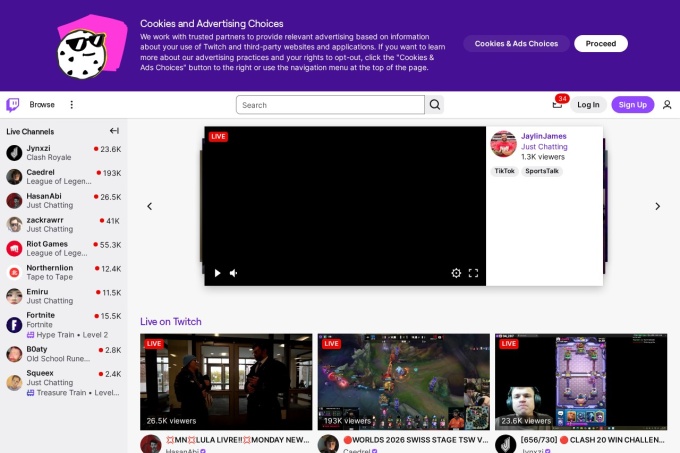
Twitch outages and problems
In the past 24 hours, 286 user reports came in for Twitch. Counting only the 15-minute windows with a spike big enough to count as an outage, that comes to 100.00% uptime for the day.
The busiest 15-minute window had 14 reports, about 22 hours ago. That stays below our outage threshold, so it doesn't count as downtime.
-
Elevated reports
Ended 3 h agoLasted 15 min12peak reports
-
Elevated reports
Ended 22 h agoLasted 15 min14peak reports
What Twitch's status page says
Checking status.twitch.com…
What people can report about Twitch
What went wrong
What people said was wrong in recent problem reports for Twitch worldwide.
Share of 92 recent reports that said what was wrong, from every country listed below.
Twitch reports around the world
In the last 24 hours, 614 problem reports about Twitch came in from 39 countries. Right now reports are at the usual level in every country.
- Outage now
- Problems now
- Normal
| Country | Now | Last hour | 24 hours |
|---|---|---|---|
| The US numbers above | Normal | 22 | 320 |
| The UK | Normal | 9 | 36 |
| Germany | Normal | 7 | 91 |
| Poland | Normal | 3 | 11 |
| France | Normal | 2 | 23 |
| Brazil | Normal | 1 | 24 |
| Canada | Normal | 1 | 18 |
| Italy | Normal | 1 | 16 |
| Finland | Normal | 1 | 8 |
| Greece | Normal | 1 | 3 |
| Austria | Normal | 1 | 1 |
| Sweden | Normal | 0 | 8 |
Each country's status compares its reports with the usual level there. 60 more countries had 55 reports in the last 24 hours. Map outlines: Natural Earth.
Twitch problem spikes, last 30 days
Since 5 October, Twitch had 3 outage spikes and 7 periods of elevated reports. The longest lasted 1 h 21 min, on 29 October.
- Sat 3 Oct: no data
- Sun 4 Oct: no data
- Mon 5 Oct: 5 reports
- Tue 6 Oct: 1 report
- Wed 7 Oct: 4 reports
- Thu 8 Oct: 4 reports
- Fri 9 Oct: 1 report
- Sat 10 Oct: 4 reports
- Sun 11 Oct: 0 reports
- Mon 12 Oct: 3 reports
- Tue 13 Oct: 17 reports
- Wed 14 Oct: 7 reports
- Thu 15 Oct: 7 reports
- Fri 16 Oct: 6 reports
- Sat 17 Oct: 4 reports
- Sun 18 Oct: 1 report
- Mon 19 Oct: 5 reports
- Tue 20 Oct: 4 reports
- Wed 21 Oct: no data
- Thu 22 Oct: 0 reports
- Fri 23 Oct: 5 reports
- Sat 24 Oct: 2 reports
- Sun 25 Oct: 2 reports
- Mon 26 Oct: 7 reports
- Tue 27 Oct: 2 reports
- Wed 28 Oct: 58 reports (outage spike that day)
- Thu 29 Oct: 412 reports (outage spike that day)
- Fri 30 Oct: 321 reports (elevated reports that day)
- Sat 31 Oct: 288 reports (outage spike that day)
- Sun 1 Nov: no data
-
Elevated reports
Sat 31 Oct, 21:19–21:34Lasted 15 min14peak reports
-
Elevated reports
Sat 31 Oct, 19:54–20:11Lasted 17 min10peak reports
-
Outage
Sat 31 Oct, 02:19–02:34Lasted 15 min17peak reports
-
Elevated reports
Sat 31 Oct, 01:20–01:41Lasted 21 min13peak reports
-
Elevated reports
Fri 30 Oct, 23:41–00:03Lasted 22 min12peak reports
-
Elevated reports
Fri 30 Oct, 22:08–22:34Lasted 26 min16peak reports
-
Elevated reports
Fri 30 Oct, 20:06–20:27Lasted 21 min10peak reports
-
Outage
Thu 29 Oct, 23:15–00:36Lasted 1 h 21 min125peak reports
2 earlier spikes in this period.
By country
Each square is one day in the countries with the most reports: red when reports stayed at outage level for half an hour or more, amber when they stayed above the usual level for an hour or more, grey otherwise.
- The US1,051
- Germany313
- Mexico193
- The UK180
- France150
- Canada93
- Brazil70
- Italy64
Country history starts on 28 October 2026. Days run from midnight to midnight, Central European time.
A spike is a sharp rise in problem reports from users, kept exactly as this page showed it at the time. This history starts on 5 October 2026. Monthly reports for all services
How to fix Twitch not working
Twitch is up on our end, so if it won't work for you, the problem is most likely on your side. Work through these in order:
Your browser tries to reach twitch.tv over your own connection, right now. Nothing is sent to us or stored.
Lower the stream quality
If the player keeps buffering or sits on a black screen, click the gear icon in the bottom right of the player, open Quality and pick 480p or lower. Source quality needs the most bandwidth, so a weak Wi-Fi signal hits it first. Refresh after you switch.
Turn off ad blockers
Ad blockers and script blockers often break the Twitch player, which leaves you with a stream that never starts or a chat panel that stays blank. Open the site in a private or incognito window, where most extensions are off by default; if streams play there, disable your extensions one at a time until you find the culprit. Start with the ad blocker.
Clear cookies and cache
Stale cookies can log you out at random or loop you back to the login screen. In Chrome, go to Settings, then Privacy and security, then Delete browsing data, and tick Cookies and other site data along with Cached images and files. On Android, open your phone's Settings, go to Apps, then Twitch, then Storage, and tap Clear cache.
Reinstall and reset your network
On iPhone, delete the app and reinstall it. If streams fail on every device at home but load fine on mobile data, restart your router or run ipconfig /flushdns in Command Prompt on Windows, because the fault is on your connection and not your account. When nothing works on any network, check the official status page at https://status.twitch.com and then the help centre at https://help.twitch.tv.
Common Twitch error messages
What each message means and what to try. The wording can differ a little between app versions.
-
There was a network error. Please try again. (Error #2000)
- Means
- The player lost its connection to the video servers because your WiFi cut out for a moment or an ad blocker stopped the stream feed.
- Fix
- Reload the stream page.
-
This video is either unavailable or not supported in this browser. (Error #4000)
- Means
- Your browser cannot play this stream format because autoplay with sound is blocked or the codec is missing.
- Fix
- Allow autoplay with sound, then test the stream in Chrome without extensions if you can.
While Twitch is down: what to use instead
- The website in a desktop browser When the phone or TV app sticks on a black player or keeps showing a channel as offline, try the site in a browser, because the app and the website don't always break at the same time.
- YouTube Live Plenty of streamers simulcast or upload their broadcasts there.
- Kick If you just want something live to watch while you wait, Kick has gaming and IRL channels, and a few big names who left Twitch stream there full time.
- The streamer's Discord server or X feed Creators often post there when they move a stream to another platform or call it off.
Fix Twitch on Windows, Mac, Android and iPhone
Twitch on Windows
- Fix
- Clear your browser cache, disable ad-blocking extensions, or toggle hardware acceleration in your browser settings to resolve Twitch playback issues.
- Check
- Try opening Twitch in an Incognito window to see if it loads without extensions, or check if the site loads on a different browser.
ping twitch.tvTest whether Twitch's servers replynslookup twitch.tvCheck that Twitch's DNS resolvestracert twitch.tvTrace where the connection dropsipconfig /flushdnsClear the DNS cache, then reloadTwitch on Mac
- Fix
- Clear your browser's cache and cookies, or disable conflicting Safari or Chrome extensions that may block the Twitch video player.
- Check
- Open a Private browsing window to test if Twitch loads, or check your macOS network settings to ensure your DNS is resolving correctly.
ping -c 4 twitch.tvTest whether Twitch's servers replynslookup twitch.tvCheck that Twitch's DNS resolvestraceroute twitch.tvTrace where the connection dropssudo dscacheutil -flushcache; sudo killall -HUP mDNSResponderFlush the macOS DNS cache, then reloadTwitch on Android
- Fix
- Clear the Twitch app cache in your device's app settings, or check the Google Play Store for any pending updates. Reinstalling the app can also resolve persistent loading issues.
- Check
- Switch your Android device from Wi-Fi to mobile data to see if Twitch connects, or try loading the Twitch website in a mobile browser.
Twitch on iPhone and iPad
- Fix
- Force close and restart the Twitch app, or reinstall it from the App Store if it continues to crash. Ensure that iOS Low Power Mode is disabled, as it can restrict streaming quality.
- Check
- Toggle your Wi-Fi off to see if the Twitch app loads over cellular data, or check the App Store to see if other users are reporting recent update issues.
Biggest Twitch problems so far
-
1
OutageLasted 1 h 21 min125reports in 15 min
-
2
OutageLasted 30 min36reports in 15 min
-
3
OutageLasted 15 min17reports in 15 min
Ranked by the most problem reports in one 15-minute window. Our archive started on 5 October 2026, so earlier problems are not counted. Times are Central European time.
Problems at the same time as Twitch
Since 5 October, all 10 of Twitch's spikes in problem reports overlapped a spike at another service.
When several services get problem reports at once, something they share, such as a cloud host or a network, can be the real cause. Matching times alone do not prove it.
Most often at the same time
- Archive of Our Own9 times
- Capital One7 times
- Walmart.com7 times
- Paramount+6 times
- Optimum / Cablevision6 times
- HargreavesLansdown6 times
How many of Twitch's spikes overlapped one of theirs.
During the latest spike
Twitch: Sat 31 Oct, 21:19 to 21:34
- Archive of Our Own, outage,29 Oct 07:55 to 1 Nov 00:04
- YouTube, outage,00:49 to 1 Nov 00:04
- Capital One, outage,13:04 to 23:49
- Starbucks, outage,13:19 to 21:34
- EA, outage,16:49 to 21:49
- Pavlov Media, outage,17:04 to 23:49
- Bank of America, outage,17:19 to 23:49
- YouTube TV, outage,19:05 to 22:05
19 more services. Red dot: outage. Amber dot: elevated reports.
A spike is a sharp rise in problem reports from users, as the live pages showed it. Times are Central European time.
When people report Twitch problems
The busiest hour for reports about Twitch is 23:00 to 00:00 Central European time, and the busiest day is Thursday.
By hour of the day
- 00:00 to 01:00: 1.3 reports on an average day
- 01:00 to 02:00: 2.6 reports on an average day
- 02:00 to 03:00: 2.8 reports on an average day
- 03:00 to 04:00: 1.9 reports on an average day
- 04:00 to 05:00: 1.4 reports on an average day
- 05:00 to 06:00: 0.56 reports on an average day
- 06:00 to 07:00: 0.94 reports on an average day
- 07:00 to 08:00: 0.93 reports on an average day
- 08:00 to 09:00: 0.26 reports on an average day
- 09:00 to 10:00: 0.14 reports on an average day
- 10:00 to 11:00: 0.29 reports on an average day
- 11:00 to 12:00: 0.36 reports on an average day
- 12:00 to 13:00: 0.09 reports on an average day
- 13:00 to 14:00: 0.94 reports on an average day
- 14:00 to 15:00: 0.7 reports on an average day
- 15:00 to 16:00: 1 report on an average day
- 16:00 to 17:00: 1 report on an average day
- 17:00 to 18:00: 1.4 reports on an average day
- 18:00 to 19:00: 2.5 reports on an average day
- 19:00 to 20:00: 2.5 reports on an average day
- 20:00 to 21:00: 2.5 reports on an average day
- 21:00 to 22:00: 3.5 reports on an average day
- 22:00 to 23:00: 2.5 reports on an average day
- 23:00 to 00:00: 4.3 reports on an average day
By day of the week
- Monday: 5.9 reports on an average Monday
- Tuesday: 6 reports on an average Tuesday
- Wednesday: 23 reports on an average Wednesday
- Thursday: 86 reports on an average Thursday
- Friday: 65 reports on an average Friday
- Saturday: 65 reports on an average Saturday
- Sunday: 0.99 reports on an average Sunday
Each bar is the average number of user reports in that hour, or on that day of the week, from 24 days of reports since 5 October 2026. The busiest bar is highlighted. Spikes in reports are left out, so one outage does not set the pattern.
What happens when Twitch goes down
Twitch is Amazon's live streaming site, launched in 2011 and best known for gaming. Streamers depend on it for income from subscriptions and Bits, and viewers use it to watch and talk to them live, so an outage cuts off both the broadcast and the chat that keeps a channel going.
Chat often fails first. You may see the player load while the chat panel stays stuck on a connecting message, or new messages stop appearing even though the video keeps playing, because chat runs on separate servers from video. When video breaks, streams sit on a loading spinner or show a black player with a network error, though VODs and clips sometimes still load. Streamers notice it differently: OBS or another encoder may fail to connect to an ingest server, and since Twitch routes traffic through regional servers, viewers in one country can lose streams while people elsewhere see no problem at all.
Twitch IP address, servers and network
- IPv4 addresses
- 151.101.130.214
Show all 4
- 151.101.194.214
- 151.101.2.214
- 151.101.66.214
- IPv6
- Not offered
- Network
- AS54113 · Fastly, Inc., registered in the United States
- Served through
- Fastly
- DNS hosted by
- Amazon Route 53
- HTTPS certificate
- Issued by GlobalSign nv-sa, valid until 12 Apr 2027 (162 days)
- HTTP/3
- Not advertised
- Our check
- Answered in 70 ms
Checked from our server in Frankfurt, Germany, 2 days ago, for www.twitch.tv. A service behind a CDN answers from many data centres, usually the one nearest to you, so these addresses are where its traffic enters, not where its own servers stand. Visitors elsewhere may see different addresses.
Checked from 11 places around the world
All 11 locations got an answer from www.twitch.tv. Fastest from Amsterdam (163 ms), slowest from Singapore (1,141 ms). Every location connected through Fastly, Inc. (AS54113), using 4 different addresses.
| Location | Result | Time | Address reached |
|---|---|---|---|
| FrankfurtGermany | Up | 188 ms | 151.101.66.214 |
| ViennaAustria | Up | 872 ms | 151.101.130.214 |
| MilanItaly | Up | 894 ms | 151.101.2.214 |
| ParisFrance | Up | 707 ms | 151.101.130.214 |
| AmsterdamNetherlands | Up | 163 ms | 151.101.66.214 |
| MadridSpain | Up | 958 ms | 151.101.2.214 |
| WarsawPoland | Up | 314 ms | 151.101.6.214 |
| Los AngelesUSA | Up | 188 ms | 151.101.66.214 |
| São PauloBrazil | Up | 1,133 ms | 151.101.130.214 |
| SingaporeSingapore | Up | 1,141 ms | 151.101.2.214 |
| TokyoJapan | Up | 697 ms | 151.101.130.214 |
Checked with check-host.net from its servers in these cities 2 days ago, for www.twitch.tv. Time is how long each server took to load the page.
Twitch FAQ
Is Twitch down right now?
Why does a stream keep buffering or show a black screen?
Why is chat stuck on 'Connecting to chat'?
Why am I not getting the login verification code?
Why does my stream keep dropping frames or disconnecting from OBS?
Service updates from @Twitch
No posts about problems from @Twitch in the last 14 days. The latest is from .
Put the Twitch status badge on your site
Paste one of these into a web page, a blog post or a README. The badge shows the same status as this page, based on user problem reports. Browsers can keep a copy for up to 4 hours. It links back here.

<a href="https://isitdownrightnow.app/services/twitch/"><img src="https://isitdownrightnow.app/badge/twitch.svg" alt="Twitch status" height="20"></a>[](https://isitdownrightnow.app/services/twitch/)The badge is a plain image: no scripts, no cookies. People who see it on your page load it from our server.
How we track Twitch
The status on this page comes from user-submitted problem reports for Twitch, counted in 15-minute windows over the last 24 hours. Each window is compared with the normal level for Twitch, so a few complaints on a quiet day don't trigger anything, but a sudden jump well above normal does.
When reports climb well above normal, the status here changes to partial outage or major outage and the chart moves with it. This is separate from Twitch's official status page: user reports tend to show a problem early, while the official page confirms the cause. If the two disagree, check both.