
Bitwarden outages and problems
User reports, last 24 hours
13 reports in total, counted in 15-minute windows
In the last hour, 1 problem report came in for Bitwarden, and at this time of day there are usually almost none. Over the last 24 hours there were 13 reports. Worldwide, most recent reports were about login (100%). There has been no spike in reports since 3 November. These are user reports from the US, where most people report Bitwarden problems.
Around the world right now: normal in 3 other countries. By country
- NormalClose to the usual level24 h · 13 reports
- ElevatedMore than 1.5 times the usual levelNone in this chart
- OutageMore than twice the usual level and far above the day's averageNone in this chart
- Usual levelWhat a usual day sees at that timeAlmost none at this time of day
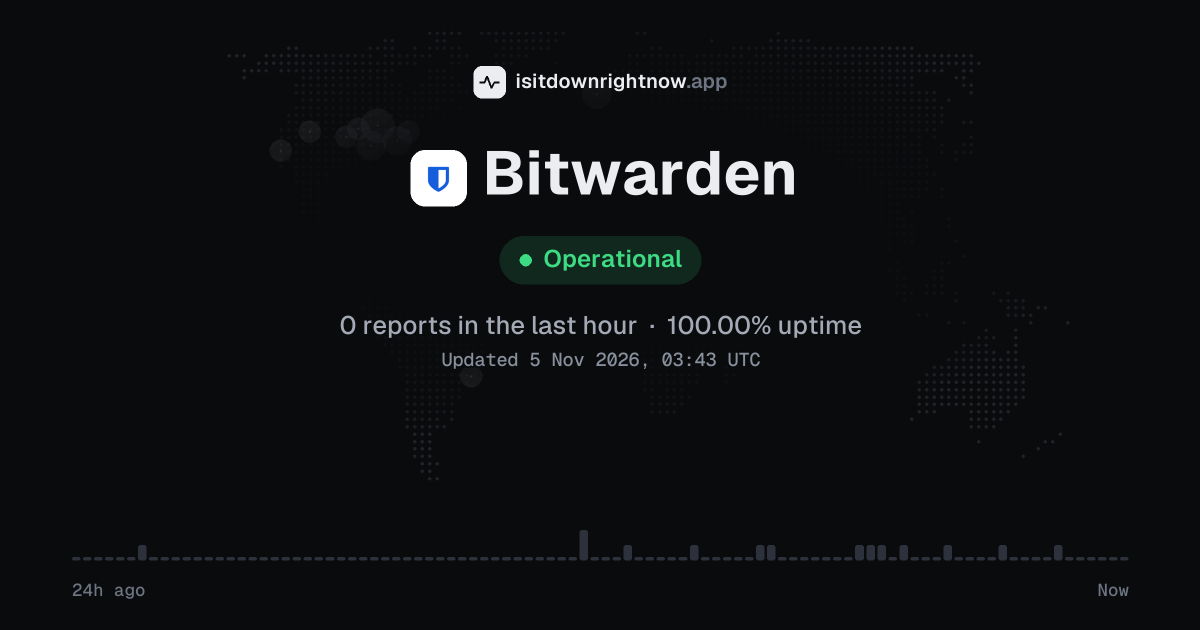
In the past 24 hours, 13 user reports came in for Bitwarden. Counting only the 15-minute windows with a spike big enough to count as an outage, that comes to 100.00% uptime for the day.
The busiest 15-minute window had 2 reports, about 11 hours ago. That stays below our outage threshold, so it doesn't count as downtime.
Bitwarden in November 2026
- Problem reports in November (since 3 November)
- 15
Monthly report for November 2026
What went wrong
What people said was wrong in recent problem reports for Bitwarden worldwide.
Share of 1 recent report that said what was wrong, from every country listed below.
Bitwarden reports around the world
In the last 24 hours, 14 problem reports about Bitwarden came in from 2 countries. Right now reports are at the usual level in every country.
| Country | Now | Last hour | 24 hours |
|---|---|---|---|
| The US numbers above | Normal | 1 | 12 |
| The UK | Normal | 0 | 2 |
| Portugal | Normal | 0 | 0 |
| Brazil | Normal | 0 | 0 |
Each country's status compares its reports with the usual level there.
Bitwarden problem spikes, last 30 days
Since 3 November, Bitwarden had no outage spikes or periods of elevated reports.
By country
Each square is one day in the countries with the most reports: red when reports stayed at outage level for half an hour or more, amber when they stayed above the usual level for an hour or more, grey otherwise.
- The US12
- The UK2
- Brazil0
- Portugal0
Country history starts on 4 November 2026. Days run from midnight to midnight, Central European time.
A spike is a sharp rise in problem reports from users, kept exactly as this page showed it at the time. This history starts on 3 November 2026. Monthly reports for all services
How to fix Bitwarden not working
Bitwarden is up on our end, so if it won't work for you, the problem is most likely on your side. Work through these in order:
Your browser tries to reach bitwarden.com over your own connection, right now. Nothing is sent to us or stored.
Sync the vault
In the browser extension, open Settings, then Sync, then select Sync vault now. If a new login or password change is missing, the local vault may be behind the web vault.
Confirm the Bitwarden.com region
On the sign in screen, open the server or region selector and choose Bitwarden.com if your account lives on the US service. Choosing Bitwarden.eu or Self-hosted can make a valid email and master password look wrong.
Reset the browser extension
In Chrome, open Extensions, select Details for the Bitwarden extension, and turn the extension off and on. In Firefox, open Add-ons and themes, choose Extensions, then switch it off and on; after that, sign in again if the vault asks.
Reinstall the app
On Windows, open Settings > Apps > Installed apps > Bitwarden > Uninstall; on macOS, open Applications and move Bitwarden to Trash. Then install the app again from the Microsoft Store, Mac App Store, or your phone's app store, and sign in again.
Common Bitwarden error messages
What each message means and what to try. The wording can differ a little between app versions.
-
Username or password is incorrect. Try again.
- Means
- The sign in attempt did not match the account email and master password that Bitwarden accepted.
- Fix
- Check the email address, keyboard layout, and master password, then try again. If the password still fails, use Bitwarden account recovery options from a device or login method you still have access to.
-
Invalid master password.
- Means
- The app could not open the vault with the master password you entered.
- Fix
- Retype the master password and check caps lock or autofill. If you recently changed it, use the new password on all apps after they sync.
-
Invalid verification code.
- Means
- The two step login code was rejected or had expired before Bitwarden accepted it.
- Fix
- Use a fresh code from your authenticator app or security method. Check that the device clock is set to automatic time if codes keep failing.
While Bitwarden is down: what to use instead
- Unlocked Bitwarden app If you already signed in on a phone or desktop app, open the cached vault and copy needed passwords, but wait to edit items until sync returns.
- Browser password manager Chrome, Edge, Firefox, and Safari can fill passwords they already saved, which helps for accounts you use on that device.
- iCloud Keychain On Apple devices, Keychain can fill saved logins in Safari and apps when the password was stored there before.
- 1Password If your team keeps a separate vault there, use it for shared logins while the main vault is unreachable.
What happens when Bitwarden goes down
Bitwarden is the password manager at bitwarden.com for storing passwords, passkeys, secure notes, and payment cards across the web vault, browser extensions, desktop apps, and mobile apps. Individuals and companies, especially in the US, rely on it for sign-ins, so an outage can interrupt vault access and sync.
Login and sync tend to show trouble first, since the web vault, browser extensions, desktop apps, and mobile apps need the cloud service to pull a fresh encrypted vault. An already unlocked device may still autofill saved items from its local cache, but edits, new items, organization vault changes, and Bitwarden Send links can stall until sync works. New logins can fail. Problems can be partial or regional, so the website may load while an extension cannot sync, or one device may keep working while another asks for the master password again.
Bitwarden IP address, servers and network
Checking bitwarden.com from our server…
Bitwarden FAQ
Is Bitwarden down right now?
Why does the browser extension say it cannot connect to the server?
Why is my vault not syncing between the mobile app and the desktop app?
Why do I get 'Username or password is incorrect' when I know my master password?
Why does autofill stop working in Chrome or on iPhone?
Service updates from @bitwarden
No posts about problems from @bitwarden in the last 14 days. The latest is from .
Contact Bitwarden support
Tip: Bitwarden doesn't list a public status page that we know of, so its help centre and the report chart on this page are the best places to check.
Put the Bitwarden status badge on your site
Paste one of these into a web page, a blog post or a README. The badge shows the same status as this page, based on user problem reports. Browsers can keep a copy for up to 4 hours. It links back here.

<a href="https://isitdownrightnow.app/services/bitwarden/"><img src="https://isitdownrightnow.app/badge/bitwarden.svg" alt="Bitwarden status" height="20"></a>[](https://isitdownrightnow.app/services/bitwarden/)The badge is a plain image: no scripts, no cookies. People who see it on your page load it from our server.
How we track Bitwarden
The status on this page comes from user-submitted problem reports for Bitwarden, counted in 15-minute windows over the last 24 hours. Each window is compared with the normal level for Bitwarden, so a few complaints on a quiet day don't trigger anything, but a sudden jump well above normal does.
When reports climb well above normal, the status here changes to partial outage or major outage and the chart moves with it. Bitwarden doesn't publish a public status page that we know of, so user reports are often the quickest sign that something is wrong on their side.