
Adobe Commerce (Magento) outages and problems
User reports, last 24 hours
1 report in total, counted in 15-minute windows
No problem reports came in for Adobe Commerce (Magento) in the last hour, and at this time of day there are usually almost none. Over the last 24 hours there were 1 report. Worldwide, most recent reports were about dashboard / console (100%). There has been no spike in reports since 29 October. These are user reports from the US, where most people report Adobe Commerce (Magento) problems.
Around the world right now: normal in 71 other countries. By country
- NormalClose to the usual level24 h · 1 report
- ElevatedMore than 1.5 times the usual levelNone in this chart
- OutageMore than twice the usual level and far above the day's averageNone in this chart
- Usual levelWhat a usual day sees at that timeAlmost none at this time of day
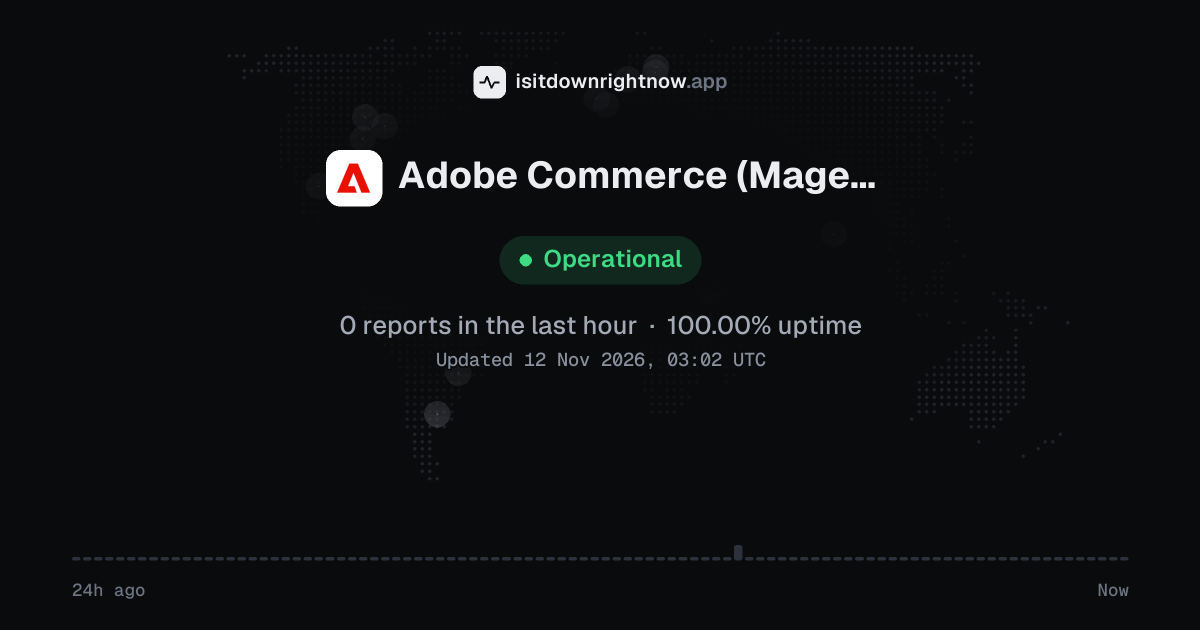
In the past 24 hours, 1 user report came in for Adobe Commerce (Magento). Counting only the 15-minute windows with a spike big enough to count as an outage, that comes to 100.00% uptime for the day.
The busiest 15-minute window had 1 report, about 9 hours ago. That stays below our outage threshold, so it doesn't count as downtime.
Adobe Commerce (Magento) in November 2026
- Problem reports in November
- 47
Monthly report for November 2026
What went wrong
What people said was wrong in recent problem reports for Adobe Commerce (Magento) worldwide.
Share of 1 recent report that said what was wrong, from every country listed below.
Adobe Commerce (Magento) reports around the world
In the last 24 hours, 7 problem reports about Adobe Commerce (Magento) came in from 6 countries. Right now reports are at the usual level in every country.
- Outage now
- Problems now
- Normal
| Country | Now | Last hour | 24 hours |
|---|---|---|---|
| Italy | Normal | 0 | 2 |
| The UK | Normal | 0 | 1 |
| The US numbers above | Normal | 0 | 1 |
| Colombia | Normal | 0 | 1 |
| France | Normal | 0 | 1 |
| Pakistan | Normal | 0 | 1 |
| Belgium | Normal | 0 | 0 |
| The Netherlands | Normal | 0 | 0 |
| Azerbaijan | Normal | 0 | 0 |
| Bangladesh | Normal | 0 | 0 |
| Bulgaria | Normal | 0 | 0 |
| Costa Rica | Normal | 0 | 0 |
Each country's status compares its reports with the usual level there. 60 more countries had 0 reports in the last 24 hours. Map outlines: Natural Earth.
Adobe Commerce (Magento) problem spikes, last 30 days
Since 29 October, Adobe Commerce (Magento) had no outage spikes or periods of elevated reports.
- Wed 14 Oct: no data
- Thu 15 Oct: no data
- Fri 16 Oct: no data
- Sat 17 Oct: no data
- Sun 18 Oct: no data
- Mon 19 Oct: no data
- Tue 20 Oct: no data
- Wed 21 Oct: no data
- Thu 22 Oct: no data
- Fri 23 Oct: no data
- Sat 24 Oct: no data
- Sun 25 Oct: no data
- Mon 26 Oct: no data
- Tue 27 Oct: no data
- Wed 28 Oct: no data
- Thu 29 Oct: 4 reports
- Fri 30 Oct: 1 report
- Sat 31 Oct: 0 reports
- Sun 1 Nov: 0 reports
- Mon 2 Nov: 10 reports
- Tue 3 Nov: 6 reports
- Wed 4 Nov: 2 reports
- Thu 5 Nov: 11 reports
- Fri 6 Nov: 2 reports
- Sat 7 Nov: 1 report
- Sun 8 Nov: 2 reports
- Mon 9 Nov: 4 reports
- Tue 10 Nov: 7 reports
- Wed 11 Nov: 2 reports
- Thu 12 Nov: 0 reports
By country
Each square is one day in the countries with the most reports: red when reports stayed at outage level for half an hour or more, amber when they stayed above the usual level for an hour or more, grey otherwise.
- The US54
- Mexico14
- France11
- The UK10
- Brazil5
- India4
- Poland4
- Australia3
Country history starts on 28 October 2026. Days run from midnight to midnight, Central European time.
A spike is a sharp rise in problem reports from users, kept exactly as this page showed it at the time. This history starts on 29 October 2026. Monthly reports for all services
How to fix Adobe Commerce (Magento) not working
Adobe Commerce (Magento) is up on our end, so if it won't work for you, the problem is most likely on your side. Work through these in order:
Check Adobe Status for your region
Open status.adobe.com and look under Adobe Commerce for incidents in the region your project runs in. During an active incident, wait for Adobe's update rather than redeploying, since a deployment in the middle of an incident can leave the store half updated.
Make sure the store isn't stuck in maintenance mode
Run bin/magento maintenance:status. An interrupted deployment can leave maintenance mode switched on, which shows every visitor a 503 page even though the servers are healthy.
Flush the caches
Clear Magento's cache with bin/magento cache:flush, then purge the Fastly cache from the admin panel if you're on Adobe's cloud. Stale cached pages explain many cases of prices or products that won't update.
Check the logs and cron
Look in var/log/exception.log and var/log/system.log for errors that started when the problem did, and confirm cron is running. A stopped cron leaves indexes, emails and order processing stuck while the storefront looks normal.
Common Adobe Commerce (Magento) error messages
What each message means and what to try. The wording can differ a little between app versions.
-
There has been an error processing your request
- Means
- The app hit a fault it cannot show in detail, so it returns a plain error page instead of the page you asked for.
- Fix
- Reload once, and if the same screen comes back, open the official status page to see whether problem reports are running above their usual level. The error record number on that page points your host or developer straight to the log entry, so pass it along.
-
Exception printing is disabled by default for security reasons.
- Means
- This line sits under the same error and means the store hides the technical detail on purpose, so visitors cannot read file paths or database names.
- Fix
- Nothing on this screen needs your action. A developer can match the record number to the entry in the server logs and work on the cause there.
-
Invalid Form Key. Please refresh the page.
- Means
- The hidden token that travels with a form no longer matches your session, which happens when a page sits open for a long stretch or the session cookie gets dropped.
- Fix
- Refresh the page and submit again, because a fresh page carries a new token. Clear cookies for the store if the same message comes back every time.
-
The requested qty is not available
- Means
- You asked for more units than the catalog can sell, often because stock ran out while the item sat in your cart.
- Fix
- Lower the quantity and try again. If the product page says it is out of stock, the store is waiting on new inventory from the merchant.
While Adobe Commerce (Magento) is down: what to use instead
- Adobe Status page Check it first, because a posted incident for Commerce cloud infrastructure tells you the fault sits with Adobe and you can stop debugging your own code.
- SSH and the bin/magento CLI When the admin panel hangs but your server still answers, you can SSH in to flush the cache or switch on maintenance mode.
- Amazon or eBay listings If you already list products on a marketplace, send regular customers there while your storefront is offline.
- PayPal invoices Good for urgent phone orders.
What happens when Adobe Commerce (Magento) goes down
Adobe Commerce, the paid edition of Magento, runs online shops for thousands of brands, either on Adobe's managed cloud or on a merchant's own servers. When it goes down the damage is immediate: product pages stop loading, carts empty and checkout stops taking orders.
Most problems show up on a single store rather than across the platform. Shoppers see slow pages, 503 errors or a checkout that spins and never confirms, while staff may be locked out of the admin panel or find that new products and prices don't publish. A genuine Adobe incident tends to hit cloud-hosted stores in one region at once, often through the Fastly CDN or the deployment pipeline, and doesn't touch self-hosted Magento Open Source sites.
Adobe Commerce (Magento) IP address, servers and network
Checking business.adobe.com from our server…
Adobe Commerce (Magento) FAQ
Is Adobe Commerce down right now?
Why does my Adobe Commerce store show a 503 error?
Is Magento Open Source affected when Adobe Commerce is down?
Why are orders not coming through in Adobe Commerce?
Where can I get help with an Adobe Commerce outage?
Contact Adobe Commerce (Magento) support
- Official status pagestatus.adobe.com/products/503473
- Help centreexperienceleague.adobe.com/en/docs/commerce
- Websitebusiness.adobe.com
Tip: when Adobe Commerce (Magento) is down, its official status page is the quickest way to confirm the cause and see when a fix is expected.
About Adobe Commerce (Magento)
- Category
- E-commerce platform
- Founded
- 2008
- Headquarters
- San Jose, California, USA
Put the Adobe Commerce (Magento) status on your site
Paste one of these into a web page, a blog post or a README: a small badge, or a card with the chart. Both show the same status as this page, based on user problem reports, and link back here.

<a href="https://isitdownrightnow.app/services/adobe-commerce/"><img src="https://isitdownrightnow.app/badge/adobe-commerce.svg" alt="Adobe Commerce (Magento) status" height="20"></a>[](https://isitdownrightnow.app/services/adobe-commerce/)A live card with the chart
The status, reports in the last hour and the last 24 hours, updated every 5 minutes. Use the frame, or the image where frames are not allowed, such as newsletters.
<iframe src="https://isitdownrightnow.app/embed/adobe-commerce/" title="Adobe Commerce (Magento) status" width="100%" height="230" style="border:0;max-width:560px" loading="lazy"></iframe>
<p><a href="https://isitdownrightnow.app/services/adobe-commerce/">Adobe Commerce (Magento) status</a> from IsItDownRightNow.app</p><a href="https://isitdownrightnow.app/services/adobe-commerce/"><img src="https://isitdownrightnow.app/share/adobe-commerce.png" alt="Adobe Commerce (Magento) status: problem reports over the last 24 hours" width="600" height="315" loading="lazy"></a>[](https://isitdownrightnow.app/services/adobe-commerce/)Badge, frame and image load no scripts from other sites and set no cookies; people who see them on your page load them from our server. More for journalists.
How we track Adobe Commerce (Magento)
The status on this page comes from user-submitted problem reports for Adobe Commerce (Magento), counted in 15-minute windows over the last 24 hours. Each window is compared with the normal level for Adobe Commerce (Magento), so a few complaints on a quiet day don't trigger anything, but a sudden jump well above normal does.
When reports climb well above normal, the status here changes to partial outage or major outage and the chart moves with it. This is separate from Adobe Commerce (Magento)'s official status page: user reports tend to show a problem early, while the official page confirms the cause. If the two disagree, check both.