
OpenRouter outages and problems
User reports, last 24 hours
12 reports in total, counted in 15-minute windows
No problem reports came in for OpenRouter in the last hour, and at this time of day there are usually almost none. Over the last 24 hours there were 12 reports. Worldwide, most recent reports were about AI generation (100%). There has been no spike in reports since 19 October. These are user reports from the US, where most people report OpenRouter problems.
Around the world right now: normal in 71 other countries. By country
- NormalClose to the usual level24 h · 12 reports
- ElevatedMore than 1.5 times the usual levelNone in this chart
- OutageMore than twice the usual level and far above the day's averageNone in this chart
- Usual levelWhat a usual day sees at that timeAlmost none at this time of day
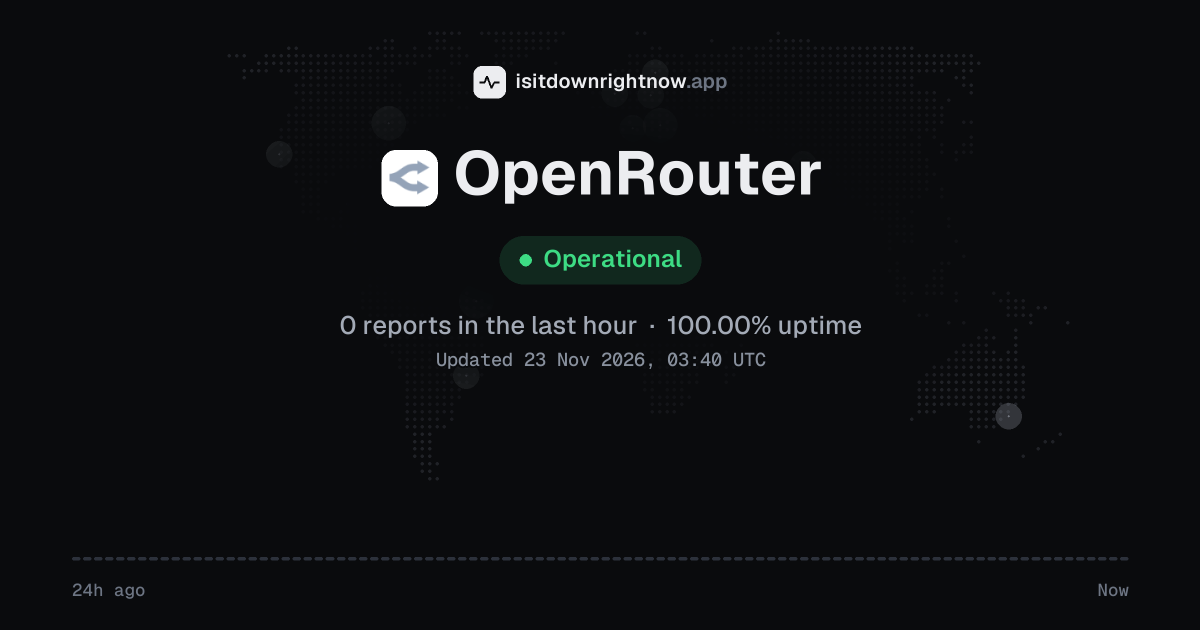
In the past 24 hours, 12 user reports came in for OpenRouter. Counting only the 15-minute windows with a spike big enough to count as an outage, that comes to 100.00% uptime for the day.
The busiest 15-minute window had 2 reports, about 23 hours ago. That stays below our outage threshold, so it doesn't count as downtime.
OpenRouter in November 2026
- Problem reports in November
- 122
Monthly report for November 2026
What went wrong
What people said was wrong in recent problem reports for OpenRouter worldwide.
Share of 1 recent report that said what was wrong, from every country listed below.
OpenRouter reports around the world
In the last 24 hours, 23 problem reports about OpenRouter came in from 12 countries. Right now reports are at the usual level in every country.
- Outage now
- Problems now
- Normal
| Country | Now | Last hour | 24 hours |
|---|---|---|---|
| The US numbers above | Normal | 0 | 9 |
| Belgium | Normal | 0 | 2 |
| Italy | Normal | 0 | 2 |
| Bangladesh | Normal | 0 | 2 |
| The UK | Normal | 0 | 1 |
| Canada | Normal | 0 | 1 |
| Brazil | Normal | 0 | 1 |
| Austria | Normal | 0 | 1 |
| Ireland | Normal | 0 | 1 |
| Hong Kong | Normal | 0 | 1 |
| The UAE | Normal | 0 | 1 |
| Norway | Normal | 0 | 1 |
Each country's status compares its reports with the usual level there. 60 more countries had 0 reports in the last 24 hours. Map outlines: Natural Earth.
OpenRouter problem spikes, last 30 days
In the last 30 days, OpenRouter had no outage spikes or periods of elevated reports.
- Mon 19 Oct: 0 reports
- Tue 20 Oct: 1 report
- Wed 21 Oct: no data
- Thu 22 Oct: 0 reports
- Fri 23 Oct: 0 reports
- Sat 24 Oct: 1 report
- Sun 25 Oct: 0 reports
- Mon 26 Oct: 8 reports
- Tue 27 Oct: 4 reports
- Wed 28 Oct: 2 reports
- Thu 29 Oct: 2 reports
- Fri 30 Oct: 9 reports
- Sat 31 Oct: 3 reports
- Sun 1 Nov: 20 reports
- Mon 2 Nov: 13 reports
- Tue 3 Nov: 12 reports
- Wed 4 Nov: 4 reports
- Thu 5 Nov: 11 reports
- Fri 6 Nov: 2 reports
- Sat 7 Nov: 1 report
- Sun 8 Nov: 4 reports
- Mon 9 Nov: 4 reports
- Tue 10 Nov: 6 reports
- Wed 11 Nov: 4 reports
- Thu 12 Nov: 12 reports
- Fri 13 Nov: 7 reports
- Sat 14 Nov: 5 reports
- Sun 15 Nov: 1 report
- Mon 16 Nov: 4 reports
- Tue 17 Nov: 12 reports
By country
In the last 21 days, most OpenRouter problem reports came from the US (129), Germany (21) and Brazil (19). None of these countries had a day at outage level.
- The USNo spikes129
- GermanyNo spikes21
- BrazilNo spikes19
- MexicoNo spikes17
- The UKNo spikes16
- FranceNo spikes14
- CanadaNo spikes11
- IndiaNo spikes11
- Outage spike
- Elevated reports
- Normal
- No data yet
Each square is one day. It turns red when reports stayed at outage level for half an hour or more, and amber when they stayed above the usual level for an hour or more. The number on the right is the country's total since 28 October 2026, when country history starts. A wider gap marks a Monday. Point at a square, or tap it, for that day's numbers. Days run from midnight to midnight, Central European time.
A spike is a sharp rise in problem reports from users, kept exactly as this page showed it at the time. Monthly reports for all services
How to fix OpenRouter not working
OpenRouter is up on our end, so if it won't work for you, the problem is most likely on your side. Work through these in order:
Your browser tries to reach openrouter.ai over your own connection, right now. Nothing is sent to us or stored.
Check OpenRouter's status page
Open the official status page at https://status.openrouter.ai before you change any settings. If the page lists an incident, the fastest fix is to wait or use another model until the provider recovers.
Re-copy your API key and check credits
Open Settings > Keys in the OpenRouter dashboard and create a fresh key. Paste the new value into your client with no quotes or trailing spaces. Then open Settings > Credits and check that the balance is above zero and the key limit has not been reached.
Use a valid model slug
Copy a model ID from the Models page exactly as shown, including the provider prefix and slash. A typo or an old slug returns a model error, so remove any `provider.order` or `models` fallback fields while you test and let the service route to any available provider.
Test the raw API call
Run this from a terminal, replacing MODEL_ID with a slug from the Models page and API_KEY with your key: `curl https://openrouter.ai/api/v1/chat/completions -H "Authorization: Bearer $API_KEY" -H "Content-Type: application/json" -d '{"model":"MODEL_ID","messages":[{"role":"user","content":"ping"}]}'`. If the raw call works but your app fails, set the app's OpenAI-compatible base URL to the same API root without `/chat/completions` and raise the request timeout for slow models.
While OpenRouter is down: what to use instead
- Direct provider API Call the provider's endpoint if you have a key; this skips the routing layer and sends your prompt straight to that model.
- Provider web consoles OpenAI and Anthropic have web consoles for their models, which help when you need a quick prompt test.
- Ollama Ollama runs open models on your own machine, so you can keep testing prompts when the API route is down and you have the hardware for it.
- Together AI Together AI has an API for open models; you can point your code at it when your usual endpoint fails.
Fix OpenRouter on Windows, Mac, Android and iPhone
OpenRouter on Windows
- Fix
- Clear your browser cache or flush your DNS resolver cache if the OpenRouter website or API isn't responding. Also, ensure your Windows Defender Firewall is not blocking outgoing connections to the OpenRouter domain.
- Check
- Attempt to access the OpenRouter status page or main website using a web browser. If the page fails to load while other sites work, OpenRouter is likely experiencing an outage.
ping openrouter.comTest whether OpenRouter's servers replynslookup openrouter.comCheck that OpenRouter's DNS resolvestracert openrouter.comTrace where the connection dropsipconfig /flushdnsClear the DNS cache, then reloadOpenRouter on Mac
- Fix
- Restart your browser or check your macOS network settings to ensure no custom firewall or proxy is blocking OpenRouter. You can also try updating your DNS settings in System Settings to use a public DNS like Cloudflare.
- Check
- Open Safari or Chrome to see if the OpenRouter dashboard loads. If you receive connection timeout errors specifically for OpenRouter, the service is down.
ping -c 4 openrouter.comTest whether OpenRouter's servers replynslookup openrouter.comCheck that OpenRouter's DNS resolvestraceroute openrouter.comTrace where the connection dropssudo dscacheutil -flushcache; sudo killall -HUP mDNSResponderFlush the macOS DNS cache, then reloadOpenRouter on Android
- Fix
- Clear the cache of the browser or third-party client app you are using to access OpenRouter. If the issue persists, try temporarily disabling any active VPNs or ad-blockers on your Android device.
- Check
- Try visiting the OpenRouter website using your mobile browser on both Wi-Fi and mobile data. If it fails to load on both, OpenRouter is likely having server issues.
OpenRouter on iPhone and iPad
- Fix
- Toggle your iOS device's Wi-Fi off and on, or temporarily disable iCloud Private Relay in your iCloud settings as it can sometimes block API traffic. You can also try restarting the app that connects to OpenRouter.
- Check
- Attempt to load the OpenRouter homepage in Safari on your iPhone or iPad. If you get a server connection error, OpenRouter is down.
When people report OpenRouter problems
The busiest hour for reports about OpenRouter is 22:00 to 23:00 Central European time, and the busiest day is Tuesday.
By hour of the day
- 00:00 to 01:00: 0.24 reports on an average day
- 01:00 to 02:00: 0.2 reports on an average day
- 02:00 to 03:00: 0.09 reports on an average day
- 03:00 to 04:00: 0.05 reports on an average day
- 04:00 to 05:00: 0.07 reports on an average day
- 05:00 to 06:00: 0.05 reports on an average day
- 06:00 to 07:00: 0.33 reports on an average day
- 07:00 to 08:00: 0.13 reports on an average day
- 08:00 to 09:00: 0.07 reports on an average day
- 09:00 to 10:00: 0.3 reports on an average day
- 10:00 to 11:00: 0.07 reports on an average day
- 11:00 to 12:00: 0.05 reports on an average day
- 12:00 to 13:00: 0.02 reports on an average day
- 13:00 to 14:00: 0.08 reports on an average day
- 14:00 to 15:00: 0.09 reports on an average day
- 15:00 to 16:00: 0.14 reports on an average day
- 16:00 to 17:00: 0.13 reports on an average day
- 17:00 to 18:00: 0.11 reports on an average day
- 18:00 to 19:00: 0.12 reports on an average day
- 19:00 to 20:00: 0.19 reports on an average day
- 20:00 to 21:00: 0.24 reports on an average day
- 21:00 to 22:00: 0.22 reports on an average day
- 22:00 to 23:00: 0.5 reports on an average day
- 23:00 to 00:00: 0.2 reports on an average day
By day of the week
- Monday: 4.7 reports on an average Monday
- Tuesday: 5 reports on an average Tuesday
- Wednesday: 2.2 reports on an average Wednesday
- Thursday: 4.9 reports on an average Thursday
- Friday: 3 reports on an average Friday
- Saturday: 1.7 reports on an average Saturday
- Sunday: 4.1 reports on an average Sunday
Each bar is the average number of user reports in that hour, or on that day of the week, from 41 days of reports since 5 October 2026. The busiest bar is highlighted. Spikes in reports are left out, so one outage does not set the pattern.
What happens when OpenRouter goes down
OpenRouter routes API requests for AI models, and developers and app teams use it to send prompts to different model providers through one integration. An outage interrupts API calls and dashboard work, and the status at the top of this page shows whether user problem reports sent to a public outage-reporting service are above their usual level in 15-minute windows over the last 24 hours.
API calls tend to fail before dashboard pages do; model routing and completions break first, while the dashboard and docs can stay up. You may see calls time out, streaming cut off mid-answer, retries stack up, or the app return an error instead of a completion. Outages are often partial, hitting one model or provider path rather than all traffic, and regional network issues can make the same request fail for some teams and work for others. The report level shown here comes from user problem reports sent to a public outage-reporting service; this site does not monitor the service.
OpenRouter IP address, servers and network
Checking openrouter.ai from our server…
OpenRouter FAQ
Is OpenRouter down right now?
Why does OpenRouter return 'No allowed providers are available for the selected model'?
Why does OpenRouter say I have insufficient credits after I top up?
Why does an OpenRouter stream end before the response is finished?
Why is my OpenRouter API key rejected after I rotate it?
Service updates from @OpenRouterAI
No posts about problems from @OpenRouterAI in the last 14 days. The latest is from .
Contact OpenRouter support
Tip: when OpenRouter is down, its official status page is the quickest way to confirm the cause and see when a fix is expected.
About OpenRouter
- Category
- AI API Gateway
- Country
- United States
Put the OpenRouter status on your site
Paste one of these into a web page, a blog post or a README: a small badge, or a card with the chart. Both show the same status as this page, based on user problem reports, and link back here.

<a href="https://isitdownrightnow.app/services/openrouter/"><img src="https://isitdownrightnow.app/badge/openrouter.svg" alt="OpenRouter status" height="20"></a>[](https://isitdownrightnow.app/services/openrouter/)A live card with the chart
The status, reports in the last hour and the last 24 hours, updated every 5 minutes. Use the frame, or the image where frames are not allowed, such as newsletters.
<iframe src="https://isitdownrightnow.app/embed/openrouter/" title="OpenRouter status" width="100%" height="230" style="border:0;max-width:560px" loading="lazy"></iframe>
<p><a href="https://isitdownrightnow.app/services/openrouter/">OpenRouter status</a> from IsItDownRightNow.app</p><a href="https://isitdownrightnow.app/services/openrouter/"><img src="https://isitdownrightnow.app/share/openrouter.png" alt="OpenRouter status: problem reports over the last 24 hours" width="600" height="315" loading="lazy"></a>[](https://isitdownrightnow.app/services/openrouter/)Badge, frame and image load no scripts from other sites and set no cookies; people who see them on your page load them from our server. More for journalists.
How we track OpenRouter
The status on this page comes from user-submitted problem reports for OpenRouter, counted in 15-minute windows over the last 24 hours. Each window is compared with the normal level for OpenRouter, so a few complaints on a quiet day don't trigger anything, but a sudden jump well above normal does.
When reports climb well above normal, the status here changes to partial outage or major outage and the chart moves with it. This is separate from OpenRouter's official status page: user reports tend to show a problem early, while the official page confirms the cause. If the two disagree, check both.