
🔧 Scheduled Maintenance | US PS/PC The US PlayStation and PC world will be offline for server hardware maintenance on Thursday, November 12, from 6 to 8 AM PST. Thank you for your understanding!
Last 24 hours
DC Universe Online outages and problems
User reports, last 24 hours
9 reports in total, counted in 15-minute windows
In the last hour, 1 problem report came in for DC Universe Online, and at this time of day there are usually almost none. Over the last 24 hours there were 9 reports. Most recent reports were about server connection (50%) and game launch (50%). The last spike in reports was 155 h ago and lasted 17 min. These are user reports from the US, where most people report DC Universe Online problems.
- NormalClose to the usual level24 h · 9 reports
- ElevatedMore than 1.5 times the usual levelNone in this chart
- OutageMore than twice the usual level and far above the day's averageNone in this chart
- Usual levelWhat a usual day sees at that timeAlmost none at this time of day
Reports, last hour
1
None the hour before
Uptime, 24 h
100.00%
No outage windows
Last outage
None
In the last 24 hours
Busiest 15 minutes
4
4 reports, 11 h ago
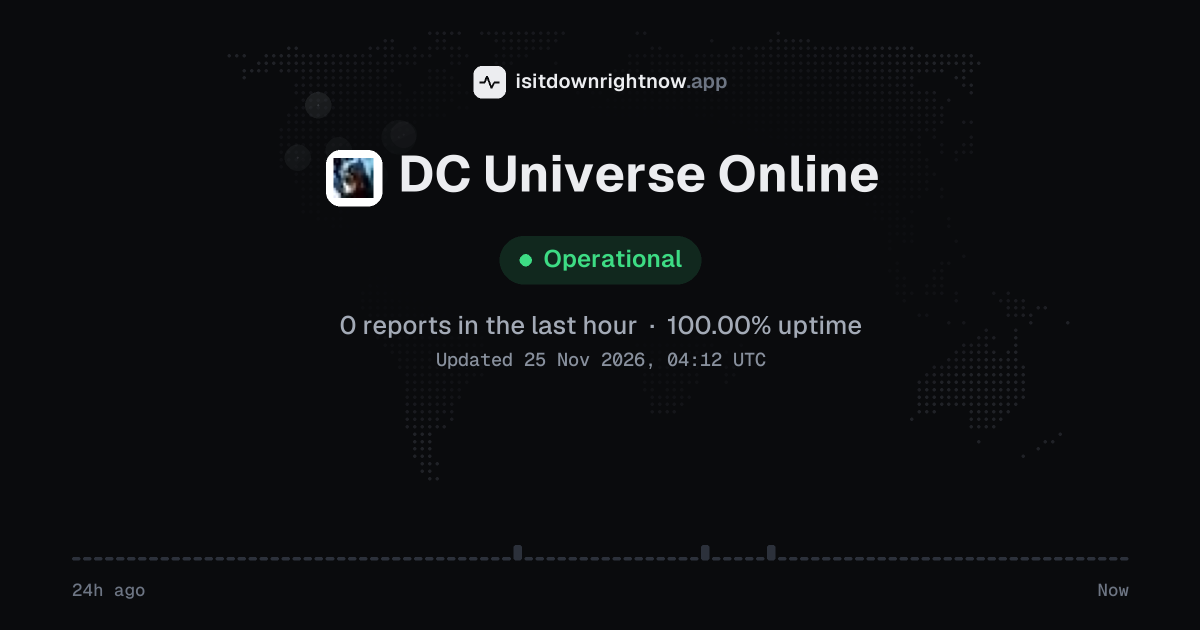
In the past 24 hours, 9 user reports came in for DC Universe Online. Counting only the 15-minute windows with a spike big enough to count as an outage, that comes to 100.00% uptime for the day.
The busiest 15-minute window had 4 reports, about 11 hours ago. That stays below our outage threshold, so it doesn't count as downtime.
No problems detected in the last 24 hoursReports for DC Universe Online stayed at their usual level the whole time.
This month
DC Universe Online in November 2026
- Problem reports in November
- 181
Monthly report for November 2026
What went wrong
What people said was wrong in recent problem reports for DC Universe Online.
Share of 2 recent reports that said what was wrong.
World map
Where DC Universe Online problem reports come from
The map shows where recent problem reports for DC Universe Online came from in the US. Big cities always send the most, so dots in many places point to a widespread problem, and one area far ahead of the rest can mean a regional one.
- Outage now
- Problems now
- Normal
Map outlines: Natural Earth.
Last 30 days
DC Universe Online problem spikes, last 30 days
Since 28 October, DC Universe Online had no outage spikes, but 3 periods of elevated reports. The longest lasted 18 min, on 7 November.
- Sun 18 Oct: no data
- Mon 19 Oct: no data
- Tue 20 Oct: no data
- Wed 21 Oct: no data
- Thu 22 Oct: no data
- Fri 23 Oct: no data
- Sat 24 Oct: no data
- Sun 25 Oct: no data
- Mon 26 Oct: no data
- Tue 27 Oct: no data
- Wed 28 Oct: 11 reports
- Thu 29 Oct: 15 reports
- Fri 30 Oct: 19 reports
- Sat 31 Oct: 10 reports
- Sun 1 Nov: 16 reports
- Mon 2 Nov: 10 reports
- Tue 3 Nov: 13 reports
- Wed 4 Nov: 20 reports (elevated reports that day)
- Thu 5 Nov: 14 reports
- Fri 6 Nov: 12 reports
- Sat 7 Nov: 16 reports (elevated reports that day)
- Sun 8 Nov: 18 reports
- Mon 9 Nov: 16 reports (elevated reports that day)
- Tue 10 Nov: 4 reports
- Wed 11 Nov: 12 reports
- Thu 12 Nov: 5 reports
- Fri 13 Nov: 7 reports
- Sat 14 Nov: 9 reports
- Sun 15 Nov: 8 reports
- Mon 16 Nov: 1 report
-
Elevated reports
Mon 9 Nov, 15:07–15:24Lasted 17 min11peak reports
-
Elevated reports
Sat 7 Nov, 15:18–15:36Lasted 18 min10peak reports
-
Elevated reports
Wed 4 Nov, 15:01–15:17Lasted 16 min11peak reports
A spike is a sharp rise in problem reports from users, kept exactly as this page showed it at the time. This history starts on 28 October 2026. Monthly reports for all services
Troubleshooting
How to fix DC Universe Online not working
DC Universe Online is up on our end, so if it won't work for you, the problem is most likely on your side. Work through these in order:
Your browser tries to reach dcuniverseonline.com over your own connection, right now. Nothing is sent to us or stored.
Restart the launcher or console
Close DC Universe Online and its launcher from the system tray on PC, then reopen it; on a console, quit the game from the home screen and start it again from your library. A stuck server list or character select screen often clears after a full restart.
Sign out and back in
On PC, sign out of the Daybreak account in the DC Universe Online launcher and sign in again; on a console, sign out of your profile and sign back in. This replaces a stale login session that can leave the title screen spinning.
Test the console network
On PlayStation, open Settings > Network > Test Internet Connection; on Xbox, open Settings > General > Network settings > Test network connection. If the test fails, connect by Ethernet before you retry DC Universe Online, because Wi-Fi dropouts show up as disconnects during alerts or open-world fights.
Verify files or reinstall
In Steam, right-click DC Universe Online in your Library, choose Properties, open Installed Files, and click Verify integrity of game files; on a console, delete the game and download it again from your library. Your characters sit on the server, so a reinstall does not erase them.
While it is down
While DC Universe Online is down: what to use instead
- Champions Online Champions Online has costume building and open zones; it can fill the gap with another superhero MMO.
- Injustice 2 A run through Injustice 2's story mode gives you DC characters and fights without a server queue.
- Platform status page Check your platform's status page if the game will not connect, because a network outage can block it before the game servers respond.
Same time
Problems at the same time as DC Universe Online
Since 28 October, all 3 of DC Universe Online's spikes in problem reports overlapped a spike at another service.
When several services get problem reports at once, something they share, such as a cloud host or a network, can be the real cause. Matching times alone do not prove it.
Most often at the same time
How many of DC Universe Online's spikes overlapped one of theirs.
During the latest spike
DC Universe Online: Mon 9 Nov, 15:07 to 15:24
- Lloyds Bank, outage,09:52 to 21:43
- Discord, outage,12:19 to 19:29
- X (Twitter), outage,12:25 to 17:59
- Bradesco, outage,12:54 to 15:22
- Sunrise, outage,13:05 to 17:07
- Free, outage,13:11 to 15:33
- Bank of America, outage,13:22 to 10 Nov 03:36
- Cloudflare, outage,13:39 to 21:31
52 more services. Red dot: outage. Amber dot: elevated reports.
A spike is a sharp rise in problem reports from users, as the live pages showed it. Times are Central European time.
Busiest times
When people report DC Universe Online problems
The busiest hour for reports about DC Universe Online is 15:00 to 16:00 Central European time, and the busiest day is Wednesday.
By hour of the day
- 00:00 to 01:00: 0.05 reports on an average day
- 01:00 to 02:00: 0.03 reports on an average day
- 02:00 to 03:00: 0.05 reports on an average day
- 03:00 to 04:00: 0 reports on an average day
- 04:00 to 05:00: 0.08 reports on an average day
- 05:00 to 06:00: 0.05 reports on an average day
- 06:00 to 07:00: 0.03 reports on an average day
- 07:00 to 08:00: 0.05 reports on an average day
- 08:00 to 09:00: 0.03 reports on an average day
- 09:00 to 10:00: 0.03 reports on an average day
- 10:00 to 11:00: 0 reports on an average day
- 11:00 to 12:00: 0 reports on an average day
- 12:00 to 13:00: 0.03 reports on an average day
- 13:00 to 14:00: 0.05 reports on an average day
- 14:00 to 15:00: 1.2 reports on an average day
- 15:00 to 16:00: 3.5 reports on an average day
- 16:00 to 17:00: 0.23 reports on an average day
- 17:00 to 18:00: 0 reports on an average day
- 18:00 to 19:00: 0.02 reports on an average day
- 19:00 to 20:00: 0.13 reports on an average day
- 20:00 to 21:00: 0 reports on an average day
- 21:00 to 22:00: 0.05 reports on an average day
- 22:00 to 23:00: 0 reports on an average day
- 23:00 to 00:00: 0.02 reports on an average day
By day of the week
- Monday: 4.1 reports on an average Monday
- Tuesday: 2.8 reports on an average Tuesday
- Wednesday: 7.4 reports on an average Wednesday
- Thursday: 6.7 reports on an average Thursday
- Friday: 6.3 reports on an average Friday
- Saturday: 4.8 reports on an average Saturday
- Sunday: 7 reports on an average Sunday
Each bar is the average number of user reports in that hour, or on that day of the week, from 40 days of reports since 5 October 2026. The busiest bar is highlighted. Spikes in reports are left out, so one outage does not set the pattern.
About
What happens when DC Universe Online goes down
DC Universe Online is a superhero MMO for PC and consoles. Players rely on it for open-world missions, alerts, raids, and PvP, so an outage interrupts character select, matchmaking, instance entry, and the in-game shop.
A stalled login or a blank character select is often the first sign. Past that, you can hit rubberbanding, failed instance starts, group queues that never match, and shop or reward-claim errors. It is often partial. One platform or one server set can fail while another stays playable, so a report spike on this page does not prove the whole game is down; the status at the top counts user problem reports in 15-minute windows over the last 24 hours and does not check the game itself.
Servers and network
DC Universe Online IP address, servers and network
- IPv4 address
- 64.37.171.46
- IPv6
- Not offered
- Network
- AS13720 · Daybreak Game Company LLC, registered in the United States
- DNS hosted by
- its own name servers (daybreakgaming.net)
- HTTPS certificate
- Issued by Let's Encrypt, valid until 2 Dec 2026 (16 days)
- HTTP/3
- Not advertised
- Our check
- Answered in 2,120 ms
Checked from our server in Frankfurt, Germany, 11 h ago, for www.dcuniverseonline.com. Visitors elsewhere may see different addresses.
Checked from 12 places around the world
All 12 locations got an answer from www.dcuniverseonline.com. Fastest from Los Angeles (32 ms), slowest from São Paulo (1,227 ms). Every location connected to the same address, on Daybreak Game Company LLC (AS13720).
| Location | Result | Time | Address reached |
|---|---|---|---|
| FrankfurtGermany | Up · HTTP 302 | 660 ms | 64.37.171.46 |
| ViennaAustria | Up · HTTP 302 | 885 ms | 64.37.171.46 |
| MilanItaly | Up · HTTP 302 | 499 ms | 64.37.171.46 |
| ParisFrance | Up · HTTP 302 | 588 ms | 64.37.171.46 |
| AmsterdamNetherlands | Up · HTTP 302 | 572 ms | 64.37.171.46 |
| MadridSpain | Up · HTTP 302 | 779 ms | 64.37.171.46 |
| WarsawPoland | Up · HTTP 302 | 671 ms | 64.37.171.46 |
| DallasUSA | Up · HTTP 302 | 232 ms | 64.37.171.46 |
| Los AngelesUSA | Up · HTTP 302 | 32 ms | 64.37.171.46 |
| São PauloBrazil | Up · HTTP 302 | 1,227 ms | 64.37.171.46 |
| SingaporeSingapore | Up · HTTP 302 | 896 ms | 64.37.171.46 |
| TokyoJapan | Up · HTTP 302 | 478 ms | 64.37.171.46 |
Checked with check-host.net from its servers in these cities 11 h ago, for www.dcuniverseonline.com. Time is how long each server took to load the page.
Questions
DC Universe Online FAQ
Is DC Universe Online down right now?
The status at the top of this page shows whether user problem reports for the service are above their usual level, counted in 15-minute windows over the last 24 hours. If that status looks normal, the issue may be only on your side; try another device on the same network, try the same device on a different connection, check other online games, and see whether the launcher or console reaches the sign-in screen. A device that fails while another device on the same network connects points to the install or account; the service is probably fine.
Why does the DC Universe Online launcher hang on the connecting screen?
The PC launcher has to reach the login and patch servers before the game can open, so a stall there can come from a blocked connection. Close the launcher fully and try again on a different network; a firewall rule that blocks it can produce the same stall. If the same stall happens on another device, the service is the more likely cause.
Why does DC Universe Online disconnect me during an alert or raid?
Alerts and raids hold a constant connection; a brief Wi-Fi drop can end the session even when the service is up. Use a wired connection if you can, and check the report status if several players drop at once. Close background downloads before you queue for a raid. If your character logs back in right away, your network is the more likely cause.
Why does the DC Universe Online Marketplace fail when I buy an episode or style?
The Marketplace loads inside the game, so a stale store session or a slow platform store can leave it spinning after you confirm a purchase. Close the game fully and check the storefront tied to your platform account before you try again. If a charge went through but the item is missing, wait for the store to update and contact the platform that took the payment.
Why does DC Universe Online reject my password after I reset it?
A password reset can leave the launcher or console session holding old credentials, so the game sits at the login step or bounces back to the account screen. Sign out fully, close the app, reopen it, and sign in again with the new password. On a console, check that the platform account signed in is the one tied to the game.
On X
Service updates from @DCUO
No posts about problems from @DCUO in the last 14 days. The latest is from .
🎃 The Witching Hour is almost here! All worlds will be offline Tuesday, October 20th, starting at 6 AM PT as we deploy the Witching Hour 2026 event. Estimated downtime: 2 hours. Get ready for spooky fun! 👻 https://www.dcuniverseonline.com/news/dcuo-witching-hour-2026 #DCUO #Steam #PlayStation #Xbox #Switch
Official channels
Contact DC Universe Online support
Tip: DC Universe Online doesn't list a public status page that we know of, so its help centre and the report chart on this page are the best places to check.
For your site
Put the DC Universe Online status on your site
Paste one of these into a web page, a blog post or a README: a small badge, or a card with the chart. Both show the same status as this page, based on user problem reports, and link back here.

HTML
<a href="https://isitdownrightnow.app/services/dc-universe-online/"><img src="https://isitdownrightnow.app/badge/dc-universe-online.svg" alt="DC Universe Online status" height="20"></a>Markdown, for README files
[](https://isitdownrightnow.app/services/dc-universe-online/)A live card with the chart
The status, reports in the last hour and the last 24 hours, updated every 5 minutes. Use the frame, or the image where frames are not allowed, such as newsletters.
Frame
<iframe src="https://isitdownrightnow.app/embed/dc-universe-online/" title="DC Universe Online status" width="100%" height="230" style="border:0;max-width:560px" loading="lazy"></iframe>
<p><a href="https://isitdownrightnow.app/services/dc-universe-online/">DC Universe Online status</a> from IsItDownRightNow.app</p>
Image, updated about every 10 minutes
<a href="https://isitdownrightnow.app/services/dc-universe-online/"><img src="https://isitdownrightnow.app/share/dc-universe-online.png" alt="DC Universe Online status: problem reports over the last 24 hours" width="600" height="315" loading="lazy"></a>Markdown image, for README files
[](https://isitdownrightnow.app/services/dc-universe-online/)Badge, frame and image load no scripts from other sites and set no cookies; people who see them on your page load them from our server. More for journalists.
How we track DC Universe Online
The status on this page comes from user-submitted problem reports for DC Universe Online, counted in 15-minute windows over the last 24 hours. Each window is compared with the normal level for DC Universe Online, so a few complaints on a quiet day don't trigger anything, but a sudden jump well above normal does.
When reports climb well above normal, the status here changes to partial outage or major outage and the chart moves with it. DC Universe Online doesn't publish a public status page that we know of, so user reports are often the quickest sign that something is wrong on their side.