
Gomo outages and problems
User reports, last 24 hours
41 reports in total, counted in 15-minute windows
In the last hour, 1 problem report came in for Gomo, and at this time of day there are usually almost none. Over the last 24 hours there were 41 reports. There has been no spike in reports since 4 November. These are user reports from the Philippines, where most people report Gomo problems.
- NormalClose to the usual level24 h · 41 reports
- ElevatedMore than 1.5 times the usual levelNone in this chart
- OutageMore than twice the usual level and far above the day's averageNone in this chart
- Usual levelWhat a usual day sees at that timeAlmost none at this time of day
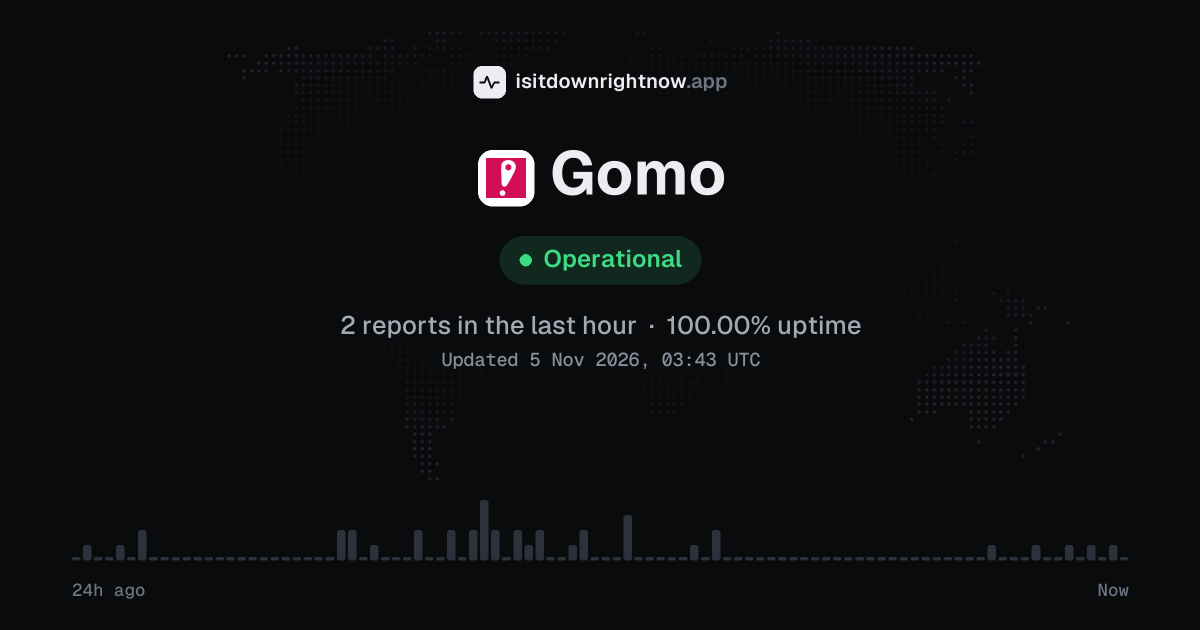
In the past 24 hours, 41 user reports came in for Gomo. Counting only the 15-minute windows with a spike big enough to count as an outage, that comes to 100.00% uptime for the day.
The busiest 15-minute window had 4 reports, about 13 hours ago. That stays below our outage threshold, so it doesn't count as downtime.
Gomo in November 2026
- Problem reports in November (since 4 November)
- 51
Monthly report for November 2026
People who report a problem with Gomo to the outage-report feed behind this page can tag what is affected. These are the categories they can pick; the feed shows no counts per category:
- Mobile internet
- SMS
- Broadband internet
- TV
- Voice calls
- WiFi
- Mobile signal
- E-wallet
Gomo problem spikes, last 30 days
Since 4 November, Gomo had no outage spikes or periods of elevated reports.
A spike is a sharp rise in problem reports from users, kept exactly as this page showed it at the time. This history starts on 4 November 2026. Monthly reports for all services
How to fix Gomo not working
Gomo is up on our end, so if it won't work for you, the problem is most likely on your side. Work through these in order:
Your browser tries to reach gomo.ph over your own connection, right now. Nothing is sent to us or stored.
Toggle the GOMO line
Turn Airplane Mode on for 10 seconds, then turn it off and give the phone a minute to find LTE or 5G. On iPhone, open Settings > Cellular and check that Cellular Data is on; on Android, open Settings > Network and internet > SIMs > GOMO and switch Mobile data off and on.
Set GOMO for mobile data
Dual SIM phones can keep signal bars while sending data through the wrong line. On iPhone, open Settings > Cellular > Cellular Data and choose the line; on Samsung, open Settings > Connections > SIM manager > Mobile data and choose the SIM.
Refresh the app
If the app hangs on the logo, shows a blank balance, or will not load offers, update it before you reinstall. Open App Store > Search > GOMO PH or Google Play > Search > GOMO PH, tap Update if it appears, then force close the app and open it again on mobile data.
Rebuild the APN
Set the APN to gomo.ph, with username and password left blank. On iPhone, open Settings > Cellular > Cellular Data Network; on Android, open Settings > Network and internet > SIMs > GOMO > Access Point Names, or on Samsung open Settings > Connections > Mobile networks > Access Point Names, then save the APN and select it.
While Gomo is down: what to use instead
- Globe prepaid Use a Globe prepaid SIM if you need mobile data on the same mobile network while GOMO will not connect.
- Smart prepaid A Smart SIM helps with calls, texts, and data when your main mobile line is stuck or has no signal.
- DITO prepaid DITO can be a backup for basic data and calls if your phone supports it and you have coverage nearby.
- Wi-Fi apps If mobile data is the problem, connect to Wi-Fi and use Messenger or Viber for calls and messages until the service works again.
What happens when Gomo goes down
Gomo is an app-based mobile service in the Philippines that runs on the Globe network. Students, remote workers, delivery riders and prepaid customers rely on it for mobile internet, so an outage can cut off messaging, banking apps, maps and the app itself.
Mobile data is usually the first thing people notice: the phone may still show signal, chat apps stay on sending, pages time out and video calls drop. The app can fail next; logins loop, purchases stall, balances stay blank, and SIM activation can hang before confirmation. Calls and texts may still work when data is bad, but some incidents hit both, especially when the issue sits on the mobile network. Problems can be regional or partial, since one barangay or city may be affected while another works; the status above comes only from reports sent by users to a public outage-reporting service, counted in 15-minute windows over the last 24 hours, and this site does not monitor the service or collect reports itself.
Gomo IP address, servers and network
Checking gomo.ph from our server…
Gomo FAQ
Is Gomo down right now?
Why can’t I log in to the GOMO PH app?
Why is my mobile data not working even though I still have data left?
Why did my payment for a data purchase fail but my wallet or card was charged?
Why can’t I convert data to calls or texts in the app?
Service updates from @gomo_ph
No posts about problems from @gomo_ph in the last 14 days. The latest is from .
Contact Gomo support
Tip: Gomo doesn't list a public status page that we know of, so its help centre and the report chart on this page are the best places to check.
Put the Gomo status badge on your site
Paste one of these into a web page, a blog post or a README. The badge shows the same status as this page, based on user problem reports. Browsers can keep a copy for up to 4 hours. It links back here.

<a href="https://isitdownrightnow.app/services/gomo/"><img src="https://isitdownrightnow.app/badge/gomo.svg" alt="Gomo status" height="20"></a>[](https://isitdownrightnow.app/services/gomo/)The badge is a plain image: no scripts, no cookies. People who see it on your page load it from our server.
How we track Gomo
The status on this page comes from user-submitted problem reports for Gomo, counted in 15-minute windows over the last 24 hours. Each window is compared with the normal level for Gomo, so a few complaints on a quiet day don't trigger anything, but a sudden jump well above normal does.
When reports climb well above normal, the status here changes to partial outage or major outage and the chart moves with it. Gomo doesn't publish a public status page that we know of, so user reports are often the quickest sign that something is wrong on their side.