
50+ mobiel outages and problems
User reports, last 24 hours
14 reports in total, counted in 15-minute windows
No problem reports came in for 50+ mobiel in the last hour, and at this time of day there are usually almost none. Over the last 24 hours there were 14 reports. There has been no spike in reports since 4 November. These are user reports from the Netherlands, where most people report 50+ mobiel problems.
- NormalClose to the usual level24 h · 14 reports
- ElevatedMore than 1.5 times the usual levelNone in this chart
- OutageMore than twice the usual level and far above the day's averageNone in this chart
- Usual levelWhat a usual day sees at that timeAlmost none at this time of day
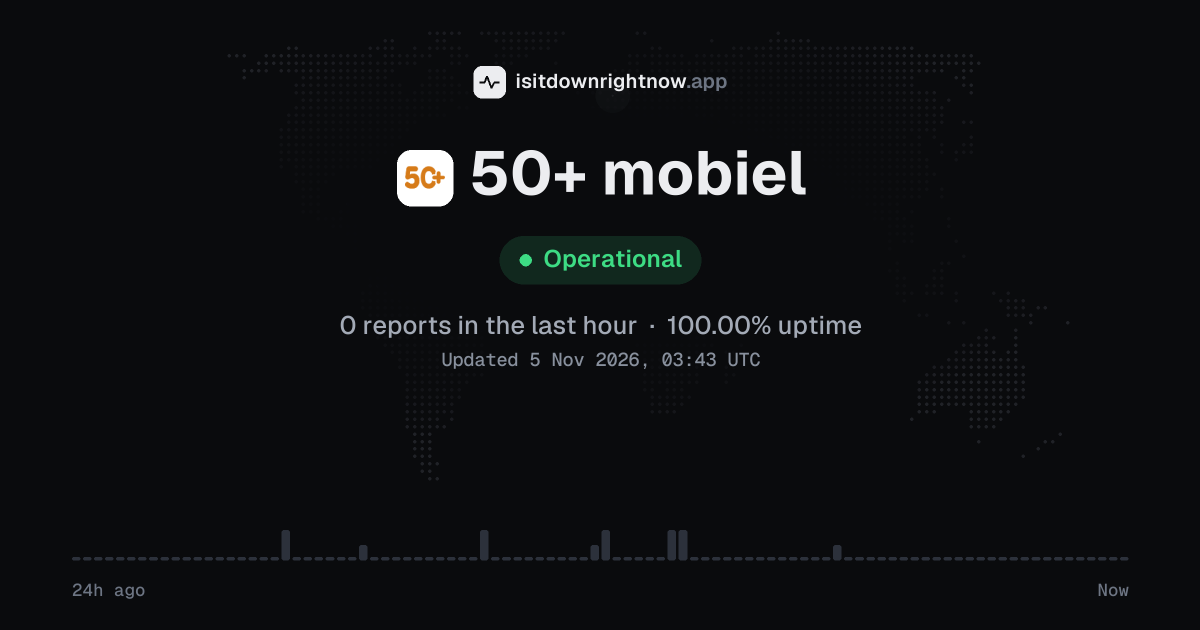
In the past 24 hours, 14 user reports came in for 50+ mobiel. Counting only the 15-minute windows with a spike big enough to count as an outage, that comes to 100.00% uptime for the day.
The busiest 15-minute window had 3 reports, about 9 hours ago. That stays below our outage threshold, so it doesn't count as downtime.
50+ mobiel in November 2026
- Problem reports in November (since 4 November)
- 15
Monthly report for November 2026
People who report a problem with 50+ mobiel to the outage-report feed behind this page can tag what is affected. These are the categories they can pick; the feed shows no counts per category:
- Website
- Mobiel internet
- SMS
- Bellen
- Facturen
- Bereik
50+ mobiel problem spikes, last 30 days
Since 4 November, 50+ mobiel had no outage spikes or periods of elevated reports.
A spike is a sharp rise in problem reports from users, kept exactly as this page showed it at the time. This history starts on 4 November 2026. Monthly reports for all services
How to fix 50+ mobiel not working
50+ mobiel is up on our end, so if it won't work for you, the problem is most likely on your side. Work through these in order:
Your browser tries to reach 50plusmobiel.nl over your own connection, right now. Nothing is sent to us or stored.
Refresh the 50+ mobiel connection
Turn Airplane Mode on for 10 seconds, then turn it off. If calls or data still fail, restart the phone so the SIM registers on the mobile network again.
Check the active SIM
On iPhone, open Settings > Mobile Service > Mobile Data and select the SIM you use for 50+ mobiel. On Samsung, open Settings > Connections > SIM manager and check that the SIM is turned on for calls and mobile data.
Turn automatic network selection back on
On iPhone, go to Settings > Mobile Service > Network Selection and switch on Automatic. On Android, open Settings > Network & internet > SIMs > Automatically select network, or on Samsung use Settings > Connections > Mobile networks > Network operators > Select automatically.
Reset the phone network settings
On iPhone, open Settings > General > Transfer or Reset iPhone > Reset > Reset Network Settings. On Android, use Settings > System > Reset options > Reset Mobile Network Settings; on Samsung, use Settings > General management > Reset > Reset mobile network settings.
While 50+ mobiel is down: what to use instead
- Wi-Fi and chat apps Use Wi-Fi with WhatsApp, Signal, or FaceTime if mobile data or normal calling on your 50+ mobiel line is failing.
- Landline or another SIM Call from a fixed phone or a second mobile connection when you need to reach someone before the service works again.
- 50plusmobiel.nl Try the website from Wi-Fi if the mobile connection is the problem and you need to view customer information or service pages.
- Emergency call fallback For urgent help in the Netherlands, try 112 from another phone if your own mobile line cannot place the call.
What happens when 50+ mobiel goes down
50+ mobiel is a Dutch telecom service at 50plusmobiel.nl for mobile service in the Netherlands. People who rely on it can lose calling, texting, mobile internet, or access to the website when the service has trouble.
Mobile data is usually the first thing you notice: apps stop loading, web pages sit on a spinner, or hotspot use becomes useless while the phone still shows signal. Calls can fail too. SMS problems may show as messages stuck on sending or verification codes arriving too late to use. Network faults are often partial by area or by feature, while website trouble affects anyone trying to manage service online; the status here only reflects reports sent to a public outage-reporting service in 15-minute windows over the last 24 hours.
50+ mobiel IP address, servers and network
Checking 50plusmobiel.nl from our server…
50+ mobiel FAQ
Is 50+ mobiel down right now?
What should I do if my 50+ mobiel SIM says 'Geen service' or 'Alleen noodoproepen'?
Why does mobile data stop working while calls still work?
Why can I not sign in to my 50+ mobiel online account?
Can a problem affect only 4G data, calls, or text messages?
Contact 50+ mobiel support
Tip: 50+ mobiel doesn't list a public status page that we know of, so its help centre and the report chart on this page are the best places to check.
Put the 50+ mobiel status badge on your site
Paste one of these into a web page, a blog post or a README. The badge shows the same status as this page, based on user problem reports. Browsers can keep a copy for up to 4 hours. It links back here.

<a href="https://isitdownrightnow.app/services/50plusmobiel/"><img src="https://isitdownrightnow.app/badge/50plusmobiel.svg" alt="50+ mobiel status" height="20"></a>[](https://isitdownrightnow.app/services/50plusmobiel/)The badge is a plain image: no scripts, no cookies. People who see it on your page load it from our server.
How we track 50+ mobiel
The status on this page comes from user-submitted problem reports for 50+ mobiel, counted in 15-minute windows over the last 24 hours. Each window is compared with the normal level for 50+ mobiel, so a few complaints on a quiet day don't trigger anything, but a sudden jump well above normal does.
When reports climb well above normal, the status here changes to partial outage or major outage and the chart moves with it. 50+ mobiel doesn't publish a public status page that we know of, so user reports are often the quickest sign that something is wrong on their side.