
Power BI by Microsoft outages and problems
User reports, last 24 hours
19 reports in total, counted in 15-minute windows
In the last hour, 1 problem report came in for Power BI by Microsoft, and at this time of day there are usually almost none. Over the last 24 hours there were 19 reports. Most recent reports were about app (55%) and save / sync (12%). The last spike in reports was 37 h ago and lasted 26 min. These are user reports from the US, where most people report Power BI by Microsoft problems.
- NormalClose to the usual level24 h · 19 reports
- ElevatedMore than 1.5 times the usual levelNone in this chart
- OutageMore than twice the usual level and far above the day's averageNone in this chart
- Usual levelWhat a usual day sees at that timeAlmost none at this time of day
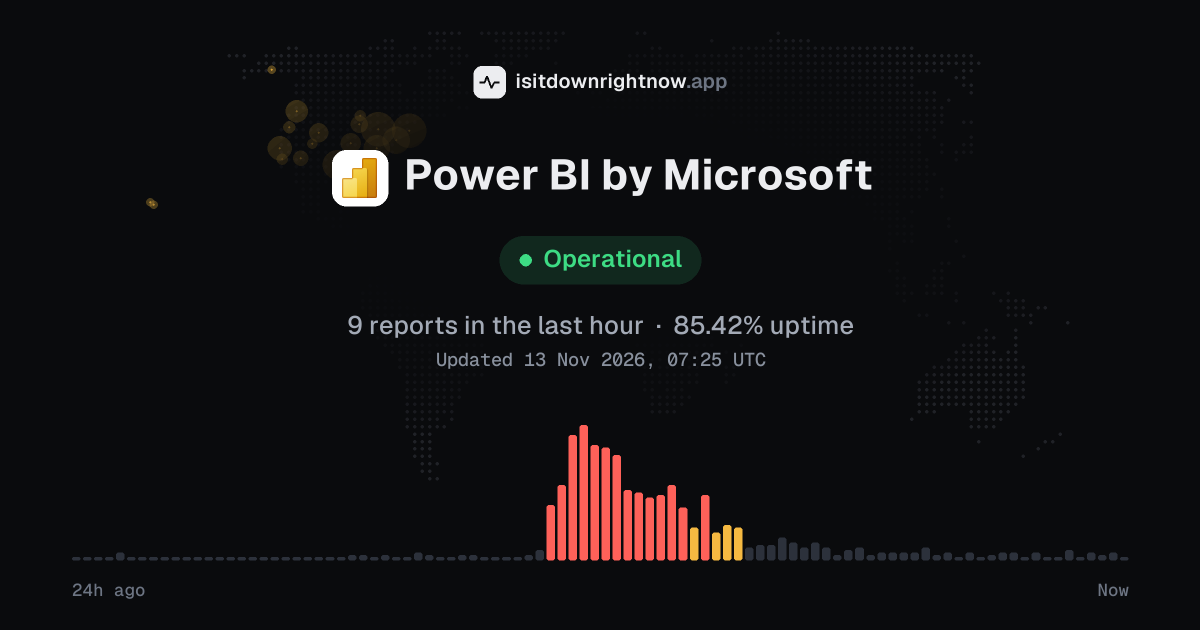
In the past 24 hours, 19 user reports came in for Power BI by Microsoft. Counting only the 15-minute windows with a spike big enough to count as an outage, that comes to 100.00% uptime for the day.
The busiest 15-minute window had 2 reports, about 15 hours ago. That stays below our outage threshold, so it doesn't count as downtime.
Power BI by Microsoft in November 2026
- Problem reports in November
- 1,190
Monthly report for November 2026
What went wrong
What people said was wrong in recent problem reports for Power BI by Microsoft.
Share of 74 recent reports that said what was wrong.
Where Power BI by Microsoft problem reports come from
The map shows where recent problem reports for Power BI by Microsoft came from in the US. Big cities always send the most, so dots in many places point to a widespread problem, and one area far ahead of the rest can mean a regional one.
- Outage now
- Problems now
- Normal
Map outlines: Natural Earth.
Power BI by Microsoft problem spikes, last 30 days
Since 27 October, Power BI by Microsoft had 3 outage spikes and 1 period of elevated reports. The longest lasted 4 h 37 min, on 12 November.
- Sat 17 Oct: no data
- Sun 18 Oct: no data
- Mon 19 Oct: no data
- Tue 20 Oct: no data
- Wed 21 Oct: no data
- Thu 22 Oct: no data
- Fri 23 Oct: no data
- Sat 24 Oct: no data
- Sun 25 Oct: no data
- Mon 26 Oct: no data
- Tue 27 Oct: 10 reports
- Wed 28 Oct: 64 reports
- Thu 29 Oct: 24 reports
- Fri 30 Oct: 30 reports
- Sat 31 Oct: 3 reports
- Sun 1 Nov: 1 report
- Mon 2 Nov: 50 reports
- Tue 3 Nov: 39 reports
- Wed 4 Nov: 15 reports
- Thu 5 Nov: 26 reports
- Fri 6 Nov: 42 reports
- Sat 7 Nov: 4 reports
- Sun 8 Nov: 2 reports
- Mon 9 Nov: 36 reports
- Tue 10 Nov: 34 reports
- Wed 11 Nov: 15 reports
- Thu 12 Nov: 555 reports (outage spike that day)
- Fri 13 Nov: 340 reports (outage spike that day)
- Sat 14 Nov: 25 reports
- Sun 15 Nov: 6 reports
-
Outage
Fri 13 Nov, 17:49–18:15Lasted 26 min12peak reports
-
Outage
Fri 13 Nov, 14:44–15:46Lasted 1 h 1 min15peak reports
-
Elevated reports
Fri 13 Nov, 00:13–00:28Lasted 15 min10peak reports
-
Outage
Thu 12 Nov, 19:06–23:43Lasted 4 h 37 min57peak reports
A spike is a sharp rise in problem reports from users, kept exactly as this page showed it at the time. This history starts on 27 October 2026. Monthly reports for all services
How to fix Power BI by Microsoft not working
Power BI by Microsoft is up on our end, so if it won't work for you, the problem is most likely on your side. Work through these in order:
Your browser tries to reach app.powerbi.com over your own connection, right now. Nothing is sent to us or stored.
Reload Power BI in a private window
Open the service in InPrivate or Incognito and sign in with the same account. If the report loads there, clear cookies and site data for the service in your normal browser, then sign in again.
Sign out of the app and back in
Use the profile picture menu to sign out, then close the tab. Open the service again and sign in with the same account; loading a report first shows whether a stale session was the cause.
Reenter the dataset credentials
Open the dataset's Settings page from the More options menu, then expand Data source credentials. Select Edit credentials and sign in to the data source again, because a refresh that stops at a sign-in prompt usually has an expired credential.
Clear Power BI Desktop data source permissions
In Power BI Desktop, open File > Options and settings > Data source settings and click Clear Permissions for the source. Reconnect to the source afterward; an old account or cached credential can survive a normal sign-out.
While Power BI by Microsoft is down: what to use instead
- Power BI Desktop Open a saved .pbix file and keep editing a report when its data source is local and the cloud service is unavailable.
- Excel Power Pivot Use it when the data is already in Excel and you need pivot tables.
- Tableau Desktop Open an existing Tableau workbook if you keep a local copy of the data and need charts while the hosted service is down.
- Looker Studio Use a saved browser report when its data source is reachable and you need a dashboard.
Problems at the same time as Power BI by Microsoft
Since 27 October, all 4 of Power BI by Microsoft's spikes in problem reports overlapped a spike at another service.
When several services get problem reports at once, something they share, such as a cloud host or a network, can be the real cause. Matching times alone do not prove it.
Most often at the same time
- Microsoft Teams4 times
- Microsoft Outlook4 times
- Microsoft 3654 times
- Microsoft OneDrive4 times
- Microsoft Copilot4 times
- Microsoft Store4 times
How many of Power BI by Microsoft's spikes overlapped one of theirs.
During the latest spike
Power BI by Microsoft: Fri 13 Nov, 17:49 to 18:15
- Microsoft Teams, outage,12 Nov 15:41 to 14 Nov 06:15
- Microsoft Outlook, outage,12 Nov 17:42 to 15 Nov 07:30
- Microsoft 365, outage,12 Nov 17:59 to 15 Nov 07:30
- Microsoft OneDrive, outage,12 Nov 18:27 to 14 Nov 06:26
- Microsoft Copilot, outage,12 Nov 18:27 to 14 Nov 08:12
- Microsoft Store, outage,12 Nov 18:27 to 15 Nov 07:25
- Gmail, outage,12 Nov 18:38 to 14 Nov 08:50
- Microsoft Account, outage,12 Nov 18:38 to 23:41
142 more services. Red dot: outage. Amber dot: elevated reports.
A spike is a sharp rise in problem reports from users, as the live pages showed it. Times are Central European time.
When people report Power BI by Microsoft problems
The busiest hour for reports about Power BI by Microsoft is 16:00 to 17:00 Central European time, and the busiest day is Friday.
By hour of the day
- 00:00 to 01:00: 0.96 reports on an average day
- 01:00 to 02:00: 0.74 reports on an average day
- 02:00 to 03:00: 0.47 reports on an average day
- 03:00 to 04:00: 0.4 reports on an average day
- 04:00 to 05:00: 0.22 reports on an average day
- 05:00 to 06:00: 0.21 reports on an average day
- 06:00 to 07:00: 0.2 reports on an average day
- 07:00 to 08:00: 0.31 reports on an average day
- 08:00 to 09:00: 0.14 reports on an average day
- 09:00 to 10:00: 0.32 reports on an average day
- 10:00 to 11:00: 0.08 reports on an average day
- 11:00 to 12:00: 0.08 reports on an average day
- 12:00 to 13:00: 0.5 reports on an average day
- 13:00 to 14:00: 0.71 reports on an average day
- 14:00 to 15:00: 1.4 reports on an average day
- 15:00 to 16:00: 1.4 reports on an average day
- 16:00 to 17:00: 1.9 reports on an average day
- 17:00 to 18:00: 1.5 reports on an average day
- 18:00 to 19:00: 1.4 reports on an average day
- 19:00 to 20:00: 1.7 reports on an average day
- 20:00 to 21:00: 1.6 reports on an average day
- 21:00 to 22:00: 1.2 reports on an average day
- 22:00 to 23:00: 0.97 reports on an average day
- 23:00 to 00:00: 0.71 reports on an average day
By day of the week
- Monday: 16 reports on an average Monday
- Tuesday: 14 reports on an average Tuesday
- Wednesday: 19 reports on an average Wednesday
- Thursday: 18 reports on an average Thursday
- Friday: 58 reports on an average Friday
- Saturday: 5.4 reports on an average Saturday
- Sunday: 1.7 reports on an average Sunday
Each bar is the average number of user reports in that hour, or on that day of the week, from 39 days of reports since 5 October 2026. The busiest bar is highlighted. Spikes in reports are left out, so one outage does not set the pattern.
What happens when Power BI by Microsoft goes down
Power BI by Microsoft is a business analytics service. Analysts and finance teams rely on it for reports and dashboards built from spreadsheets, databases, cloud apps, and on-premises sources, so an outage interrupts signing in, opening reports, refreshing datasets, and sharing dashboards.
The status at the top of each page shows whether user problem reports for the service are above their usual level, counted in 15-minute windows over the last 24 hours; the site does not monitor the service. Sign-in can fail first. Dashboards and reports can stall on a loading spinner, then show you a generic load error or blank visuals while dataset refreshes fail or sit queued and publishing from Power BI Desktop stops before upload finishes. Problems are often partial, because one tenant or one region can break while other dashboards keep working, and mobile apps or embedded tiles usually show you the same fault as the browser.
Power BI by Microsoft IP address, servers and network
- IPv4 address
- 51.116.144.68
- IPv6
- Not offered
- Network
- AS8075 · Microsoft Corporation, registered in the United Kingdom
- Served through
- Microsoft
- DNS hosted by
- Microsoft Azure DNS
- HTTPS certificate
- Issued by Microsoft Corporation, valid until 2 Feb 2027 (79 days)
- HTTP/3
- Not advertised
- Our check
- Answered in 43 ms
Checked from our server in Frankfurt, Germany, 35 h ago, for app.powerbi.com. A service behind a CDN answers from many data centres, usually the one nearest to you, so these addresses are where its traffic enters, not where its own servers stand. Visitors elsewhere may see different addresses.
Checked from 12 places around the world
All 12 locations got an answer from app.powerbi.com. Fastest from Vienna (19 ms), slowest from Paris (197 ms). Every location connected through Microsoft Corporation (AS8075), using 11 different addresses.
| Location | Result | Time | Address reached |
|---|---|---|---|
| FrankfurtGermany | Up | 26 ms | 51.116.144.68 |
| ViennaAustria | Up | 19 ms | 68.210.172.148 |
| MilanItaly | Up | 41 ms | 150.171.113.226 |
| ParisFrance | Up | 197 ms | 20.215.4.248 |
| AmsterdamNetherlands | Up | 41 ms | 51.116.144.68 |
| MadridSpain | Up | 176 ms | 150.171.114.145 |
| WarsawPoland | Up | 110 ms | 150.171.114.66 |
| DallasUSA | Up | 59 ms | 13.73.248.4 |
| Los AngelesUSA | Up | 49 ms | 40.82.248.68 |
| São PauloBrazil | Up | 26 ms | 191.235.225.152 |
| SingaporeSingapore | Up | 33 ms | 20.43.130.192 |
| TokyoJapan | Up | 25 ms | 20.43.65.152 |
Checked with check-host.net from its servers in these cities 35 h ago, for app.powerbi.com. Time is how long each server took to load the page.
Power BI by Microsoft FAQ
Is Power BI by Microsoft down right now?
What should I check when a scheduled refresh in Power BI fails?
Why does the Power BI mobile app show a blank report?
Why can't I sign in to Power BI with my work account?
Why does a shared Power BI report say I need access?
Service updates from @MSPowerBI
No posts about problems from @MSPowerBI in the last 14 days. The latest is from .
Contact Power BI by Microsoft support
- Websiteapp.powerbi.com/singleSignOn?ru=https%3A%2F%2Fapp.powerbi.com%2F%3FnoSignUpCheck%3D1
- X (Twitter)x.com/MSPowerBI
- Facebookfacebook.com/177650892253298
Tip: Power BI by Microsoft doesn't list a public status page that we know of, so its help centre and the report chart on this page are the best places to check.
Put the Power BI by Microsoft status on your site
Paste one of these into a web page, a blog post or a README: a small badge, or a card with the chart. Both show the same status as this page, based on user problem reports, and link back here.

<a href="https://isitdownrightnow.app/services/power-bi-by-microsoft/"><img src="https://isitdownrightnow.app/badge/power-bi-by-microsoft.svg" alt="Power BI by Microsoft status" height="20"></a>[](https://isitdownrightnow.app/services/power-bi-by-microsoft/)A live card with the chart
The status, reports in the last hour and the last 24 hours, updated every 5 minutes. Use the frame, or the image where frames are not allowed, such as newsletters.
<iframe src="https://isitdownrightnow.app/embed/power-bi-by-microsoft/" title="Power BI by Microsoft status" width="100%" height="230" style="border:0;max-width:560px" loading="lazy"></iframe>
<p><a href="https://isitdownrightnow.app/services/power-bi-by-microsoft/">Power BI by Microsoft status</a> from IsItDownRightNow.app</p><a href="https://isitdownrightnow.app/services/power-bi-by-microsoft/"><img src="https://isitdownrightnow.app/share/power-bi-by-microsoft.png" alt="Power BI by Microsoft status: problem reports over the last 24 hours" width="600" height="315" loading="lazy"></a>[](https://isitdownrightnow.app/services/power-bi-by-microsoft/)Badge, frame and image load no scripts from other sites and set no cookies; people who see them on your page load them from our server. More for journalists.
How we track Power BI by Microsoft
The status on this page comes from user-submitted problem reports for Power BI by Microsoft, counted in 15-minute windows over the last 24 hours. Each window is compared with the normal level for Power BI by Microsoft, so a few complaints on a quiet day don't trigger anything, but a sudden jump well above normal does.
When reports climb well above normal, the status here changes to partial outage or major outage and the chart moves with it. Power BI by Microsoft doesn't publish a public status page that we know of, so user reports are often the quickest sign that something is wrong on their side.