
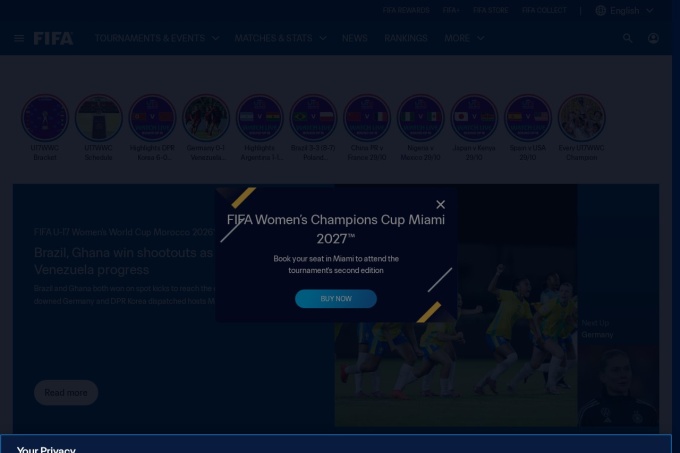
FIFA outages and problems
In the past 24 hours, 1 user report came in for FIFA. Counting only the 15-minute windows with a spike big enough to count as an outage, that comes to 100.00% uptime for the day.
The busiest 15-minute window had 1 report, about 8 hours ago. That stays below our outage threshold, so it doesn't count as downtime.
FIFA in November 2026
- Problem reports in November
- 0
Monthly report for November 2026
People who report a problem with FIFA to the outage-report feed behind this page can tag what is affected. These are the categories they can pick; the feed shows no counts per category:
- Website
- Login
- App
- Search
- Checkout
- Ticketing
Where FIFA problem reports come from
The map shows where recent problem reports for FIFA came from in the US. Big cities always send the most, so dots in many places point to a widespread problem, and one area far ahead of the rest can mean a regional one.
- Outage now
- Problems now
- Normal
Map outlines: Natural Earth.
FIFA problem spikes, last 30 days
Since 24 October, FIFA had no outage spikes or periods of elevated reports.
- Sat 3 Oct: no data
- Sun 4 Oct: no data
- Mon 5 Oct: no data
- Tue 6 Oct: no data
- Wed 7 Oct: no data
- Thu 8 Oct: no data
- Fri 9 Oct: no data
- Sat 10 Oct: no data
- Sun 11 Oct: no data
- Mon 12 Oct: no data
- Tue 13 Oct: no data
- Wed 14 Oct: no data
- Thu 15 Oct: no data
- Fri 16 Oct: no data
- Sat 17 Oct: no data
- Sun 18 Oct: no data
- Mon 19 Oct: no data
- Tue 20 Oct: no data
- Wed 21 Oct: no data
- Thu 22 Oct: no data
- Fri 23 Oct: no data
- Sat 24 Oct: 1 report
- Sun 25 Oct: 0 reports
- Mon 26 Oct: 0 reports
- Tue 27 Oct: 0 reports
- Wed 28 Oct: 1 report
- Thu 29 Oct: 0 reports
- Fri 30 Oct: 1 report
- Sat 31 Oct: 1 report
- Sun 1 Nov: 0 reports
A spike is a sharp rise in problem reports from users, kept exactly as this page showed it at the time. This history starts on 24 October 2026. Monthly reports for all services
How to fix FIFA not working
FIFA is up on our end, so if it won't work for you, the problem is most likely on your side. Work through these in order:
Restart the FIFA app and console
Close the game completely, then relaunch it. If it still fails, restart the console: on PS5, press the PS button, choose Power > Restart PS5; on Xbox, press the Xbox button, go to Profile & system > Restart console.
Check EA server status
Open the EA Help server status page and look for the game's listing before you change any local settings. If the page shows an outage, wait and try again later; if it does not, move to the next step.
Test the console connection
On PS5, go to Settings > Network > Test Internet Connection. On Xbox, go to Profile & system > Settings > General > Network settings > Test network connection; use a wired connection if you have one.
Repair the FIFA install
On PC, open the EA app, go to Library, select the game, open the three-dot menu, and choose Repair. On PS5, go to Settings > Storage > Console Storage > Games and Apps, select the game, choose Delete, then reinstall it from your library.
While FIFA is down: what to use instead
- EA Help server status Check the official server status page to see if the game's online services are reported down.
- Offline modes Switch to a single-player mode or practice match if only online matchmaking is failing.
- eFootball Use Konami's football game as a temporary stand-in for online matches while the service is unavailable.
- Official website Open the official site for news and scores if the game will not load.
Fix FIFA on Windows, Mac, Android and iPhone
FIFA on Windows
- Fix
- Restart the EA App or Steam, and verify the FIFA game files to repair any corrupted data. Ensure your Windows firewall or anti-cheat software is not blocking the game's network access.
- Check
- Check the EA Help website or official social channels for FIFA server status. You can also check if the EA App is able to log in and connect online.
ping fifa.comTest whether FIFA's servers replynslookup fifa.comCheck that FIFA's DNS resolvestracert fifa.comTrace where the connection dropsipconfig /flushdnsClear the DNS cache, then reloadFIFA on Mac
- Fix
- Since FIFA does not run natively on macOS, troubleshoot your cloud gaming client or Windows emulator. If you are using the FIFA Web App, clear your browser's cache and cookies.
- Check
- Visit the EA Help portal to see if FIFA servers are undergoing scheduled maintenance. You can also test if the FIFA Companion Web App loads successfully on another browser.
ping -c 4 fifa.comTest whether FIFA's servers replynslookup fifa.comCheck that FIFA's DNS resolvestraceroute fifa.comTrace where the connection dropssudo dscacheutil -flushcache; sudo killall -HUP mDNSResponderFlush the macOS DNS cache, then reloadFIFA on Android
- Fix
- Force stop the FIFA Mobile app, clear its cache in your system settings, and check the Google Play Store for updates. If the game still fails to load, try reinstalling it.
- Check
- Open the FIFA Mobile app to check for connection error messages or maintenance notifications. You can also check community tracker sites to see if others are reporting issues.
FIFA on iPhone and iPad
- Fix
- Check the App Store for any pending FIFA Mobile updates and restart your iOS device. If connectivity issues persist, try switching between Wi-Fi and cellular data.
- Check
- Launch FIFA Mobile to see if it displays a server connection error or a maintenance screen. You can also check EA Help on social media for real-time outage updates.
What happens when FIFA goes down
FIFA is the official football site from the sport's governing body, with news, scores, rankings and video for fans in the US and elsewhere. You use it for match updates or video, so an outage cuts off those checks.
When the service struggles, the home page or live match pages may fail to load first, and scores or rankings can sit on stale data. Video may stall, or the mobile site may load blank. Problems can be regional or partial: one platform or region may fail while the rest of the site works.
FIFA IP address, servers and network
- IPv4 addresses
- 23.37.226.105
Show all 2
- 23.53.43.121
- IPv6 addresses
- 2a02:26f0:3100::1725:e269
Show all 2
- 2a02:26f0:3100::1735:2b79
- Network
- AS20940 · AKAMAI-ASN1, registered in the United States
- Served through
- Akamai
- DNS hosted by
- Akamai
- HTTPS certificate
- Issued by Let's Encrypt, valid until 27 Jan 2027 (87 days)
- HTTP/3
- Not advertised
- Our check
- Answered in 92 ms
Checked from our server in Frankfurt, Germany, 3 days ago, for www.fifa.com. A service behind a CDN answers from many data centres, usually the one nearest to you, so these addresses are where its traffic enters, not where its own servers stand. Visitors elsewhere may see different addresses.
Checked from 11 places around the world
All 11 locations got an answer from www.fifa.com. Fastest from Amsterdam (51 ms), slowest from Madrid (697 ms). Every location connected through AKAMAI-ASN1 (AS20940), using 11 different addresses.
| Location | Result | Time | Address reached |
|---|---|---|---|
| FrankfurtGermany | Up | 77 ms | 2.17.100.216 |
| ViennaAustria | Up | 106 ms | 88.221.92.67 |
| MilanItaly | Up | 60 ms | 173.222.105.57 |
| ParisFrance | Up | 60 ms | 23.222.250.34 |
| AmsterdamNetherlands | Up | 51 ms | 2.16.6.202 |
| MadridSpain | Up | 697 ms | 2.16.8.99 |
| WarsawPoland | Up | 346 ms | 95.100.107.152 |
| Los AngelesUSA | Up | 51 ms | 23.214.170.18 |
| São PauloBrazil | Up | 53 ms | 23.219.67.200 |
| SingaporeSingapore | Up | 63 ms | 23.44.5.130 |
| TokyoJapan | Up | 87 ms | 23.199.56.207 |
Checked with check-host.net from its servers in these cities 3 days ago, for www.fifa.com. Time is how long each server took to load the page.
FIFA FAQ
Is FIFA down right now?
Why do I get "Unable to connect to the EA servers" in FIFA?
Why did my FIFA Points purchase not appear in Ultimate Team?
Why does FIFA keep signing me out of my EA account?
Why does FIFA matchmaking keep returning me to the menu?
Service updates from @FIFAcom
No posts about problems from @FIFAcom in the last 14 days. The latest is from .
Put the FIFA status badge on your site
Paste one of these into a web page, a blog post or a README. The badge shows the same status as this page, based on user problem reports. Browsers can keep a copy for up to 4 hours. It links back here.

<a href="https://isitdownrightnow.app/services/fifa-official/"><img src="https://isitdownrightnow.app/badge/fifa-official.svg" alt="FIFA status" height="20"></a>[](https://isitdownrightnow.app/services/fifa-official/)The badge is a plain image: no scripts, no cookies. People who see it on your page load it from our server.
How we track FIFA
The status on this page comes from user-submitted problem reports for FIFA, counted in 15-minute windows over the last 24 hours. Each window is compared with the normal level for FIFA, so a few complaints on a quiet day don't trigger anything, but a sudden jump well above normal does.
When reports climb well above normal, the status here changes to partial outage or major outage and the chart moves with it. This is separate from FIFA's official status page: user reports tend to show a problem early, while the official page confirms the cause. If the two disagree, check both.