
Is Tableau Down Right Now? Live Status & Outage Tracker
Real-time uptime monitoring and outage reports
schedule Last checked · auto-refreshes every 5 minutes
No — Tableau is up and working normally.
No widespread outage is detected, with only 0 user reports in the last hour.
tableau.com Server Status Check

- Website Name:
- Tableau
- URL Checked:
- tableau.com
- Response Time:
- 35.04 ms
- Last Down:
- More than a week ago
Tableau is UP and reachable by us.
Please check and report on local outages below…
Current Status
Operational
24h Uptime
100.00%
Reports (Last 1h)
0
trending_flat 0%Last Peak Spike
0
stableUptime History (Past 24 Hours)
Live User Reports
Real-timeSystem Monitoring Active
Real-timeMonitoring is currently tracking 0 ongoing reports, which is well within normal operational baselines for Tableau.
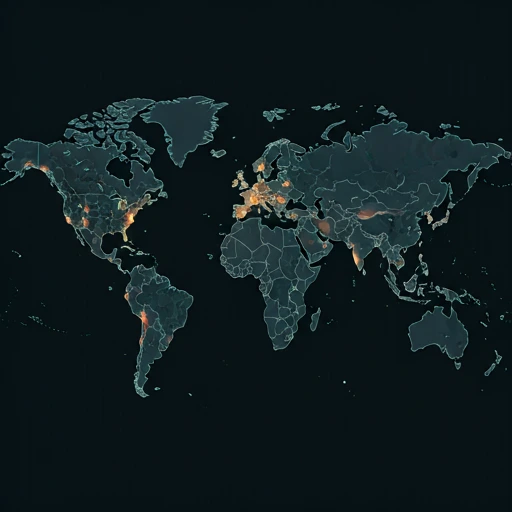
Outage Heat Map
contact_support How to Contact Tableau Support
Official support channels, status pages, and social accounts for Tableau. If the service is down, the status page is the fastest way to see confirmed incidents.
|
languageOfficial Website
|
tableau.com |
|
helpHelp / Support Center
|
Open support |
|
monitor_heartOfficial Status Page
|
View status |
|
forward_to_inboxContact Page
|
Contact form |
Tip: Tableau has no separate outage hotline — report problems on this page and check the official status page above.
Is Tableau Down Right Now? Live Tableau Status and Outage Tracking
Tableau is Salesforce's analytics platform, and a lot of teams hang weekly reporting and client demos on its dashboards. When it stalls, you feel it. We ping Tableau Cloud and Tableau Public every few minutes, so the {STATUS} badge and the 24h {UPTIME} figure above stay current, and if you typed is Tableau down right now into a search box, your answer is already on this page.
Currently, based on our real-time global monitoring network, the status of Tableau is operational. Most people say Tableau is running fine for them right now. If you are the one hitting problems where Tableau is not loading, try your Wi-Fi, clear your browser cache, or restart the app first — the global servers look completely healthy.
Tableau Cloud Down or Tableau Public Down: What You See
A Tableau Cloud outage gives you login loops, dashboards stuck on 'Loading', gray boxes where embedded vizzes should sit, and subscription emails that never arrive. Scheduled extract refreshes fail too. If Tableau Public is the side that broke, your published vizzes throw errors wherever they're embedded, and the {REPORTS} reports from the last 24 hours show how many people got stuck with you.
Our live map aggregates thousands of these specific complaints in real-time. If you see elevated bars on the chart above, the Tableau down detector algorithm has successfully identified severe backend degradation that aligns with these exact symptoms.
Tableau Server Status: Recent Reports, Last Outage {LASTDOWN} Ago
By analyzing the past 24 hours of telemetry, we observed roughly 0 outage complaints globally. Factoring in these connectivity drops, the calculated Tableau uptime over the last day rests at 100.00%.
Incredibly, there have been absolute zero significant outage spikes recorded recently. This flawless historical chart suggests a highly stable baseline performance, meaning their engineers are currently successfully mitigating any backend stress or traffic loads.
Tableau Not Working: Fixes to Try First
When the global status reads 'Operational' but the app still crashes on your device, the problem is local. Try these simple fixes to restore your Tableau connection:
- Cross-check the official Tableau status page: Tableau posts live health data at trust.status.tableau.com for Cloud and Server. Our {STATUS} reading comes from visitor reports, so a spike in {REPORTS} often beats the official page by minutes. Compare both before you touch local settings. The last confirmed downtime was {LASTDOWN} ago, and our {UPTIME} figure over 24h tells you how rare a real 'tableau outage' is.
- Clear the stuck 'Loading workbook' spinner in Tableau Cloud: A dashboard that hangs at the loading bar while the rest of the site works is a stale vizql session, and it mimics what people mean by 'tableau cloud down'. Sign in from an incognito window first. If the viz renders there, clear cookies for online.tableau.com in your main browser, then hard refresh with Ctrl+Shift+R or Cmd+Shift+R. Tableau Public runs on separate infrastructure, so the answer to 'is tableau public down' will not match what happens on your paid site.
- Run tsm status on the initial node: Run 'tsm status -v' from a shell on the initial node. A backgrounder or vizportal process showing stopped explains failed extract refreshes and the gateway timeouts you hit on publish. 'tsm restart' clears the backlog in about ten minutes. Searches for 'tableau server status' climb during these self-hosted incidents even when the official page stays green.
- Network / DNS check: Flush the resolver first. Run 'ipconfig /flushdns' on Windows, or 'sudo dscacheutil -flushcache' followed by 'sudo killall -HUP mDNSResponder' on macOS. Then load a dashboard from your phone with wifi off, since cellular bypasses the corporate proxy that most often blocks tableau.com and its CDN. A viz that renders on cellular but stalls on the office network points to your proxy, and no 'tableau down detector' search will surface that. Hand the DNS logs to IT.
How to Fix & Check if Tableau Is Down on Windows, Mac, Android & iOS
Tableau on Windows
Fix: Clear your browser cache if Tableau Cloud is failing, or disable hardware acceleration in Tableau Desktop if it crashes. Ensure your firewall isn't blocking Tableau's outbound ports.
Check: Check the Tableau Trust status page to see if Tableau Cloud is down. You can also check your Windows Event Viewer for application errors related to Tableau Desktop.
ping tableau.com
Test whether Tableau's servers reply nslookup tableau.com
Check that Tableau's DNS resolves tracert tableau.com
Trace where the connection drops ipconfig /flushdns
Clear the DNS cache, then reload Tableau on Mac
Fix: Force quit Tableau Desktop and clear your browser cache if accessing Tableau Cloud. Ensure the app has necessary disk access permissions in your macOS System Settings.
Check: Visit the Tableau Trust status page to check for active outages affecting Tableau Cloud. You can also test your internet connection or try loading Tableau in an Incognito window.
ping -c 4 tableau.com
Test whether Tableau's servers reply nslookup tableau.com
Check that Tableau's DNS resolves traceroute tableau.com
Trace where the connection drops sudo dscacheutil -flushcache; sudo killall -HUP mDNSResponder
Flush the macOS DNS cache, then reload Tableau on Android
Fix: Clear the Tableau Mobile app cache in your Android settings, or reinstall the app from the Google Play Store. Verify that your VPN is active if your organization requires it to access Tableau Server.
Check: Open the Tableau Mobile app to see if it displays connection timeout errors or fails to load your dashboards. You can also check the Google Play Store to see if an update is available.
Tableau on iPhone / iPad
Fix: Restart the Tableau Mobile app or reinstall it from the App Store. Ensure your iOS device is connected to your corporate VPN if accessing a private Tableau Server.
Check: Check if the Tableau Mobile app fails to authenticate or displays server connection errors on your iPhone or iPad. You can also check the Tableau Trust page using Safari.
How Our Tableau Down Detector Works
We don't wait for PR departments to admit there's a problem. By automatically tracking the real-time velocity of Tableau down reports across social networks and the web, we can publish outage alerts long before official sources acknowledge the failure.
Our intelligent backend systems constantly cross-reference the incoming volume of these Tableau down reports against a historical background baseline curve. When the live data deviates significantly and crosses a mathematical threshold, our website instantly flips the status from green to red, publishes the warning on this page, and logs the precise minute the downtime commenced. This guarantees that you are receiving the fastest, most unbiased, and most accurate outage intelligence available anywhere on the internet today.
quiz Frequently Asked Questions
help Is Tableau down right now?
Right now Tableau is {STATUS}. The badge comes from {REPORTS} crowd-sourced reports filed in the past 24 hours, measured against an uptime of {UPTIME} over the same window. Reports climb fast during a real tableau outage. If your dashboards load while embedded views time out, submit a report anyway, because partial breakage still counts and it helps others confirm the same split.
help What is the Tableau server status?
The tableau server status feed reads {STATUS}, and our records place the last full outage at {LASTDOWN}. One caveat trips people up. Tableau Cloud is hosted by Salesforce, while Tableau Server runs on hardware your company owns, so an official 'tableau cloud down' incident can mimic a fault on your side that no vendor page will flag. Check their tableau cloud status page, then compare it with the report curve here; when both agree, the failure sits upstream of you and waiting it out is the only fix.
help Why is Tableau not working today?
Depends what broke. Dashboards that hang at 'Authorizing' or drop you into a login loop usually mean a stale SSO session, and a hard refresh or cleared cookies for your Tableau domain will fix it. Views that spin forever point to extract refresh queues or a VizQL session cap on the host. We also see 'is tableau public down' searches resolve as one broken profile, since Tableau Public fails on its own and a single dead page says nothing about the rest of the platform; open a second profile before you panic.
help How do I check if Tableau is down?
Use the report graph first. It works as a tableau down detector, plotting every 'tableau down' submission from the past day beside the live badge, which reads {STATUS}. Then cross-check the official tableau status page, where Salesforce breaks out Tableau Cloud, Tableau Public, Prep, and Bridge by region. If their page is green while our reports spike, load a dashboard from your phone on cellular, because a corporate proxy or DNS filter can block one Tableau domain and fake an outage that only your office sees.
dns Check other services
See whether these popular services are down right now too.
campaign Recent User Reports
| Service | Problem | Peak Spike | Spike Time | Reports (24h) | Status |
|---|---|---|---|---|---|

|
Intermittent issues | 19 reports | Just now | 21 | Investigating |

|
Intermittent issues | 10 reports | Just now | 12 | Investigating |

|
Intermittent issues | 10 reports | 3h ago | 219 | Investigating |

|
Normal activity | 16 reports | 5h ago | 453 | Stable |

|
Normal activity | 6 reports | 45m ago | 19 | Stable |

|
Normal activity | 9 reports | 45m ago | 12 | Stable |

|
Normal activity | 9 reports | 23h ago | 182 | Stable |

|
Normal activity | 7 reports | 5h ago | 106 | Stable |