
Is Diablo III Down Right Now? Live Status & Outage Tracker
Real-time uptime monitoring and outage reports
schedule Last checked · auto-refreshes every 5 minutes
No — Diablo III is up and working normally.
No widespread outage is detected, with only 0 user reports in the last hour.
diabloiii.com Server Status Check

- Website Name:
- Diablo III
- URL Checked:
- diabloiii.com
- Response Time:
- 11.03 ms
- Last Down:
- More than a week ago
Diablo III is UP and reachable by us.
Please check and report on local outages below…
Current Status
Operational
24h Uptime
100.00%
Reports (Last 1h)
0
trending_flat 0%Last Peak Spike
0
stableUptime History (Past 24 Hours)
Live User Reports
Real-timeSystem Monitoring Active
Real-timeMonitoring is currently tracking 0 ongoing reports, which is well within normal operational baselines for Diablo III.
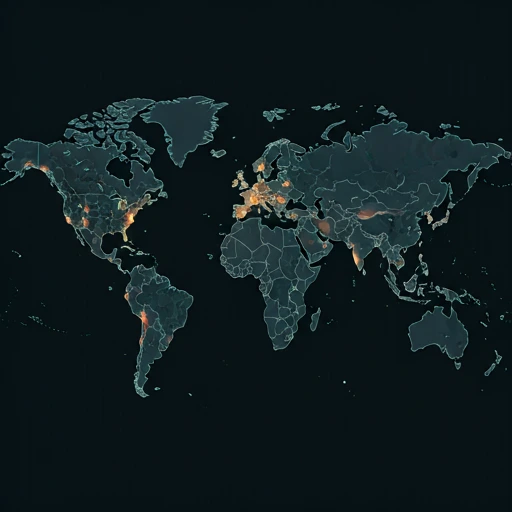
Outage Heat Map
contact_support How to Contact Diablo III Support
Official support channels, status pages, and social accounts for Diablo III. If the service is down, the status page is the fastest way to see confirmed incidents.
|
languageOfficial Website
|
diabloiii.com |
|
monitor_heartOfficial Status Page
|
View status |
Tip: Diablo III has no separate outage hotline — report problems on this page and check the official status page above.
Diablo III live status and outage tracking
Diablo III is Blizzard's action RPG, and uptime matters because you need the service to log in and join a game. For the search 'is Diablo III down right now,' this page shows {STATUS} and {UPTIME} uptime across the past 24 hours.
Currently, based on our real-time global monitoring network, the status of Diablo III is operational. Most users are reporting that the platform is functioning perfectly without any major interruptions. If you feel that Diablo III is not working for you, or if you are experiencing severe Diablo III lag, it is highly likely a local problem related to your device, ISP internet connection, or router configuration rather than a pervasive global server outage.
What a Diablo III outage affects
When Diablo III goes down, you can lose login access or get kicked from an active game. {REPORTS} outage reports were logged in the past 24 hours, so a spike can point to a wider fault instead of a local connection problem. Check your router and the Blizzard service page before changing game files.
If the Diablo III status is currently marked as red (Major Outage) or yellow (Partial Outage) on our live dashboard map above, you will likely experience one or all of these frustrating symptoms. Our proprietary algorithm aggregates these micro-reports from around the web to accurately verify and flag these exact downtime situations as they unfold minute by minute.
Recent Diablo III reports and server status
Looking at the short-term history, our automated down detector has chronicled exactly 0 user error reports over the prior 24 hours. Because of these reported fluctuations, Diablo III is sitting at a 100.00% uptime metric for the current rolling day.
The recent historical telemetry shows an absolutely quiet baseline. With no major reporting peaks anywhere on the chart, Diablo III appears to be running smoothly with ideal server health.
How to fix Diablo III not working
If our page indicates that the service is operational, yet you are still asking "Why is Diablo III not loading?", try these quick troubleshooting steps:
- Restart the game session: If Diablo III not working today affects PC, close the game and Battle.net, then reopen the launcher after it checks for updates. On console, quit Diablo III fully and restart the system before testing the login again.
- Read the live service reports: Searches for "is Diablo III down" or "is Diablo III down right now" can start here, where the page lists {STATUS} and {UPTIME}% uptime over 24 hours. The Diablo III server status shows {STATUS}; the Diablo III down detector tracks reports from people who may be seeing login or matchmaking failures, including those asking "is Diablo III working".
- Test your route to Blizzard: For a Diablo III outage today 2026 search, check the Diablo III network status before changing local settings. If the service is operational but your connection fails, restart your router or test a different DNS provider; {LASTDOWN} has passed since the last recorded outage, and the page shows {REPORTS} reports in the last 24 hours.
How to Fix & Check if Diablo III Is Down on Windows, Mac, Android & iOS
Diablo III on Windows
Fix: To fix Diablo III on Windows, restart the Battle.net launcher and use the 'Scan and Repair' tool in the game options. Ensure your Windows Firewall isn't blocking Diablo III or Battle.net.
Check: Check the Battle.net launcher for breaking news alerts regarding Diablo III server status. You can also check the official Blizzard CS X (Twitter) account for active Diablo III outages.
ping diabloiii.com
Test whether Diablo III's servers reply nslookup diabloiii.com
Check that Diablo III's DNS resolves tracert diabloiii.com
Trace where the connection drops ipconfig /flushdns
Clear the DNS cache, then reload Diablo III on Mac
Fix: If Diablo III isn't working on Mac, close the game and reset its in-game options via the Battle.net desktop app settings. Ensure the Battle.net agent has proper folder permissions in your macOS system settings.
Check: Look for connection warning icons in the Mac Battle.net client when launching Diablo III. Alternatively, check Downdetector or Blizzard's support page for Mac-specific Diablo III issues.
ping -c 4 diabloiii.com
Test whether Diablo III's servers reply nslookup diabloiii.com
Check that Diablo III's DNS resolves traceroute diabloiii.com
Trace where the connection drops sudo dscacheutil -flushcache; sudo killall -HUP mDNSResponder
Flush the macOS DNS cache, then reload Diablo III on Android
Fix: Since Diablo III is not natively on Android, troubleshoot your Battle.net companion app or cloud streaming service by clearing its cache and restarting the app. Ensure your mobile connection is stable enough to stream Diablo III gameplay.
Check: Check the Battle.net mobile app for service alerts or login queues affecting Diablo III players. You can also monitor community forums to see if Diablo III cloud streaming is down.
Diablo III on iPhone / iPad
Fix: Fix Diablo III companion or streaming issues on iOS by updating the Battle.net app or your cloud gaming client through the App Store. Toggle your Wi-Fi off and on to refresh your connection to the Diablo III servers.
Check: Verify if Diablo III is down by checking the Battle.net iOS app for network error codes. You can also visit Blizzard's mobile-friendly customer support site to see active Diablo III server alerts.
How we monitor Diablo III status
Official corporate dashboards rarely tell the truth immediately. isitdownrightnow.app takes a different approach by aggregating real community sentiment. If thousands of people suddenly complain about a Diablo III outage at exactly the same time, we know the servers are actually down.
Our infrastructure maps the current problem report velocity directly against expected normal traffic. Once an abnormal surge is authenticated, the live charts automatically adjust to yellow or red. This crowdsourced methodology is why isitdownrightnow.app provides the most rapid and trustworthy Diablo III status updates on the planet.
quiz Frequently Asked Questions
help Is Diablo III down right now?
Diablo III is currently marked {STATUS}. Our live crowd-sourced page shows {REPORTS} outage reports in the last 24 hours, with uptime at {UPTIME}%. A small report spike can point to login or matchmaking trouble, while scattered reports often mean the issue is local to your connection, account, or platform. Check again after a few minutes if you can connect but cannot join a game.
help What is the Diablo III server status?
The current Diablo III server status is {STATUS}, based on recent player reports and the 24-hour uptime reading of {UPTIME}%. The last recorded outage was {LASTDOWN}. If the service is marked operational but your game will not connect, restart the launcher, check your connection, and try again before treating it as a wider outage.
help Why is Diablo III not working today?
Diablo III not working today can mean a service outage, a login problem, or a network path issue between you and Blizzard. If many players report the same error, the Diablo III outage today 2026 may be affecting several regions; if reports stay low, your connection or game client is a more likely cause. Check for launcher updates, sign out and back in, then review the Diablo III network status before changing local settings.
help How do I check if Diablo III is down?
Use this Diablo III down detector to compare recent reports with the live status shown here. Search for is Diablo III down, review the report timing, and compare your symptoms with other players before restarting the game. You can also check whether Diablo III is working from another connection, then look at official Blizzard notices if the reports rise sharply.
dns Check other services
See whether these popular services are down right now too.
campaign Recent User Reports
| Service | Problem | Peak Spike | Spike Time | Reports (24h) | Status |
|---|---|---|---|---|---|

|
Intermittent issues | 19 reports | 1h ago | 171 | Investigating |

|
Normal activity | 23 reports | 45m ago | 82 | Stable |

|
Normal activity | 14 reports | 8h ago | 438 | Stable |

|
Normal activity | 10 reports | 1h ago | 117 | Stable |

|
Normal activity | 9 reports | 23h ago | 185 | Stable |

|
Normal activity | 12 reports | 6h ago | 196 | Stable |

|
Normal activity | 5 reports | 30m ago | 28 | Stable |

|
Normal activity | 15 reports | 6h ago | 197 | Stable |