
Alipay+ outages and problems
User reports, last 24 hours
No reports in this window
No problem reports came in for Alipay+ in the last hour, and at this time of day there are usually almost none. There has been no spike in reports since 12 October.
Around the world right now: normal in 72 other countries. By country
- NormalClose to the usual level24 h · 0 reports
- ElevatedMore than 1.5 times the usual levelNone in this chart
- OutageMore than twice the usual level and far above the day's averageNone in this chart
- Usual levelWhat a usual day sees at that timeAlmost none at this time of day
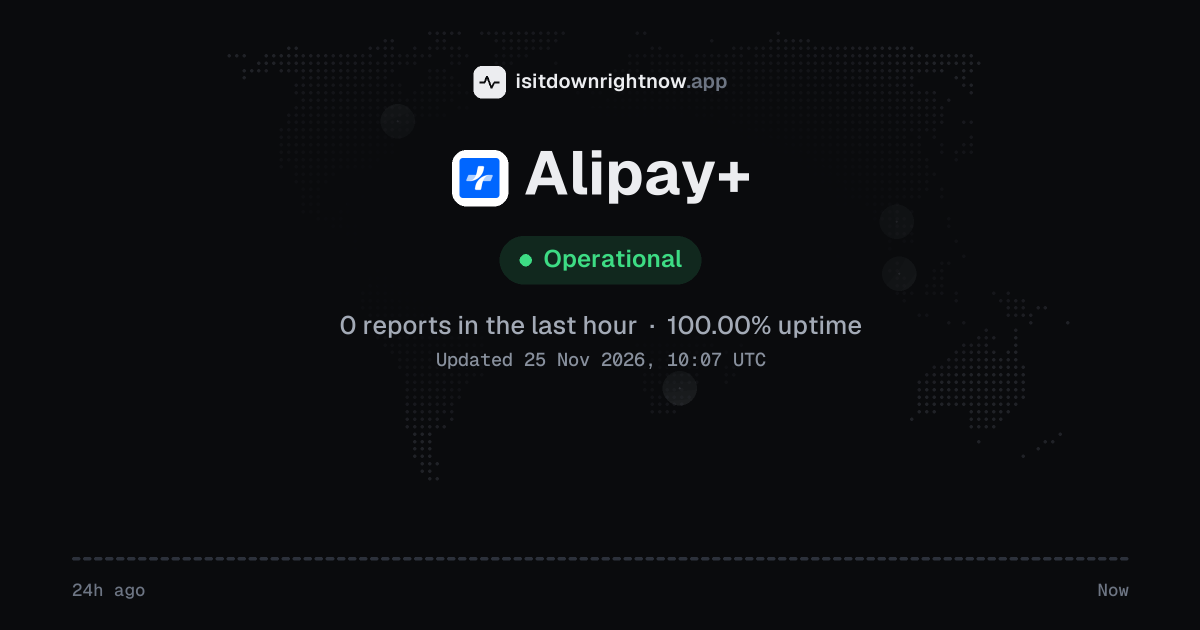
No user reports came in for Alipay+ in the past 24 hours, and its uptime over that window is 100.00%.
No 15-minute window had any reports at all, so the chart above stays flat.
Alipay+ in November 2026
- Problem reports in November
- 0
Monthly report for November 2026
People who report a problem with Alipay+ to the outage-report feed behind this page can tag what is affected. These are the categories they can pick; the feed shows no counts per category:
- Website
- Bank transfers
- Login
- Purchases
- Payments
- App
- QR codes
Alipay+ reports around the world
In the last 24 hours, 3 problem reports about Alipay+ came in from 3 countries. Right now reports are at the usual level in every country.
- Outage now
- Problems now
- Normal
| Country | Now | Last hour | 24 hours |
|---|---|---|---|
| Ukraine | Normal | 0 | 1 |
| France | Normal | 0 | 1 |
| Mexico | Normal | 0 | 1 |
| Belgium | Normal | 0 | 0 |
| The Netherlands | Normal | 0 | 0 |
| Azerbaijan | Normal | 0 | 0 |
| Bangladesh | Normal | 0 | 0 |
| Bulgaria | Normal | 0 | 0 |
| Costa Rica | Normal | 0 | 0 |
| The Dominican Republic | Normal | 0 | 0 |
| The UAE | Normal | 0 | 0 |
| Bahrain | Normal | 0 | 0 |
Each country's status compares its reports with the usual level there. 60 more countries had 0 reports in the last 24 hours. Map outlines: Natural Earth.
Alipay+ problem spikes, last 30 days
In the last 30 days, Alipay+ had no outage spikes or periods of elevated reports.
- Mon 12 Oct: 0 reports
- Tue 13 Oct: 0 reports
- Wed 14 Oct: 0 reports
- Thu 15 Oct: 0 reports
- Fri 16 Oct: 0 reports
- Sat 17 Oct: 0 reports
- Sun 18 Oct: 0 reports
- Mon 19 Oct: 0 reports
- Tue 20 Oct: 0 reports
- Wed 21 Oct: no data
- Thu 22 Oct: 0 reports
- Fri 23 Oct: 0 reports
- Sat 24 Oct: 0 reports
- Sun 25 Oct: 0 reports
- Mon 26 Oct: 0 reports
- Tue 27 Oct: 0 reports
- Wed 28 Oct: 0 reports
- Thu 29 Oct: 0 reports
- Fri 30 Oct: 0 reports
- Sat 31 Oct: 0 reports
- Sun 1 Nov: 0 reports
- Mon 2 Nov: 0 reports
- Tue 3 Nov: 0 reports
- Wed 4 Nov: 0 reports
- Thu 5 Nov: 0 reports
- Fri 6 Nov: 0 reports
- Sat 7 Nov: 0 reports
- Sun 8 Nov: 0 reports
- Mon 9 Nov: 0 reports
- Tue 10 Nov: 0 reports
By country
Each square is one day in the countries with the most reports: red when reports stayed at outage level for half an hour or more, amber when they stayed above the usual level for an hour or more, grey otherwise.
- France4
- The US3
- Algeria2
- Hong Kong2
- Indonesia2
- Pakistan2
- The UK1
- Mexico1
Country history starts on 29 October 2026. Days run from midnight to midnight, Central European time.
A spike is a sharp rise in problem reports from users, kept exactly as this page showed it at the time. Monthly reports for all services
How to fix Alipay+ not working
Alipay+ is up on our end, so if it won't work for you, the problem is most likely on your side. Work through these in order:
Your browser tries to reach alipayplus.com over your own connection, right now. Nothing is sent to us or stored.
Retry Alipay+ on mobile data
Open Control Center on iPhone or Quick Settings on Android, turn off Wi-Fi, and retry the payment over mobile data. If that fails, join a different Wi-Fi network; a stale connection can leave the app stuck on a loading screen. Confirm the phone has data, then retry.
Update your Alipay+ wallet
Check the App Store or Google Play for an update to the wallet you use for payments, then install it. Force quit the app and open it again; on iPhone, swipe up from the bottom and flick the app card away, while on Android you open Settings, then Apps, then the app, then tap Force stop. Retry the payment after the app restarts.
Clear the Alipay+ wallet cache
Open Settings, then Apps, then the wallet app, then Storage & cache, and tap Clear cache. Clear data wipes saved logins and card details, so skip that unless you can sign in again; iPhone has no cache button, so reinstall only after you confirm you can sign in.
Reinstall the Alipay+ wallet
Delete the app and restart the phone. Install it again from the App Store or Google Play, then sign in and reconnect the wallet you use for payments; a broken authorization can make the app show a payment failed message without a clear reason. If the same payment still fails, try a different wallet at checkout to see whether the problem follows the account or the merchant.
While Alipay+ is down: what to use instead
- Bank card Pay with a physical debit or credit card at the terminal when the shop takes cards.
- Cash Cash works for small buys if you have local currency.
- Apple Pay or Google Pay Tap your phone where contactless payments are accepted, so you can finish the sale without opening a wallet app.
- WeChat Pay Try this if the merchant already accepts it and your account is set up for the region, which helps when the QR payment path fails.
What happens when Alipay+ goes down
Alipay+ is Ant Group's cross-border payment and marketing platform that connects partner e-wallets and bank apps, so travelers and merchants can complete QR and in-app payments abroad; the status at the top of each page shows whether problem reports for it are above their usual level, counted in 15-minute windows over the last 24 hours, and this site does not monitor the service itself, nor does it check. When it breaks, checkout at overseas merchants and payment confirmations stall for the people using those partner apps.
QR payments hang first. You scan at the merchant counter, and the app shows a failed payment or network error message. In-app purchases and refunds can fail too, while wallet balances sometimes do not update after a charge. Some people still pay with a linked card and others cannot, so the outage is partial rather than a full blackout; reports also cluster by region and wallet because the service depends on partner apps and local payment rails.
Alipay+ IP address, servers and network
- IPv4 address
- 43.109.179.52
- IPv6
- Not offered
- Network
- AS24429 · Taobao - Zhejiang Taobao Network Co.,Ltd, registered in Singapore
- DNS hosted by
- its own name servers (alipay.com)
- HTTPS certificate
- Issued by DigiCert, Inc., valid until 12 Nov 2026 (1 days)
- HTTP/3
- Not advertised
- Our check
- Answered in 775 ms
Checked from our server in Frankfurt, Germany, 7 days ago, for www.alipayplus.com. Visitors elsewhere may see different addresses.
Checked from 11 places around the world
All 11 locations got an answer from alipayplus.com. Fastest from Singapore (62 ms), slowest from São Paulo (1,733 ms). Every location connected to the same address, on Alibaba (US) Technology Co., Ltd. (AS45102).
| Location | Result | Time | Address reached |
|---|---|---|---|
| FrankfurtGermany | Up · HTTP 301 | 894 ms | 47.236.61.162 |
| ViennaAustria | Up · HTTP 301 | 940 ms | 47.236.61.162 |
| MilanItaly | Up · HTTP 301 | 1,276 ms | 47.236.61.162 |
| ParisFrance | Up · HTTP 301 | 895 ms | 47.236.61.162 |
| AmsterdamNetherlands | Up · HTTP 301 | 893 ms | 47.236.61.162 |
| MadridSpain | Up · HTTP 301 | 992 ms | 47.236.61.162 |
| WarsawPoland | Up · HTTP 301 | 752 ms | 47.236.61.162 |
| Los AngelesUSA | Up · HTTP 301 | 740 ms | 47.236.61.162 |
| São PauloBrazil | Up · HTTP 301 | 1,733 ms | 47.236.61.162 |
| SingaporeSingapore | Up · HTTP 301 | 62 ms | 47.236.61.162 |
| TokyoJapan | Up · HTTP 301 | 356 ms | 47.236.61.162 |
Checked with check-host.net from its servers in these cities 7 days ago, for alipayplus.com. Time is how long each server took to load the page.
Alipay+ FAQ
Is Alipay+ down right now?
Why does my Alipay+ QR payment fail at an overseas merchant?
Why is my Alipay+ payment stuck as pending?
Does Alipay+ work with my local wallet in Japan or Thailand?
Why can't I link my bank card in a wallet that supports Alipay+?
Contact Alipay+ support
Tip: Alipay+ doesn't list a public status page that we know of, so its help centre and the report chart on this page are the best places to check.
Put the Alipay+ status on your site
Paste one of these into a web page, a blog post or a README: a small badge, or a card with the chart. Both show the same status as this page, based on user problem reports, and link back here.

<a href="https://isitdownrightnow.app/services/alipayplus/"><img src="https://isitdownrightnow.app/badge/alipayplus.svg" alt="Alipay+ status" height="20"></a>[](https://isitdownrightnow.app/services/alipayplus/)A live card with the chart
The status, reports in the last hour and the last 24 hours, updated every 5 minutes. Use the frame, or the image where frames are not allowed, such as newsletters.
<iframe src="https://isitdownrightnow.app/embed/alipayplus/" title="Alipay+ status" width="100%" height="230" style="border:0;max-width:560px" loading="lazy"></iframe>
<p><a href="https://isitdownrightnow.app/services/alipayplus/">Alipay+ status</a> from IsItDownRightNow.app</p><a href="https://isitdownrightnow.app/services/alipayplus/"><img src="https://isitdownrightnow.app/share/alipayplus.png" alt="Alipay+ status: problem reports over the last 24 hours" width="600" height="315" loading="lazy"></a>[](https://isitdownrightnow.app/services/alipayplus/)Badge, frame and image load no scripts from other sites and set no cookies; people who see them on your page load them from our server. More for journalists.
How we track Alipay+
The status on this page comes from user-submitted problem reports for Alipay+, counted in 15-minute windows over the last 24 hours. Each window is compared with the normal level for Alipay+, so a few complaints on a quiet day don't trigger anything, but a sudden jump well above normal does.
When reports climb well above normal, the status here changes to partial outage or major outage and the chart moves with it. Alipay+ doesn't publish a public status page that we know of, so user reports are often the quickest sign that something is wrong on their side.