
Google Nest outages and problems
User reports, last 24 hours
66 reports in total, counted in 15-minute windows
In the last hour, 8 problem reports came in for Google Nest, against about 4 at this time on a usual day. Over the last 24 hours there were 66 reports. Worldwide, most recent reports were about app (33%) and server connection (33%). The last spike in reports was 74 h ago and lasted 16 min. These are user reports from the US, where most people report Google Nest problems.
Around the world right now: normal in 8 other countries. By country
- NormalClose to the usual level24 h · 66 reports
- ElevatedMore than 1.5 times the usual levelNone in this chart
- OutageMore than twice the usual level and far above the day's averageNone in this chart
- Usual levelWhat a usual day sees at that timeAbout 4 an hour now
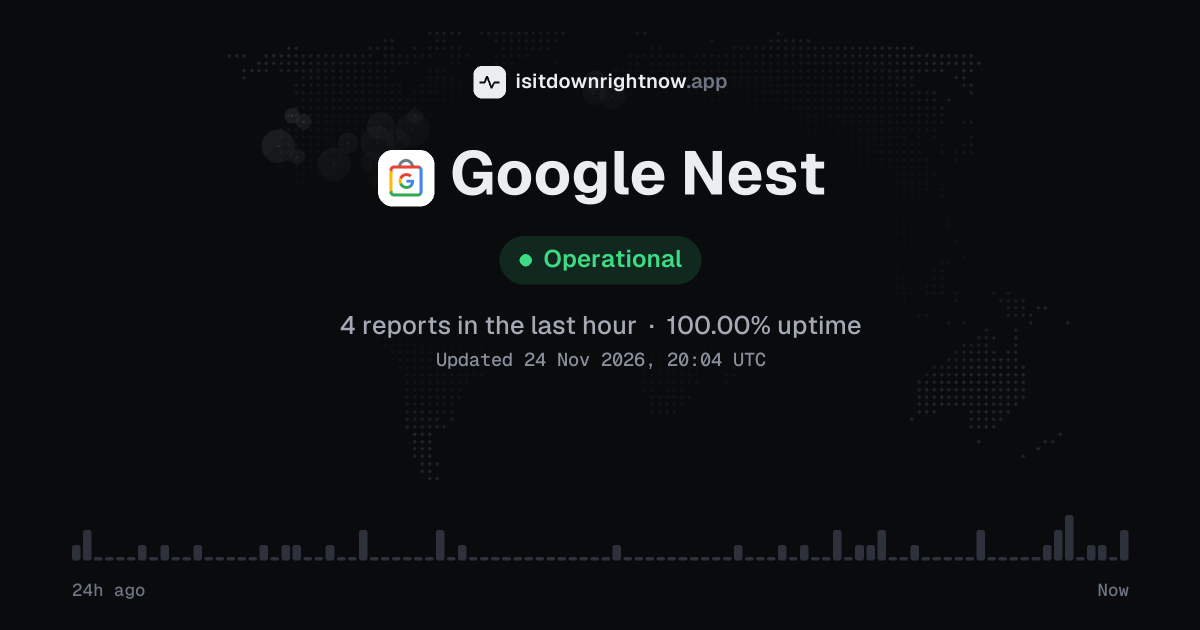
In the past 24 hours, 66 user reports came in for Google Nest. Counting only the 15-minute windows with a spike big enough to count as an outage, that comes to 100.00% uptime for the day.
The busiest 15-minute window had 6 reports, about 23 hours ago. That stays below our outage threshold, so it doesn't count as downtime.
Google Nest in November 2026
- Problem reports in November
- 813
Monthly report for November 2026
What went wrong
What people said was wrong in recent problem reports for Google Nest worldwide.
Share of 6 recent reports that said what was wrong, from every country listed below.
Google Nest reports around the world
In the last 24 hours, 61 problem reports about Google Nest came in from 4 countries. Right now reports are at the usual level in every country.
- Outage now
- Problems now
- Normal
| Country | Now | Last hour | 24 hours |
|---|---|---|---|
| The US numbers above | Normal | 1 | 48 |
| The UK | Normal | 0 | 7 |
| Canada | Normal | 0 | 5 |
| India | Normal | 0 | 1 |
| The Netherlands | Normal | 0 | 0 |
| Ireland | Normal | 0 | 0 |
| Belgium | Normal | 0 | 0 |
| Spain | Normal | 0 | 0 |
| Australia | Normal | 0 | 0 |
Each country's status compares its reports with the usual level there. Map outlines: Natural Earth.
Google Nest problem spikes, last 30 days
Since 27 October, Google Nest had no outage spikes, but 1 period of elevated reports.
- Sun 18 Oct: no data
- Mon 19 Oct: no data
- Tue 20 Oct: no data
- Wed 21 Oct: no data
- Thu 22 Oct: no data
- Fri 23 Oct: no data
- Sat 24 Oct: no data
- Sun 25 Oct: no data
- Mon 26 Oct: no data
- Tue 27 Oct: 4 reports
- Wed 28 Oct: 32 reports
- Thu 29 Oct: 41 reports
- Fri 30 Oct: 33 reports
- Sat 31 Oct: 32 reports
- Sun 1 Nov: 81 reports
- Mon 2 Nov: 58 reports
- Tue 3 Nov: 48 reports
- Wed 4 Nov: 36 reports
- Thu 5 Nov: 26 reports
- Fri 6 Nov: 36 reports
- Sat 7 Nov: 24 reports
- Sun 8 Nov: 25 reports
- Mon 9 Nov: 30 reports
- Tue 10 Nov: 37 reports
- Wed 11 Nov: 45 reports
- Thu 12 Nov: 69 reports (elevated reports that day)
- Fri 13 Nov: 156 reports
- Sat 14 Nov: 74 reports
- Sun 15 Nov: 53 reports
- Mon 16 Nov: 15 reports
-
Elevated reports
Thu 12 Nov, 23:41–23:58Lasted 16 min11peak reports
By country
In the last 19 days, most Google Nest problem reports came from the US (854), the UK (138) and Canada (60). None of these countries had a day at outage level.
- The USNo spikes854
- The UKNo spikes138
- CanadaNo spikes60
- The NetherlandsNo spikes26
- BelgiumNo spikes6
- IrelandNo spikes4
- AustraliaNo spikes3
- SpainNo spikes2
- Outage spike
- Elevated reports
- Normal
- No data yet
Each square is one day. It turns red when reports stayed at outage level for half an hour or more, and amber when they stayed above the usual level for an hour or more. The number on the right is the country's total since 29 October 2026, when country history starts. A wider gap marks a Monday. Point at a square, or tap it, for that day's numbers. Days run from midnight to midnight, Central European time.
A spike is a sharp rise in problem reports from users, kept exactly as this page showed it at the time. This history starts on 27 October 2026. Monthly reports for all services
How to fix Google Nest not working
Google Nest is up on our end, so if it won't work for you, the problem is most likely on your side. Work through these in order:
Your browser tries to reach store.google.com over your own connection, right now. Nothing is sent to us or stored.
Check the Google Nest report level
Look at the status at the top of this page; it shows if problem reports for the service are above their usual level in 15-minute windows over the last 24 hours. A high level means wait and retry; a normal level points to your app or device.
Reset the app and phone connection
Force close the Google Home app, open your phone's settings, and turn Airplane mode on for a few seconds before turning it off. Reopen the app and try the device again; a stale connection often clears this way.
Check the device status in Google Home
Open the Google Home app, tap Devices, select the Nest device, tap the gear icon, then check Device information for the Wi-Fi signal and connection status. If it shows offline or a weak signal, restart the router and the device, then check again.
Contact support through the help centre
If the app and the device still fail for your account, use the help centre at https://nest.com/support/email-us/ to contact support. Include the device model, app version, exact symptom, and what you tried so an agent can check account-level issues you cannot see in the app.
While Google Nest is down: what to use instead
- Google Home app Use it when the Nest app will not open or sign in, because it can control many thermostats and cameras.
- Thermostat controls Change the heat or cool setting at the wall unit when the app times out or shows a connection error.
- Google Home for web Open it in a browser to check camera feeds when the phone app is stuck on a loading screen.
- Google Assistant Ask a nearby speaker to adjust the thermostat or show a camera if voice commands still reach the device.
Problems at the same time as Google Nest
Since 27 October, Google Nest's only spike in problem reports overlapped a spike at another service.
When several services get problem reports at once, something they share, such as a cloud host or a network, can be the real cause. Matching times alone do not prove it.
During the latest spike
Google Nest: Thu 12 Nov, 23:41 to 23:58
- Capital One, outage,10:15 to 13 Nov 01:51
- GOV.BR, outage,12:00 to 13 Nov 08:15
- Caixa Econômica Federal, outage,13:17 to 13 Nov 07:11
- Delta, outage,13:39 to 23:59
- Pix, outage,13:39 to 13 Nov 05:30
- Archive of Our Own, outage,14:07 to 13 Nov 10:51
- Vivo, outage,14:18 to 13 Nov 05:50
- Microsoft Teams, outage,15:41 to 14 Nov 06:15
155 more services. Red dot: outage. Amber dot: elevated reports.
A spike is a sharp rise in problem reports from users, as the live pages showed it. Times are Central European time.
When people report Google Nest problems
The busiest hour for reports about Google Nest is 03:00 to 04:00 Central European time, and the busiest day is Friday.
By hour of the day
- 00:00 to 01:00: 1.3 reports on an average day
- 01:00 to 02:00: 1.4 reports on an average day
- 02:00 to 03:00: 1.8 reports on an average day
- 03:00 to 04:00: 2.2 reports on an average day
- 04:00 to 05:00: 1.4 reports on an average day
- 05:00 to 06:00: 0.69 reports on an average day
- 06:00 to 07:00: 0.73 reports on an average day
- 07:00 to 08:00: 0.77 reports on an average day
- 08:00 to 09:00: 0.31 reports on an average day
- 09:00 to 10:00: 0.24 reports on an average day
- 10:00 to 11:00: 0.3 reports on an average day
- 11:00 to 12:00: 0.42 reports on an average day
- 12:00 to 13:00: 0.46 reports on an average day
- 13:00 to 14:00: 1.1 reports on an average day
- 14:00 to 15:00: 0.93 reports on an average day
- 15:00 to 16:00: 0.94 reports on an average day
- 16:00 to 17:00: 0.95 reports on an average day
- 17:00 to 18:00: 1.1 reports on an average day
- 18:00 to 19:00: 0.95 reports on an average day
- 19:00 to 20:00: 1.2 reports on an average day
- 20:00 to 21:00: 0.93 reports on an average day
- 21:00 to 22:00: 0.86 reports on an average day
- 22:00 to 23:00: 1.1 reports on an average day
- 23:00 to 00:00: 1.7 reports on an average day
By day of the week
- Monday: 19 reports on an average Monday
- Tuesday: 15 reports on an average Tuesday
- Wednesday: 23 reports on an average Wednesday
- Thursday: 25 reports on an average Thursday
- Friday: 37 reports on an average Friday
- Saturday: 22 reports on an average Saturday
- Sunday: 26 reports on an average Sunday
Each bar is the average number of user reports in that hour, or on that day of the week, from 40 days of reports since 5 October 2026. The busiest bar is highlighted. Spikes in reports are left out, so one outage does not set the pattern.
What happens when Google Nest goes down
Google Nest covers smart cameras, doorbells, thermostats and speakers that people run from the Nest app or the Google Home app with a Google account; the status above reflects user problem reports over 15-minute windows in the last 24 hours, not an active check of the service. An outage interrupts live video and thermostat control, so households and small offices that lean on the service notice quickly.
Live video stalls first; a camera feed spins or drops to black in the app while the device still shows as connected. Doorbell alerts arrive late or not at all, and thermostat changes made in the app can sit unsent. A partial outage can leave some cameras offline in one home while others keep streaming, and reports from a single city can stack up while the rest of the service works. The page does not monitor the service; use the reports as a signal and nothing more.
Google Nest IP address, servers and network
- IPv4 addresses
- 142.251.14.100
Show all 6
- 142.251.14.101
- 142.251.14.102
- 142.251.14.113
- 142.251.14.138
- 142.251.14.139
- IPv6 addresses
- 2a00:1450:4001:c25::66
Show all 4
- 2a00:1450:4001:c25::71
- 2a00:1450:4001:c25::8a
- 2a00:1450:4001:c25::8b
- Network
- AS15169 · Google LLC, registered in the United States
- Served through
- DNS hosted by
- its own name servers (nip.io)
- HTTPS certificate
- Issued by Google Trust Services, valid until 26 Jan 2027 (71 days)
- HTTP/3
- Supported
- Our check
- Answered in 662 ms
Checked from our server in Frankfurt, Germany, 15 h ago, for store.google.com. A service behind a CDN answers from many data centres, usually the one nearest to you, so these addresses are where its traffic enters, not where its own servers stand. Visitors elsewhere may see different addresses.
Checked from 12 places around the world
All 12 locations got an answer from store.google.com. Fastest from Singapore (46 ms), slowest from São Paulo (792 ms). Every location connected through Google LLC (AS15169), using 12 different addresses.
| Location | Result | Time | Address reached |
|---|---|---|---|
| FrankfurtGermany | Up · HTTP 302 | 128 ms | 192.178.183.102data centre in Frankfurt |
| ViennaAustria | Up · HTTP 302 | 245 ms | 142.250.109.100 |
| MilanItaly | Up · HTTP 302 | 136 ms | 172.217.168.142data centre in Milan |
| ParisFrance | Up · HTTP 302 | 57 ms | 172.217.22.78data centre in Frankfurt |
| AmsterdamNetherlands | Up · HTTP 302 | 57 ms | 142.251.142.206data centre in Amsterdam |
| MadridSpain | Up · HTTP 302 | 253 ms | 172.217.171.46data centre in Madrid |
| WarsawPoland | Up · HTTP 302 | 218 ms | 142.250.109.113 |
| DallasUSA | Up · HTTP 302 | 73 ms | 142.251.116.101 |
| Los AngelesUSA | Up · HTTP 301 | 193 ms | 142.251.41.14data centre in Los Angeles |
| São PauloBrazil | Up · HTTP 302 | 792 ms | 142.250.79.206data centre in São Paulo |
| SingaporeSingapore | Up · HTTP 301 | 46 ms | 64.233.170.101 |
| TokyoJapan | Up · HTTP 301 | 266 ms | 142.251.24.113 |
Checked with check-host.net from its servers in these cities 15 h ago, for store.google.com. Time is how long each server took to load the page. Data-centre cities come from the names the network gives its servers.
Google Nest FAQ
Is Google Nest down right now?
Why does the Nest app say a camera is offline when my Wi-Fi is working?
Why does my Nest thermostat show 'Equipment not responding'?
Why did my Nest Aware subscription stop working after moving my account to Google?
Why does my new Nest Thermostat not appear in the Nest app?
Service updates from @googlenest
No posts about problems from @googlenest in the last 14 days. The latest is from .
Contact Google Nest support
- Help centrenest.com/support/email-us
- Websitestore.google.com/category/connected_home?hl=en-US
- X (Twitter)x.com/googlenest
- Facebookfacebook.com/183824211661952
Tip: Google Nest doesn't list a public status page that we know of, so its help centre and the report chart on this page are the best places to check.
Put the Google Nest status on your site
Paste one of these into a web page, a blog post or a README: a small badge, or a card with the chart. Both show the same status as this page, based on user problem reports, and link back here.

<a href="https://isitdownrightnow.app/services/google-nest/"><img src="https://isitdownrightnow.app/badge/google-nest.svg" alt="Google Nest status" height="20"></a>[](https://isitdownrightnow.app/services/google-nest/)A live card with the chart
The status, reports in the last hour and the last 24 hours, updated every 5 minutes. Use the frame, or the image where frames are not allowed, such as newsletters.
<iframe src="https://isitdownrightnow.app/embed/google-nest/" title="Google Nest status" width="100%" height="230" style="border:0;max-width:560px" loading="lazy"></iframe>
<p><a href="https://isitdownrightnow.app/services/google-nest/">Google Nest status</a> from IsItDownRightNow.app</p><a href="https://isitdownrightnow.app/services/google-nest/"><img src="https://isitdownrightnow.app/share/google-nest.png" alt="Google Nest status: problem reports over the last 24 hours" width="600" height="315" loading="lazy"></a>[](https://isitdownrightnow.app/services/google-nest/)Badge, frame and image load no scripts from other sites and set no cookies; people who see them on your page load them from our server. More for journalists.
How we track Google Nest
The status on this page comes from user-submitted problem reports for Google Nest, counted in 15-minute windows over the last 24 hours. Each window is compared with the normal level for Google Nest, so a few complaints on a quiet day don't trigger anything, but a sudden jump well above normal does.
When reports climb well above normal, the status here changes to partial outage or major outage and the chart moves with it. Google Nest doesn't publish a public status page that we know of, so user reports are often the quickest sign that something is wrong on their side.