
Is Tuta Down Right Now? Live Status & Outage Tracker
Real-time uptime monitoring and outage reports
schedule Last checked · auto-refreshes every 5 minutes
No — Tuta is up and working normally.
No widespread outage is detected, with only 0 user reports in the last hour.
tuta.com Server Status Check

- Website Name:
- Tuta
- URL Checked:
- tuta.com
- Response Time:
- 10.95 ms
- Last Down:
- More than a week ago
Tuta is UP and reachable by us.
Please check and report on local outages below…
Current Status
Operational
24h Uptime
100.00%
Reports (Last 1h)
0
arrow_downward 100%Last Peak Spike
2
16h agoUptime History (Past 24 Hours)
Live User Reports
Real-timeSystem Monitoring Active
Real-timeMonitoring is currently tracking 0 ongoing reports, which is well within normal operational baselines for Tuta.
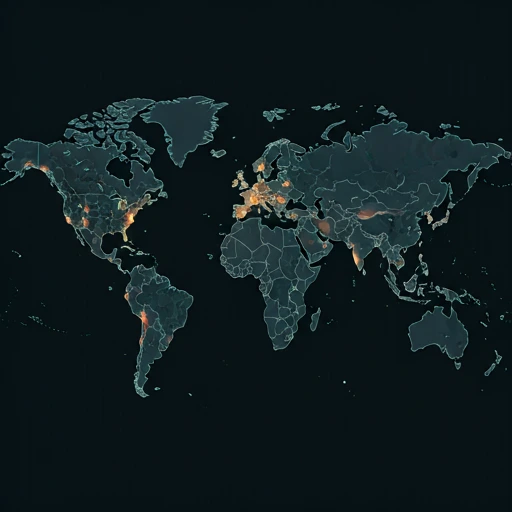
Outage Heat Map
contact_support How to Contact Tuta Support
Official support channels, status pages, and social accounts for Tuta. If the service is down, the status page is the fastest way to see confirmed incidents.
|
languageOfficial Website
|
tuta.com |
|
helpHelp / Support Center
|
Open support |
|
monitor_heartOfficial Status Page
|
View status |
|
forward_to_inboxContact Page
|
Contact form |
|
alternate_emailX (Twitter)
|
@TutanotaTeam |
|
location_onHeadquarters
|
Germany |
Tip: Tuta has no separate outage hotline — report problems on this page and check the official status page above.
Is Tuta Down? Live Tuta Server Status and Outage Tracking
Tuta is the encrypted mail and calendar service from Germany, Tutanota before the 2023 rename, and a lot of your day can hang on whether its servers answer. Email cannot wait. If you are asking is Tuta down right now, this page gives the live answer: {STATUS} at the moment, {UPTIME} uptime over the last 24 hours.
Currently, based on our real-time global monitoring network, the status of Tuta is operational. Most users are reporting that the platform is functioning perfectly without any major interruptions. If you feel that Tuta is not working for you, or if you are experiencing severe Tuta lag, it is highly likely a local problem related to your device, ISP internet connection, or router configuration rather than a pervasive global server outage.
What a Tuta Outage Takes Offline
A Tuta outage shows up fast, because the Android and iOS apps hang mid decryption or the web client stalls on a blank screen while push goes quiet and mail piles up unseen. We logged {REPORTS} outage reports in the last 24 hours, and the spikes line up with login timeouts more than any other symptom. The official Tuta network status page can lag during a real incident, so if your login keeps bouncing while it shows green, trust the symptom and file a report.
If the Tuta status is currently marked as red (Major Outage) or yellow (Partial Outage) on our live dashboard map above, you will likely experience one or all of these frustrating symptoms. Our proprietary algorithm aggregates these micro-reports from around the web to accurately verify and flag these exact downtime situations as they unfold minute by minute.
Tuta Outage Today in 2026: Recent Reports, Last Outage {LASTDOWN} Ago
Looking at the short-term history, our automated down detector has chronicled exactly 4 user error reports over the prior 24 hours. Because of these reported fluctuations, Tuta is sitting at a 100.00% uptime metric for the current rolling day.
A major service interruption was positively recorded 16h ago. During this window, an explosive 2 users reported the platform as 'down', confirming a widespread Tuta outage.
Fixes for Tuta Not Working Today
If our page indicates that the service is operational, yet you are still asking "Why is Tuta not loading?", try these quick troubleshooting steps:
- Check the Tuta server status numbers: If you are asking is Tuta down right now, start with the numbers at the top of this page, because Tuta server status reads {STATUS} with {UPTIME} uptime across the past 24 hours and the last outage ended {LASTDOWN}. Sync can lag anyway. When the page says operational but your inbox stalls, the problem is on your end, so work through the fixes below before you assume a full Tuta outage.
- Clear the Tuta app cache and update: An inbox that will not refresh, or push notifications that stopped arriving on Android, often clears after you open Settings, tap Apps, pick Tuta, and hit Clear Cache. Then update from the Play Store. Older Android builds break against Tuta's current API and show a login loop that mimics downtime, so keep the app current before you blame the servers.
- Flush DNS and check Tuta network status: If the Tuta site or app will not load on desktop while everything else works, flush your resolver with ipconfig /flushdns on Windows or sudo dscacheutil -flushcache on macOS, then reload app.tuta.com. Some VPNs and corporate filters block Tuta's encrypted traffic. Disable the VPN or switch to mobile data and try the page again, because a clean connection answers your Tuta network status question faster than endless reloads.
- Cross check a Tuta down detector: Search interest in Tuta not working today and Tuta outage today 2026 spikes whenever the service takes a hit. Reports tell the story. This page has logged {REPORTS} reports in the past 24 hours; a spike alongside a {STATUS} reading of degraded or down points to a real incident, while single digits and {UPTIME} uptime mean the answer to is Tuta working is yes, and your own setup needs a second look. Cross check a second Tuta down detector before you open a support ticket, since one tracker can lag a real event by a few minutes.
How to Fix & Check if Tuta Is Down on Windows, Mac, Android & iOS
Tuta on Windows
Fix: Restart the Tuta desktop app and clear its cache, or ensure that Windows Defender Firewall is not blocking the application. If the app still fails, try accessing your Tuta mailbox using a web browser.
Check: Verify if the Tuta desktop client displays a connection error banner at startup. You can also check if the Tuta webmail login page loads successfully in your web browser.
ping tuta.com
Test whether Tuta's servers reply nslookup tuta.com
Check that Tuta's DNS resolves tracert tuta.com
Trace where the connection drops ipconfig /flushdns
Clear the DNS cache, then reload Tuta on Mac
Fix: Force quit and restart the Tuta app, or clear its cache from the app's settings menu. Also, check your macOS Security & Privacy settings to ensure Tuta has network access.
Check: Look for connection timeout alerts in the Tuta desktop app. Alternatively, try loading the Tuta web app in Safari to see if the servers are responding.
ping -c 4 tuta.com
Test whether Tuta's servers reply nslookup tuta.com
Check that Tuta's DNS resolves traceroute tuta.com
Trace where the connection drops sudo dscacheutil -flushcache; sudo killall -HUP mDNSResponder
Flush the macOS DNS cache, then reload Tuta on Android
Fix: Force stop the Tuta app and clear its cache in your Android system settings. If the issue persists, check the Google Play Store or F-Droid for any pending updates.
Check: Open the Tuta app and check if it displays a connection error or fails to sync your inbox. You can also try accessing the Tuta website via a mobile browser.
Tuta on iPhone / iPad
Fix: Force close the Tuta app and check the App Store for any available updates. If Tuta still fails to load, try reinstalling the app to clear its data.
Check: Check if the Tuta app shows a connection error banner or fails to load your folders. You can also test access by opening the Tuta webmail site in Safari.
How This Tuta Down Detector Tells You If Tuta Is Working
Official corporate dashboards rarely tell the truth immediately. isitdownrightnow.app takes a different approach by aggregating real community sentiment. If thousands of people suddenly complain about a Tuta outage at exactly the same time, we know the servers are actually down.
Our infrastructure maps the current problem report velocity directly against expected normal traffic. Once an abnormal surge is authenticated, the live charts automatically adjust to yellow or red. This crowdsourced methodology is why isitdownrightnow.app provides the most rapid and trustworthy Tuta status updates on the planet.
quiz Frequently Asked Questions
help Is Tuta down right now?
Our tracker puts Tuta at {STATUS} right now, a call built from {REPORTS} crowd-sourced reports in the past 24 hours. The feed settles it. If your inbox spins past a minute while this page says operational, the fault sits on your side of the connection, so open the web client at app.tuta.com on another network before you blame the servers in Germany.
help What is the Tuta server status?
Uptime over the past 24 hours sits at {UPTIME}, which is about as healthy as encrypted mail gets. The last confirmed outage was {LASTDOWN} ago. When the Tuta network status does turn rough, you see slow decryption, mail stuck in the outbox, dead push alerts, and login loops that never finish, because everything runs from Tuta's German data centers and one broken piece takes the whole stack with it. We poll the login page and the mail API every minute, so this page moves when they do.
help Why is Tuta not working today?
Rule out the service first. A report count in the hundreds means a real Tuta outage today, and our 2026 log already holds a couple of short ones, in which case you wait while Tuta's engineers patch it. When reports sit near zero, your problem is local, and the four we see again and again are an outdated app build, a VPN that interrupts the encryption handshake, DNS filtering on the router, and full phone storage that corrupts the app cache. Both fixes are cheap. Switch to mobile data to sidestep the router, or clear the app's storage to reset its cache, and one of those two clears most local cases inside a minute.
help How do I check if Tuta is down?
A Tuta down detector works by comparison, and that is the job of the counter on this page: it lines your symptom up against {REPORTS} reports from the last 24 hours, so a spike near the minute your mail stopped means Tuta fell over, and your phone is innocent. Open status.tuta.com too, since Tuta posts incident notes there itself. Two sources beat one. If both say Tuta is working, the hunt moves to your end: load the web client on mobile data, sign out and back in, disable your VPN, and try another browser. If you just searched is Tuta down, the {STATUS} flag at the top of this page is your one-word answer, refreshed every minute.
dns Check other services
See whether these popular services are down right now too.
campaign Recent User Reports
| Service | Problem | Peak Spike | Spike Time | Reports (24h) | Status |
|---|---|---|---|---|---|

|
Intermittent issues | 19 reports | 1h ago | 171 | Investigating |

|
Normal activity | 23 reports | 45m ago | 82 | Stable |

|
Normal activity | 14 reports | 8h ago | 438 | Stable |

|
Normal activity | 10 reports | 1h ago | 117 | Stable |

|
Normal activity | 9 reports | 23h ago | 185 | Stable |

|
Normal activity | 12 reports | 6h ago | 196 | Stable |

|
Normal activity | 5 reports | 30m ago | 28 | Stable |

|
Normal activity | 15 reports | 6h ago | 197 | Stable |