
Zoom
Real-time uptime monitoring and outage reports
Current Status
Operational
24h Uptime
100.00%
Reports (Last 1h)
0
trending_flat 0%Last Peak Spike
0
stableUptime History (Past 24 Hours)
Is Zoom down right now? Real-time Status & Outage Map
Zoom is a leading cloud-based video conferencing platform that powers remote work, distance learning, and global communication for millions of users daily. From critical business meetings and webinars to virtual family gatherings, reliable uptime is essential to keeping the world connected. When Zoom experiences connectivity issues, it immediately disrupts productivity and collaboration on a massive scale.
Currently, based on our real-time global monitoring network, the status of Zoom is operational. There are currently no widespread network anomalies detected. If you are one of the few users currently struggling with an alleged Zoom outage, it is almost certainly an isolated incident affecting only your specific connection route or an outdated application client.
Service Disruptions: What Happens if Zoom Goes Down?
When Zoom experiences a server outage, users typically face immediate disruptions such as the inability to join or host meetings, dropped video calls, or endless 'Connecting...' screens. Other common issues include audio syncing problems, failure to access cloud recordings, and login timeouts across both the desktop and mobile applications. These service interruptions essentially paralyze remote teams and educational institutions relying on real-time collaboration.
When the timeline chart illuminates red or yellow, it means a sizable portion of the player or user base is getting hit by these exact bugs. isitdownrightnow.app actively sifts through the noise to confirm when a real Zoom outage is happening rather than a localized glitch.
Recent Down Detector Reports for Zoom
Transparency into historical performance is key. Over the past 24 hours alone, our advanced tracking systems have recorded a total of 0 unique problem reports from users experiencing connectivity or functional issues with Zoom. Currently, the service has maintained a 100.00% uptime rating over this recent 24-hour tracking window.
Over the past day, we have not registered a single severe outage spike. The flatlined green bars on the chart confirm a stable, reliable 24-hour window with zero widespread disruptions.
How to fix Zoom if it is not working
Still can't connect even though the servers are green? The Zoom lag is likely on your end. Run through this quick checklist to get back online:
- Update the Zoom Client: Zoom frequently releases mandatory updates to patch security vulnerabilities and fix connection bugs. Click on your profile icon in the top right corner of the desktop app and select 'Check for Updates' to ensure you are running the latest version, which often resolves unexpected login failures or meeting joining errors.
- Clear Zoom App Cache: Corrupted temporary files can cause the Zoom application to freeze, crash, or fail to connect to the meeting servers. Open the Zoom desktop client, click your profile picture, go to Settings, navigate to 'Zoom Apps', and click 'Clear' next to Local App Data & Cookies, then restart the application.
- Network and Firewall Adjustments: Strict corporate firewalls, antivirus software, or active VPNs can block the specific network ports Zoom requires for video and audio transmission. Try temporarily disabling your VPN or switching to a different network (such as a mobile hotspot) to see if the connection establishes, and ensure your router allows traffic on ports 80, 443, and 8801-8810.
How isitdownrightnow.app monitors Zoom Outages
Unlike internal corporate status pages, which are notoriously slow to update and often hide the true extent of ongoing failures, isitdownrightnow.app relies directly on the community. By crowdsourcing live problem reports submitted by real users worldwide, we can detect a massive Zoom crash literally within seconds of it beginning.
By comparing the live influx of complaints to a standard 7-day algorithmic baseline, our anomaly detection engine spots real outages instantly. When the reporting volume shatters the threshold, the alert goes out. This ensures that when you look for a Zoom down detector, you are always getting mathematically proven, community-verified outage maps.
Frequently Asked Questions
Why is Zoom not working?
Zoom may stop working due to a variety of reasons, including widespread server outages, scheduled backend maintenance, or localized ISP routing issues. On the user's end, an outdated app version, strict firewall settings, or an unstable internet connection can also prevent the client from establishing a secure connection to Zoom's servers.
How to check Zoom server status?
The most reliable way to check Zoom's server status is by using our real-time tracker here at isitdownrightnow.app, where we monitor live user reports and server response times. You can also verify issues by checking the official Zoom Service Status page (status.zoom.us) or looking for updates on their official support social media channels.
Is Zoom down right now?
Our live outage graph at the top of this page displays the current status of Zoom based on global user reports and automated server ping tests. If you see a significant spike in the chart, Zoom is likely experiencing a widespread outage; if the graph remains flat, the issue is likely isolated to your local network, VPN, or specific device.
Outage Heat Map
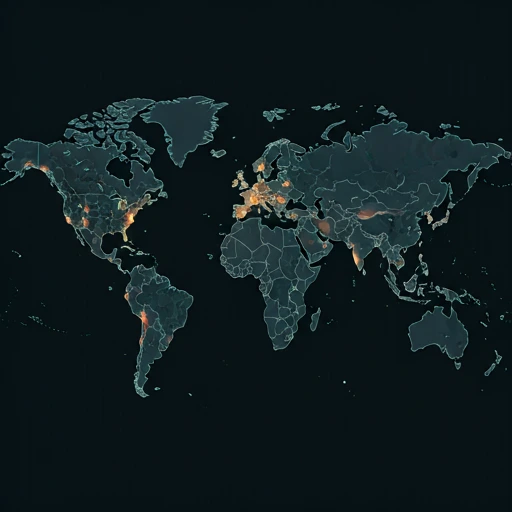
Live User Reports
Real-timeSystem Monitoring Active
Real-timeMonitoring is currently tracking 0 ongoing reports, which is well within normal operational baselines for Zoom.
campaign Recent User Reports
| Service | Problem | Peak Spike | Spike Time | Reports (24h) | Status |
|---|---|---|---|---|---|

|
Normal activity | 9 reports | 30m ago | 85 | Stable |

|
Normal activity | 3 reports | 9h ago | 25 | Stable |

|
Normal activity | 10 reports | 19h ago | 159 | Stable |

|
Normal activity | 11 reports | 13h ago | 243 | Stable |

|
Normal activity | 9 reports | 18h ago | 227 | Stable |

|
Normal activity | 2 reports | 30m ago | 3 | Stable |

|
Normal activity | 275 reports | 10h ago | 479 | Stable |

|
Normal activity | 93 reports | 10h ago | 321 | Stable |