
The Division
Real-time uptime monitoring and outage reports
Current Status
Operational
24h Uptime
100.00%
Reports (Last 1h)
0
trending_flat 0%Last Peak Spike
0
stableUptime History (Past 24 Hours)
Is The Division down right now? Real-time Status & Outage Map
Tom Clancy's The Division is a highly popular online-only action role-playing shooter developed by Ubisoft, immersing players in a gripping, post-apocalyptic New York City. Because the game relies entirely on persistent online servers for world progression, matchmaking, and multiplayer combat, a stable connection is absolutely critical for Agents trying to save the city.
Currently, based on our real-time global monitoring network, the status of The Division is operational. Most users are reporting that the platform is functioning perfectly without any major interruptions. If you feel that The Division is not working for you, or if you are experiencing severe The Division lag, it is highly likely a local problem related to your device, ISP internet connection, or router configuration rather than a pervasive global server outage.
Service Disruptions: What Happens if The Division Goes Down?
When The Division servers go down, players are completely locked out of the experience, as the game lacks an offline mode. Users typically suffer from sudden mid-mission disconnects, total login failures accompanied by notorious DELTA or MIKE error codes, and an inability to access the Dark Zone or join co-op sessions.
If the The Division status is currently marked as red (Major Outage) or yellow (Partial Outage) on our live dashboard map above, you will likely experience one or all of these frustrating symptoms. Our proprietary algorithm aggregates these micro-reports from around the web to accurately verify and flag these exact downtime situations as they unfold minute by minute.
Recent Down Detector Reports for The Division
Looking at the short-term history, our automated down detector has chronicled exactly 0 user error reports over the prior 24 hours. Because of these reported fluctuations, The Division is sitting at a 100.00% uptime metric for the current rolling day.
The recent historical telemetry shows an absolutely quiet baseline. With no major reporting peaks anywhere on the chart, The Division appears to be running smoothly with ideal server health.
How to fix The Division if it is not working
If our page indicates that the service is operational, yet you are still asking "Why is The Division not loading?", try these quick troubleshooting steps:
- Power Cycle Your Network and Hardware: Unplug your router and modem from the power source for at least 60 seconds before plugging them back in. Restart your PC, PlayStation, or Xbox device to clear any temporary network caches that might be triggering connection timeouts with Ubisoft servers.
- Verify Game Files: Corrupted local game data can cause persistent crashes or connection failures. On PC, open Ubisoft Connect or Steam, navigate to your game library, right-click The Division, and select 'Verify files' to scan and repair any missing or damaged game assets.
- Flush DNS and Switch to Public DNS: If you are encountering persistent DELTA or MIKE network error codes, your ISP's DNS might be failing to resolve the game's server addresses. Open your PC's command prompt as an administrator and run 'ipconfig /flushdns', then change your network adapter's DNS settings to a reliable public DNS like Google (8.8.8.8) or Cloudflare (1.1.1.1).
How isitdownrightnow.app monitors The Division Outages
Official corporate dashboards rarely tell the truth immediately. isitdownrightnow.app takes a different approach by aggregating real community sentiment. If thousands of people suddenly complain about a The Division outage at exactly the same time, we know the servers are actually down.
Our infrastructure maps the current problem report velocity directly against expected normal traffic. Once an abnormal surge is authenticated, the live charts automatically adjust to yellow or red. This crowdsourced methodology is why isitdownrightnow.app provides the most rapid and trustworthy The Division status updates on the planet.
Frequently Asked Questions
Why is The Division not working?
The Division may not be working due to scheduled Ubisoft server maintenance, unexpected backend infrastructure outages, or localized network connectivity issues. Common causes also include routing problems to Ubisoft's data centers or widespread ISP outages disrupting gaming traffic.
How to check The Division server status?
You can check the real-time server status for The Division right here on isitdownrightnow.app, where we monitor community reports and server availability 24/7. Additionally, monitoring the official Ubisoft Support social media channels or their dedicated server status portal can provide updates on planned maintenance.
Is The Division down right now?
Our live outage tracking graph at the top of this page displays the current status of The Division servers based on real-time user reports and automated network checks. If you see a sudden, sharp spike in the graph, it indicates that The Division is currently experiencing an outage or severe connectivity issues.
Outage Heat Map
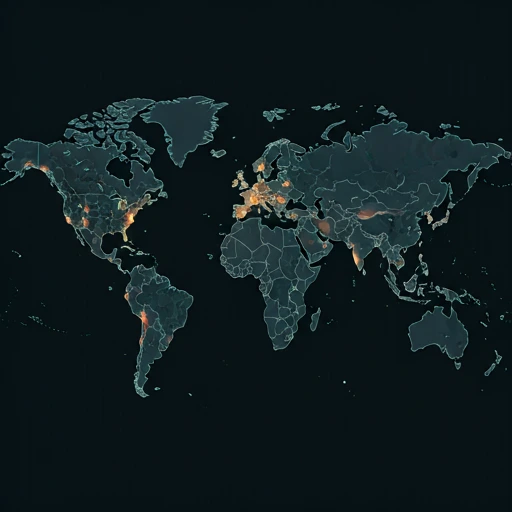
Live User Reports
Real-timeSystem Monitoring Active
Real-timeMonitoring is currently tracking 0 ongoing reports, which is well within normal operational baselines for The Division.
campaign Recent User Reports
| Service | Problem | Peak Spike | Spike Time | Reports (24h) | Status |
|---|---|---|---|---|---|

|
Normal activity | 9 reports | 30m ago | 85 | Stable |

|
Normal activity | 3 reports | 9h ago | 25 | Stable |

|
Normal activity | 10 reports | 19h ago | 159 | Stable |

|
Normal activity | 11 reports | 13h ago | 243 | Stable |

|
Normal activity | 9 reports | 18h ago | 227 | Stable |

|
Normal activity | 2 reports | 30m ago | 3 | Stable |

|
Normal activity | 275 reports | 10h ago | 479 | Stable |

|
Normal activity | 93 reports | 10h ago | 321 | Stable |