
Microsoft 365
Real-time uptime monitoring and outage reports
Current Status
Operational
24h Uptime
100.00%
Reports (Last 1h)
0
trending_flat 0%Last Peak Spike
4
16h agoUptime History (Past 24 Hours)
Is Microsoft 365 down right now? Real-time Status & Outage Map
Microsoft 365 is a comprehensive suite of cloud-based productivity applications, including Word, Excel, Exchange, and Teams, trusted by millions of businesses and individuals worldwide. As the digital backbone of modern enterprise communication and document management, its continuous uptime is critical for daily operations, seamless collaboration, and secure data accessibility.
Currently, based on our real-time global monitoring network, the status of Microsoft 365 is operational. There are currently no widespread network anomalies detected. If you are one of the few users currently struggling with an alleged Microsoft 365 outage, it is almost certainly an isolated incident affecting only your specific connection route or an outdated application client.
Service Disruptions: What Happens if Microsoft 365 Goes Down?
When Microsoft 365 experiences a server outage, the disruption ripples across entire organizations, bringing workflows to a sudden halt. Users frequently find themselves unable to authenticate their accounts, send or receive emails via Outlook, join scheduled Teams meetings, or access crucial files stored on OneDrive and SharePoint. These service interruptions directly impact workplace productivity, causing delayed communications, stalled projects, and temporary loss of access to essential cloud infrastructure.
When the timeline chart illuminates red or yellow, it means a sizable portion of the player or user base is getting hit by these exact bugs. isitdownrightnow.app actively sifts through the noise to confirm when a real Microsoft 365 outage is happening rather than a localized glitch.
Recent Down Detector Reports for Microsoft 365
Transparency into historical performance is key. Over the past 24 hours alone, our advanced tracking systems have recorded a total of 48 unique problem reports from users experiencing connectivity or functional issues with Microsoft 365. Currently, the service has maintained a 100.00% uptime rating over this recent 24-hour tracking window.
The largest anomaly in the recent timeline occurred exactly 16h ago, where our systems caught a massive wave of 4 problem reports pouring in simultaneously. This clearly highlights a temporary collapse of their backend services.
How to fix Microsoft 365 if it is not working
Still can't connect even though the servers are green? The Microsoft 365 lag is likely on your end. Run through this quick checklist to get back online:
- Clear Browser and Application Cache: If you are using the web version of Microsoft 365, clear your browser's cache and cookies, or try accessing the portal via an Incognito or Private browsing window. For desktop applications like Microsoft Teams or Outlook, clearing the local app cache folder can quickly resolve persistent login loops, blank screens, and synchronization errors.
- Flush DNS and Verify Network Settings: Connectivity issues can occur if your local network fails to properly resolve Microsoft's server IP addresses. You can fix this by flushing your DNS cache (open Command Prompt as administrator and run 'ipconfig /flushdns'), or by temporarily switching your device's DNS servers to a reliable public provider like Google (8.8.8.8) or Cloudflare (1.1.1.1).
- Check Account Authentication and Licensing: Local authentication failures can often masquerade as global outages. Ensure your Microsoft 365 subscription is active by logging into your Microsoft account portal. If you are on a corporate network, contact your IT administrator to verify that your Azure Active Directory account credentials are valid and have not been locked or restricted due to security policies.
How isitdownrightnow.app monitors Microsoft 365 Outages
Unlike internal corporate status pages, which are notoriously slow to update and often hide the true extent of ongoing failures, isitdownrightnow.app relies directly on the community. By crowdsourcing live problem reports submitted by real users worldwide, we can detect a massive Microsoft 365 crash literally within seconds of it beginning.
By comparing the live influx of complaints to a standard 7-day algorithmic baseline, our anomaly detection engine spots real outages instantly. When the reporting volume shatters the threshold, the alert goes out. This ensures that when you look for a Microsoft 365 down detector, you are always getting mathematically proven, community-verified outage maps.
Frequently Asked Questions
Why is Microsoft 365 not working?
Microsoft 365 may stop working due to a variety of reasons, including widespread Azure server outages, ongoing backend maintenance, regional network routing disruptions, or issues with Azure Active Directory authentication. Occasionally, the problem might be localized to your specific device, resulting from outdated application caches, corrupted DNS settings, or a poor internet connection.
How to check Microsoft 365 server status?
You can check the real-time status of Microsoft 365 by visiting the official Microsoft 365 Service Health dashboard if you have admin access, or by checking independent outage monitors like isitdownrightnow.app. We track global user reports and server response times continuously to provide you with the most accurate, up-to-the-minute status of all Microsoft 365 applications and services.
Is Microsoft 365 down right now?
To find out if Microsoft 365 is down right now, check the live status graph and recent user reports at the top of this page on isitdownrightnow.app. If you see a sudden spike in user reports or a red offline indicator, Microsoft is likely experiencing a widespread service disruption or regional outage.
Outage Heat Map
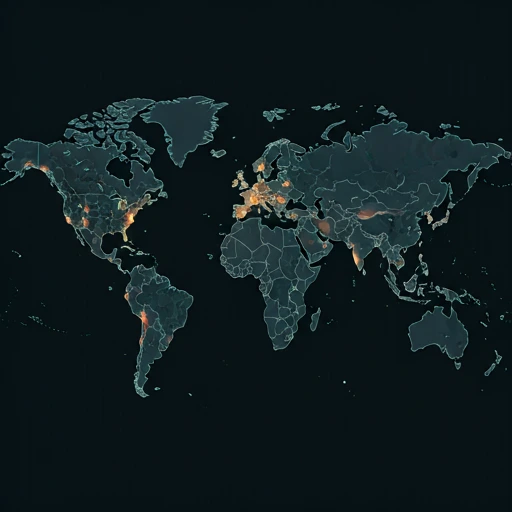
Live User Reports
Real-timeSystem Monitoring Active
Real-timeMonitoring is currently tracking 0 ongoing reports, which is well within normal operational baselines for Microsoft 365.
campaign Recent User Reports
| Service | Problem | Peak Spike | Spike Time | Reports (24h) | Status |
|---|---|---|---|---|---|

|
Normal activity | 9 reports | 30m ago | 85 | Stable |

|
Normal activity | 3 reports | 9h ago | 25 | Stable |

|
Normal activity | 10 reports | 19h ago | 159 | Stable |

|
Normal activity | 11 reports | 13h ago | 243 | Stable |

|
Normal activity | 9 reports | 18h ago | 227 | Stable |

|
Normal activity | 2 reports | 30m ago | 3 | Stable |

|
Normal activity | 275 reports | 10h ago | 479 | Stable |

|
Normal activity | 93 reports | 10h ago | 321 | Stable |