
ClickUp
Real-time uptime monitoring and outage reports
Current Status
Operational
24h Uptime
100.00%
Reports (Last 1h)
0
trending_flat 0%Last Peak Spike
0
stableUptime History (Past 24 Hours)
Is ClickUp down right now? Real-time Status & Outage Map
ClickUp is a comprehensive, all-in-one project management and productivity platform used by teams to organize tasks, documents, and workflows. It serves as a critical infrastructure component for businesses that rely on real-time collaboration, agile sprints, and centralized communication to keep their daily operations running smoothly.
Currently, based on our real-time global monitoring network, the status of ClickUp is operational. The vast majority of the community reports seamless functionality. If you are uniquely facing issues where ClickUp is not loading, we recommend checking your local Wi-Fi, clearing your browser cache, or restarting your application, as global servers appear to be completely healthy.
Service Disruptions: What Happens if ClickUp Goes Down?
When ClickUp experiences a server outage, users are often completely locked out of their workspaces, meaning they cannot view tasks, update project statuses, or access essential documents. API requests will timeout causing third-party integrations to fail, webhooks will drop, and teams may face significant workflow bottlenecks and missed deadlines until the servers are restored.
Our live map aggregates thousands of these specific complaints in real-time. If you see elevated bars on the chart above, the ClickUp down detector algorithm has successfully identified severe backend degradation that aligns with these exact symptoms.
Recent Down Detector Reports for ClickUp
By analyzing the past 24 hours of telemetry, we observed roughly 0 outage complaints globally. Factoring in these connectivity drops, the calculated ClickUp uptime over the last day rests at 100.00%.
Incredibly, there have been absolute zero significant outage spikes recorded recently. This flawless historical chart suggests a highly stable baseline performance, meaning their engineers are currently successfully mitigating any backend stress or traffic loads.
How to fix ClickUp if it is not working
When the global status reads 'Operational' but the app still crashes on your device, the problem is local. Try these simple fixes to restore your ClickUp connection:
- Hard Refresh and Clear Browser Cache: If the ClickUp web app is loading indefinitely, displaying a blank screen, or showing outdated tasks, a corrupted cache is often the culprit. Perform a hard refresh (Ctrl+F5 on Windows, Cmd+Shift+R on Mac) or navigate to your browser settings to clear cookies and site data specifically for 'clickup.com'.
- Reset the ClickUp Desktop App: If you are using the ClickUp desktop application and it fails to sync or open, try resetting the app's local data. You can typically resolve this by navigating to the app's settings or help menu and selecting 'Reset App Data', or by completely uninstalling and reinstalling the latest version from ClickUp's official website.
- Check Network and DNS Settings: Occasionally, local ISPs may struggle to route traffic to ClickUp's cloud servers. Try switching to an alternative network, such as a mobile data hotspot, or change your device's DNS servers to a reliable public provider like Google Public DNS (8.8.8.8) or Cloudflare (1.1.1.1) to bypass potential DNS resolution failures.
How isitdownrightnow.app monitors ClickUp Outages
We don't wait for PR departments to admit there's a problem. By automatically tracking the real-time velocity of ClickUp down reports across social networks and the web, we can publish outage alerts long before official sources acknowledge the failure.
Our intelligent backend systems constantly cross-reference the incoming volume of these ClickUp down reports against a historical background baseline curve. When the live data deviates significantly and crosses a mathematical threshold, our website instantly flips the status from green to red, publishes the warning on this page, and logs the precise minute the downtime commenced. This guarantees that you are receiving the fastest, most unbiased, and most accurate outage intelligence available anywhere on the internet today.
Frequently Asked Questions
Why is ClickUp not working?
ClickUp might not be working due to a widespread server outage, scheduled backend maintenance, or localized issues such as a corrupted browser cache or network connectivity problems. If the official servers are fully operational, the issue could be caused by an outdated desktop application or a restrictive corporate firewall blocking access to ClickUp's necessary domains.
How to check ClickUp server status?
You can check the ClickUp server status by utilizing third-party outage trackers like isitdownrightnow.app, which continuously monitors ClickUp's uptime and API response times. Additionally, you can visit the official ClickUp status page or check their official support channels on social media for announcements regarding ongoing maintenance or unexpected downtime.
Is ClickUp down right now?
To determine if ClickUp is currently down, review the real-time status graph at the top of this page, which aggregates user-reported issues and automated server ping results. A sudden, massive spike in error reports indicates that ClickUp is likely experiencing a global or regional service disruption.
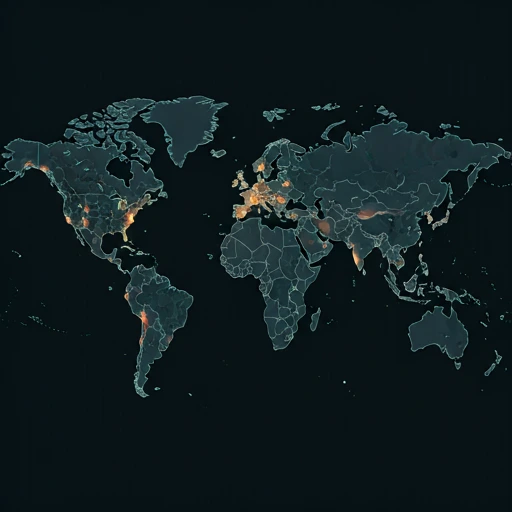
Outage Heat Map
Live User Reports
Real-timeSystem Monitoring Active
Real-timeMonitoring is currently tracking 0 ongoing reports, which is well within normal operational baselines for ClickUp.
campaign Recent User Reports
| Service | Problem | Peak Spike | Spike Time | Reports (24h) | Status |
|---|---|---|---|---|---|

|
Normal activity | 10 reports | 2h ago | 85 | Stable |

|
Normal activity | 3 reports | 9h ago | 25 | Stable |

|
Normal activity | 11 reports | 18h ago | 243 | Stable |

|
Normal activity | 8 reports | 17h ago | 228 | Stable |

|
Normal activity | 10 reports | 19h ago | 158 | Stable |

|
Normal activity | 2 reports | 30m ago | 3 | Stable |

|
Normal activity | 314 reports | 10h ago | 479 | Stable |

|
Normal activity | 95 reports | 10h ago | 321 | Stable |